
Secure agent setup
Audience: adopters. This document walks through every install step for the secure agent setup — pinned tool versions, the framework’s Claude Code and Codex runtime policies, the clean-env wrapper, the sandbox-bypass-warn hook, the sandbox-state status line, hardware security keys for signing and authentication with a touch policy and the full-screen touch overlay that goes with it, multi-host syncing, the agent-guided install / verify / keep-updated prompts, and the five session screenshots that show what a working setup looks like in action. Read this end-to-end and you will have the secure setup running.
Why this setup is shaped the way it is — the threat model it
addresses, how the three layers fit together, what bubblewrap /
Seatbelt actually do at the OS layer, where the residual blind
spots are — lives in the companion document
secure-agent-internals.md. It is
optional reading for adopters; required reading for anyone
modifying the setup or debugging an unexpected denial.
The framework’s tracker repo and <security-list> thread content are
pre-disclosure CVE material. A default agent session with
unfettered access to ~/, all environment variables, and a
permissive network egress can — by accident or via a prompt-injection
attack hidden in an inbound report — exfiltrate cloud credentials,
SSH keys, GitHub tokens, the Gmail OAuth refresh token, and similar
host-level secrets. This setup does not eliminate that risk; it
reduces it to the project tree.
Quick start
If you just want the secure setup running, follow this short
path. The rest of the document below expands every bullet here
with the why and the trade-offs; you can return to it whenever
you want the full picture. For the rationale and mechanism behind
each layer, see
secure-agent-internals.md.
Codex has a harness-native project policy and rules contract. Read the
Codex first-class harness adapter for that
runtime’s exact install, sandbox, HITL, verification, and Windows
mapping. The long-form sections below remain the canonical Claude Code
setup; the four setup-isolated-* skills route Codex to the adapter
before entering any Claude-only settings flow.
The same four skills route Antigravity to its setup lifecycle, which configures the user’s ~/.gemini/ files once and never asks for per-repository setup.
They route Pi to its setup lifecycle: one per-user package install carries the action guard, the permission rules and an OS sandbox for bash, all derived from the same Claude Code baseline.
They route Goose to its setup lifecycle: one per-user plugin install carries the guard hook and the baseline’s deny rules, and agent-iso goose runs the whole Goose process in sandbox-runtime in approve mode.
Agent-guided (recommended)
If you have Claude Code installed and a clone of magpie
on the host, the framework ships six skills that walk every
step interactively. Each surfaces sudo / shell-rc / settings-file
changes for explicit approval before applying — nothing
privilege-elevating runs without you saying so.
With Codex, start the repository through agent-iso codex, invoke the
same skills by their $magpie-* names, and follow the Codex branch they
select. The end state and verification commands are documented in the
Codex adapter.
1. Open Claude Code in your tracker repo (or any directory).
2. If you consume the framework as a gitignored snapshot managed
   by `setup` (the canonical adopter pattern), run
   `/magpie-setup verify` to confirm the snapshot at
   `.apache-magpie/`, the committed `.apache-magpie.lock`, and
   the project-config files are wired correctly. Read-only —
   surfaces gaps, never auto-fixes.
3. Run /magpie-setup:isolated-setup-install — guided first-time install of
   the secure-agent setup (sandbox, hooks, status line,
   clean-env wrapper, and — if you sign and authenticate with a
   hardware key — its touch policy and the touch overlay).
4. Run /magpie-setup:isolated-setup-verify — confirms ✓/✗/⚠ for every piece
   of the secure-agent setup.
5. When you want to be on the framework's latest: on the
   marketplace install, run `/plugin marketplace update
   apache-magpie` then `/plugin update <plugin>@apache-magpie`; on
   the pinned-snapshot fallback, run `/magpie-setup update` instead
   — pulls your local magpie checkout to origin/main with
   --ff-only, refuses to touch a dirty working tree, surfaces what
   arrived. Either way, then run
   /magpie-setup:isolated-setup-update to surface user-side drift the
   upgrade introduced (new permissions.deny entries,
   user-scope script copies older than the framework, pinned
   tool bumps that warrant a host install).
6. Optional: if you maintain a private dotfile-style sync repo
   per
   [Syncing user-scope config across machines](#syncing-user-scope-config-across-machines),
   run /magpie-setup:shared-config-sync to push local edits to the remote
   so other machines pick them up.
The skills are at
.claude/skills/magpie-setup/verify.md,
.claude/skills/setup-isolated-setup-install/,
.claude/skills/setup-isolated-setup-verify/,
.claude/skills/magpie-setup/update.md,
.claude/skills/setup-isolated-setup-update/,
.claude/skills/setup-shared-config-sync/.
Each skill references back into the canonical sections of this
document rather than duplicating them, so anything the skill walks
you through has a longer-form section here you can read for
context.
Manual Claude Code path (if you do not want the agent-guided path)
The same flow, condensed to commands you run yourself:
# 1. Pinned system tools (Linux only — macOS uses built-in
#    Seatbelt). Exact distro commands and version pins are in
#    `tools/agent-isolation/pinned-versions.toml`; canonical
#    section: "Required tools" below. claude-code is unpinned —
#    always install the latest for the newest security fixes.
sudo apt-get install --no-install-recommends \
    bubblewrap=0.13.1-* socat=1.8.1.3-*
npm install -g --no-save @anthropic-ai/claude-code@latest

# 2. Project-scope `.claude/settings.json`. Copy the framework's
#    sandbox / permissions.deny / permissions.ask / allowedDomains
#    blocks into your tracker repo's `.claude/settings.json`.
#    Section: "The framework's own .claude/settings.json" below.

# 3. The clean-env wrapper. Source `agent-iso.sh` from your rc
#    file, optionally alias `claude=claude-iso`. Section: "The
#    clean-env wrapper" below.

# 4. User-scope hooks. Copy `sandbox-bypass-warn.sh`,
#    `sandbox-error-hint.sh`, and `sandbox-status-line.sh` into
#    `~/.claude/scripts/`, wire them into `~/.claude/settings.json`
#    under `PreToolUse`, `PostToolUse`, and `statusLine`.
#    Sections: "Sandbox-bypass visibility hook",
#    "Sandbox-error hint hook", and "Sandbox-state status line"
#    below. Add `gpg-touch-overlay.sh` too if your signing key
#    asks for a touch — section "Hardware-key touch overlay" —
#    and set that touch policy on the key's signing slot (and
#    none on the ssh authentication slot) per "Hardware security
#    keys".

# 5. Verify the install actually denies what it claims to —
#    section "Verification" below has both a three-line Bash
#    check and the agent-guided form.
Both Claude Code paths converge on the same end state: a sandboxed Claude Code
session that cannot read ~/.aws/, cannot exfiltrate via curl,
runs Bash subprocesses inside bubblewrap (Linux) or Seatbelt
(macOS), and visibly flags sandbox / NO SANDBOX / bypass
attempts in the terminal so an unprotected session cannot drift
unnoticed.
The equivalent Codex end state uses workspace-write, network disabled,
and native exec-policy decisions; see the
Codex security model.
The rest of this document is the long-form reference behind each of those steps. If you used the agent-guided path, you can read sections on demand when a skill points you at one for more detail.
Required tools
The sandbox primitives (bubblewrap, socat) are pinned with a
per-tool cooldown before the framework adopts a new upstream
release — same convention as the [tool.uv] exclude-newer = "7 days"
setting in pyproject.toml and the weekly Dependabot
updates in .github/dependabot.yml.
Default cooldown is 7 days; individual tools can override via
cooldown_days = N in the manifest when their release stream
warrants it. These are low-level sandbox building blocks where
reproducibility and settle-time matter more than chasing the newest
build.
The agent harness (claude-code) is deliberately not pinned.
The secure setup installs @anthropic-ai/claude-code@latest because
each release carries the newest permission-rule, sandbox, and
prompt-injection fixes — pinning the runtime to an older build would
increase the framework’s security lag, not reduce it. Always run
the latest.
The current pins live in machine-readable form in
tools/agent-isolation/pinned-versions.toml:
| Tool | Pinned version | Released | Cooldown | Purpose |
|---|---|---|---|---|
bubblewrap |
0.13.1 | 2026-10-14 | 1d | Linux user-namespace sandbox (filesystem layer). Required on Linux; macOS uses Seatbelt instead. |
socat |
1.8.1.3 | 2026-06-26 | 7d (default) | TCP relay for the sandbox network allowlist. Linux only. |
claude-code |
(unpinned — @latest) |
— | none | Agent harness. Installed at the latest release so it always carries the newest permission-rule / sandbox / prompt-injection fixes; not in the pin manifest. |
The pin date floor (pinned_at in the manifest) is the day the
manifest was last touched; it is the framework’s promise that every
version above had at least its tool’s cooldown to settle before
being adopted.
Install commands
For development of this framework checkout, prepare the token-count vocabulary once from a terminal outside the isolated agent, at the repository root:
uv run --project tools/skill-token-count skill-token-count --prepare-tokenizerThis explicit installation step verifies the vocabulary checksum and stores it
under ~/.cache/apache-magpie/tiktoken/. The token-count hook then reads that
cache without requiring a new sandbox network allowance. See the
tool prerequisites
for offline provisioning. Adopter snapshots that do not run the framework’s
development hooks do not need this step.
The exact commands are also in pinned-versions.toml under each
tool’s install.<distro> field; below is the one-line view per
distro. Choose whichever applies to your host.
Debian / Ubuntu (apt):
sudo apt-get update
sudo apt-get install --no-install-recommends \
    bubblewrap=0.13.1-* \
    socat=1.8.1.3-*
Distro packages lag the pin. The pinned
bubblewrap 0.13.1is newer than most distributions package, so theapt/dnflines above resolve only once your distribution ships it. Until then, build it from the release tarball (meson setup _build && meson compile -C _build && sudo meson install -C _build), or install the distribution’s ownbubblewrapand accept the same LTS trade-off documented in the Ubuntu Noble shortcut below — the sandbox flags don’t depend on a specific bubblewrap version (thedenyRead/allowReadAPI has been stable since0.6.x). On Debian, an adopter reported the0.11.xline not working on bookworm, so run the secure setup on trixie (or newer).
Fedora / RHEL (dnf):
sudo dnf install \
    bubblewrap-0.13.1 \
socat-1.8.1.3macOS: bubblewrap is not needed (Seatbelt is built in); socat is
optional. If you want socat, brew install socat (current Homebrew
version, no pin enforced — Homebrew rolls forward, so the
“7-day cooldown” promise is best-effort here).
Claude Code (unpinned — always the latest for the newest security fixes):
# npm distribution (the only stable channel today)
npm install -g --no-save @anthropic-ai/claude-code@latest
Distro-specific shortcut — Linux Mint 22.x / Ubuntu 24.04 Noble
The pinned versions above (bubblewrap 0.13.1, socat 1.8.1.3) are
the upstream releases that have aged past the framework’s 7-day
cooldown. They are not in Ubuntu Noble’s main repos — Noble
ships bubblewrap 0.9.0 (0.9.0-1ubuntu0.3) and
socat 1.8.0.0 (1.8.0.0-4build3).
Both Noble-shipped versions pre-date the framework’s pins by months and are well past the 7-day cooldown, so they’re a legitimate adopter choice on Mint 22.x / Ubuntu 24.04. The trade-off is the usual LTS one: older feature set, but no source build required, and security backports flow through Ubuntu’s standard update channel.
If you accept the trade-off, install via apt:
sudo apt-get update
sudo apt-get install --no-install-recommends \
    bubblewrap=0.9.0-1ubuntu0.3 \
    socat=1.8.0.0-4build3
The framework’s .claude/settings.json works unchanged — the
sandbox flags don’t depend on a specific bubblewrap version (the
denyRead/allowRead API has been stable since 0.6.x).
The framework’s tools/agent-isolation/check-tool-updates.sh will
still report upstream 0.13.1 / 1.8.1.3 as the pinned versions —
that’s the manifest’s view of what’s upstream-current, not what
your distro shipped. If you want to silence the drift, override the
manifest locally with a pinned-versions.local.toml (gitignored)
declaring the Noble versions; the script’s manifest-precedence
follows the same *.local convention as Claude Code’s
settings.local.json.
Why this is documented as a separate “shortcut” rather than the canonical path. The framework’s default pin tracks the upstream release stream, not any specific distro. Adopters on distros that ship recent versions (Arch, Fedora rolling, NixOS on
nixos-unstable) can install the upstream-pinned versions directly from their package manager. Adopters on LTS distros like Mint / Ubuntu Noble use this shortcut. The two paths converge — once Noble’s next LTS adopts a newer bubblewrap, this section retires.
Bumping a pinned version
This applies to the pinned sandbox primitives (bubblewrap,
socat) only — claude-code is unpinned and tracks @latest, so
there is nothing to bump for it (to move its min_version floor, see
Raising the claude-code floor below).
When an upstream primitive release has aged past the tool’s 7-day
cooldown and you want to adopt it:
- Run
tools/agent-isolation/check-tool-updates.sh. It compares the pinned versions to upstream and prints an “upgrade candidate” line for any tool whose latest aged-past-cooldown release is newer than the pin. - Read the upstream release-notes / CHANGELOG for the tool. Don’t bump on a “performance improvements” entry — wait for a feature you actually want or a security fix.
- Edit
tools/agent-isolation/pinned-versions.toml: update the tool’sversionandreleasedfields, then update the top-levelpinned_atfield to today’s date. - Update the install commands in this document if the distro package version string has shifted.
- Open the bump as its own PR with a one-paragraph rationale.
The check script is idempotent and side-effect-free — it never edits the manifest, never installs anything, never opens a PR.
Raising the claude-code floor
claude-code carries a min_version floor instead of a pin. It
is not a version to install (installs are always @latest) — it is
the oldest release whose permission-rule / sandbox / prompt-injection
semantics the secure setup relies on. setup-isolated-setup-verify
check 5 hard-fails when the setup is driven from Claude Code and
the running claude-code is below the floor: the run stops rather than
certifying a setup whose guarantees may not hold on an older runtime.
Raise the floor only when the framework starts to depend on behaviour introduced by a newer release (a new permission-rule field, a sandbox flag, a prompt-injection mitigation the skills assume):
- Edit
min_version(andreleased) in the[tools.claude-code]table oftools/agent-isolation/pinned-versions.toml. - Note in the PR which framework behaviour now requires the higher floor, so adopters understand why their below-floor runtime is being rejected.
Because the floor is a hard failure, raising it is a breaking change
for adopters still on an older runtime — they must upgrade to
@latest (which they should be doing anyway) before the setup will
verify.
Wiring the check script into a weekly routine
The framework’s /schedule slash-command lets you wire the check
script into a recurring agent without leaving Claude Code:
/schedule weekly run tools/agent-isolation/check-tool-updates.sh
                  and surface upgrade candidates
The scheduled agent runs in the same secure setup the rest of the framework uses, so it has no special access to install the upgrade itself — the surfaced candidates are a proposal, and the framework maintainer’s deliberate confirmation (per step 5 above) is what actually lands the bump.
The framework’s own .claude/settings.json
The framework dogfoods the secure config in two layers: the committed
floor .claude/settings.json (the sandbox,
every deny and ask rule, the plugin wiring, the vetted-ops read path and
the adopted families’ MCP tools) and the local template
tools/agent-isolation/claude-settings.local.template.json,
which each contributor reconciles into .claude/settings.local.json
(CONTRIBUTING.md → Agent settings).
The full block below is the two merged, annotated.
{
  // No `env` block here. Sandboxed podman / docker calls go through the
  // container gateway (tools/container-gateway), but CONTAINER_HOST /
  // DOCKER_HOST have to name its sockets by ABSOLUTE path — the CLIs do
  // not resolve a project-relative `unix://./…` value against the cwd —
  // and an absolute path is per-machine. So they live in the gitignored
  // `.claude/settings.local.json` alongside the matching
  // `allowUnixSockets` entries, not here. See "Container gateway" below.
  "sandbox": {
    "enabled": true,
    // `excludedCommands` runs the listed commands OUTSIDE the sandbox.
    // `gh` authenticates via the OS keyring (and `~/.config/gh`), which the
    // sandbox blocks — so a sandboxed `gh` fails with a keyring / "not
    // logged in" error. Excluding it lets `gh` use the real host auth. Its
    // write / destructive subcommands are still gated by the
    // `permissions.ask` rules below, and `gh auth token` / `gh auth refresh`
    // stay in `permissions.deny` so the token can never be dumped. This is
    // what makes the "`gh` is sandbox-bypassed" note under `credentials`
    // below actually hold. The exclusion only applies when every part of
    // a Bash invocation is `cd …` or `gh …` — a pipe, `$(…)`, a loop, or
    // any file redirection puts `gh` back in the sandbox, where it fails
    // with `x509: OSStatus -26276`. Details, the `gh tofile` alias
    // workaround, and the upstream report (anthropics/claude-code#95532)
    // are in sandbox-troubleshooting.md → "`gh` fails with TLS …".
    // The adversarial-review tool runs other models' CLIs, which need network
    // access and their own credentials (~/.codex, ~/.copilot, ~/.gemini/antigravity-cli,
    // ~/.grok, ~/.claude). Only its single-line, installed-plugin form is excluded;
    // it keeps its permission prompt (no `allow`), and the plugin cache is
    // `Edit`-denied below. See the isolated-setup-install skill, Step R.
    // The vetted-ops READ dispatcher calls `gh` and the network, so it runs
    // outside the sandbox too — in both invocation forms the skills and the
    // read-only gatherer agents use (`uv run --project` and `uvx --from`).
    // The vetted-ops WRITE dispatchers (`vetted-op-tracker`, `vetted-op`) are
    // excluded for the same reason: their writes need a gh that can verify
    // TLS, and a sandboxed `vetted-op` cannot even read ~/.claude/magpie to
    // start. Each operation is a fixed gh argv built from the catalogue, with
    // bodies read only from the workspace, so the exclusion exposes less than
    // the bare `gh *` above. Both keep their `ask` below, never `allow`: the
    // prompt is the gate on every write (sandbox-lint enforces the pairing).
    // The adversarial-review tool runs the reviewer CLIs, which need network
    // and their own credentials. Like the vetted-ops entries, it names the
    // fixed link its plugin's SessionStart hook maintains, never a `*` where
    // the plugin version sits: that would also match `uv` options spliced in
    // at that position and run them unsandboxed.
    // cve-tool reads the CVE tool's session under ~/.config/apache-magpie,
    // which the sandbox denies, so it runs outside the sandbox from the fixed
    // link the magpie-security-tools SessionStart hook keeps on the plugin's
    // tools/ (never the writable ~/.cache/apache-magpie/framework copy). It
    // allocates, pushes and publishes CVE records, so every call keeps its
    // `ask` below, reads included (sandbox-lint enforces the pairing).
    "excludedCommands": [
      "gh *",
      "uv run --project ~/.claude/magpie/vetted-ops vetted-op-read *",
      "uvx --from ~/.claude/magpie/vetted-ops vetted-op-read *",
      "uv run --project ~/.claude/magpie/vetted-ops vetted-op-tracker *",
      "uvx --from ~/.claude/magpie/vetted-ops vetted-op-tracker *",
      "uv run --project ~/.claude/magpie/vetted-ops vetted-op *",
      "uvx --from ~/.claude/magpie/vetted-ops vetted-op *",
      "uvx --from ~/.claude/magpie/adversarial-review adversarial-review *",
      "uvx --from ~/.claude/magpie/security-tools/cve-tool cve-tool *"
    ],
    // The `lychee` link-check hook runs in OFFLINE mode (`offline =
    // true` in `.lychee.toml`): it validates only local cross-file and
    // anchor references and never fetches remote URLs, so it makes no
    // network calls and needs no in-sandbox TLS at runtime. This
    // sidesteps a macOS-26 issue where the sandbox's CONNECT proxy is
    // incompatible with SecureTransport (the `native-tls` stack the
    // cargo/brew lychee links): online link checks fail every external
    // URL with `OSStatus -26276` even though the certs are valid and
    // `enableWeakerNetworkIsolation` is set. Building lychee still
    // needs the rust toolchain (see the `~/.cache/` +
    // `*.crates.io`/`static.rust-lang.org` entries below); only its
    // *runtime* network use is eliminated.
    "filesystem": {
      "denyRead": ["~/"],          // default-deny the entire home dir for Bash subprocesses
      "allowRead": [
        ".",                          // the project tree (cwd)
        "~/.gitconfig",               // git's user.name / user.email
        "~/.config/git/",             // git's per-host config
        "~/.cache/",                  // dev tool caches (uv HTTP cache, prek logs, ruff/mypy caches, and prek's own rustup + CARGO_HOME for the `lychee` rust hook)
        "~/.local/share/uv/",         // uv's tool venvs (prek, etc.)
        "~/.local/bin/",              // uv-installed tool entry points
        "~/.docker/bin/",             // Docker Desktop's `docker` CLI (macOS); the rest of ~/.docker stays denied
        "~/.docker/cli-plugins/",     // `docker compose` / `docker buildx` plugin binaries
        "~/.gnupg/",                  // gpg keyring reads (needed for signing, not sufficient on Linux — see sandbox-troubleshooting.md)
        "/run/user/*/gnupg/",         // gpg-agent socket dir (see "agent appears unreachable" in sandbox-troubleshooting.md)
        "~/.ssh/id_ed25519_sk.pub"    // ONLY with `gpg.format=ssh`: the public half git hands to `ssh-keygen -Y sign`. Use the file `git config user.signingkey` names (see sandbox-troubleshooting.md)
      ],
      "allowWrite": [
        "~/.cache/"                   // uv's sandbox-only cache, prek log + state, ruff/mypy caches, prek's rustup toolchains + cargo registry
        // never ~/.local/share/uv/: readable only — its interpreters and tool venvs run outside the sandbox (see "Host-only uv state")
      ]
    },
    "network": {
      // Linux ignores allowUnixSockets and blocks every AF_UNIX socket; the gateway and
      // ssh-agent signing need a per-machine `allowAllUnixSockets: true` there, never
      // without the host-socket denyRead entries in "Linux needs allowAllUnixSockets" below.
      "allowUnixSockets": [        // macOS only (ignored on Linux): sockets a sandboxed Bash may connect(2) to. A read entry alone lets it stat the file, not talk to it.
        "/Users/<you>/.gnupg/S.gpg-agent.ssh"   // gpg-agent's ssh socket — needed for signed commits and pushes over ssh; absolute path (see "SSH agent / Yubikey appears unreachable" in sandbox-troubleshooting.md)
        // Per project, local settings (`.claude/settings.local.json`,
        // added by hand — see "Container gateway" below) carry the
        // container gateway's own sockets here as absolute paths, so a
        // sandboxed podman / docker CLI can connect(2) to them:
        //   "<project>/.apache-magpie-local/run/podman.sock",
        //   "<project>/.apache-magpie-local/run/docker.sock"
        // (or "<git-common-dir>/apache-magpie/run/<worktree-id>/{podman,docker}.sock"
        // for a project that has not adopted Magpie)
        // never the daemon socket itself: that is host access, see sandbox-troubleshooting.md
      ],
      "allowedDomains": [
        // ASF-only domains are not generic defaults. The reviewed
        // claude-settings.asf.fragment.json is selected through
        // setup_preflight.organization_network for explicit ASF projects.
        // General-purpose hosts the framework legitimately reaches
        "github.com", "api.github.com", "api.bitbucket.org",
        "raw.githubusercontent.com",
        "objects.githubusercontent.com", "codeload.github.com", "uploads.github.com",
        "pypi.org", "files.pythonhosted.org",
        "cve.org", "www.cve.org", "cveawg.mitre.org", "api.osv.dev",
        // `*.crates.io` + `static.rust-lang.org` let the `lychee` rust
        // hook bootstrap a rustup toolchain and `cargo install` lychee
        // on first run: prek downloads `rustup-init` from
        // static.rust-lang.org (see `crates/prek/src/languages/rust/rustup.rs`),
        // installs it plus the `stable` toolchain under
        // `~/.cache/prek/tools/rustup/`, and points CARGO_HOME at
        // `~/.cache/prek/cache/cargo/` — so the existing `~/.cache/`
        // entries cover it and the user's own `~/.rustup` / `~/.cargo`
        // are never read or written. Crate deps come from crates.io. These
        // are the ONLY hosts lychee needs: it runs offline (see
        // `.lychee.toml`), so it never fetches the external URLs the
        // docs link to — the wildcard link-target hosts that used to
        // live here (`*.apache.org`, `*.nist.gov`, `lychee.cli.rs`, …)
        // were removed when the hook went offline.
        "*.crates.io", "static.rust-lang.org",
        // The prek toolchains for the node and python hooks, so a
        // sandboxed `prek run` can build its hook envs the way CI does:
        // `nodejs.org` serves the Node that `default_language_version`
        // pins when the system one differs, `registry.npmjs.org` the
        // packages `language: node` hooks install (markdownlint-cli2's
        // deps, the Claude Code CLI behind `check-claude-mods`), and
        // `releases.astral.sh` the uv and managed-Python builds that
        // prek and uv fetch. Build-time downloads only, all from the
        // tools' official release hosts.
        "registry.npmjs.org", "nodejs.org", "releases.astral.sh"
      ],
      // Lets native-TLS CLI tools (lychee — and, per the schema, gh /
      // gcloud / terraform) verify TLS through the sandbox's
      // TLS-terminating proxy; without it lychee fails every external
      // link with `failed to verify TLS certificate`. Documented
      // trade-off: "reduces security — opens a potential
      // data-exfiltration vector through the trustd service." No-op
      // outside the sandbox (e.g. CI). macOS-only.
      "enableWeakerNetworkIsolation": true
    },
    // `sandbox.credentials` (claude-code 2.1.187+) is the only layer
    // that protects secret ENVIRONMENT VARIABLES — `denyRead` and the
    // `permissions.deny[Read(...)]` rules are filesystem-only and do
    // NOT stop a sandboxed command from reading `$ANTHROPIC_API_KEY`
    // or dumping `env`. `mode: "deny"` unsets the var for sandboxed
    // commands only; the unsandboxed agent process keeps its own auth,
    // and sandbox-bypassed commands (e.g. `gh`, which reads
    // ~/.config/gh) are unaffected. Credential FILES are already
    // covered by `denyRead: ["~/"]`, so only `envVars` is listed here.
    // (`mode: "mask"` + `injectHosts` is the alternative: keep the var
    // usable only for connections to named hosts — not needed here.)
    "credentials": {
      "envVars": [
        { "name": "ANTHROPIC_API_KEY", "mode": "deny" },
        { "name": "ANTHROPIC_AUTH_TOKEN", "mode": "deny" },
        { "name": "CLAUDE_CODE_OAUTH_TOKEN", "mode": "deny" },
        { "name": "GH_TOKEN", "mode": "deny" },
        { "name": "GITHUB_TOKEN", "mode": "deny" },
        { "name": "AWS_ACCESS_KEY_ID", "mode": "deny" },
        { "name": "AWS_SECRET_ACCESS_KEY", "mode": "deny" },
        { "name": "AWS_SESSION_TOKEN", "mode": "deny" },
        { "name": "NPM_TOKEN", "mode": "deny" },
        { "name": "TWINE_PASSWORD", "mode": "deny" }
      ]
    }
  },
  "permissions": {
    "allow": [
      "Bash(gh api graphql *)",                 // GraphQL fetches (PR-triage paginated loop). Every GraphQL call sends `-f query=…`, so the write-shaped `gh api * -f*` ask below still prompts for it (ask beats allow); this rule only matters in a config without that ask. Bounded GraphQL reads go through vetted-ops instead.
      // Two read-only REST `gh api` GETs the skills need for read-only
      // analysis (security-team / reviewer roster lookup; release-tag ↔
      // fix-commit ancestry when verifying a fix shipped). Without these,
      // read-only assessor subagents prompt mid-run for the roster/ancestry
      // reads. Kept mutation-safe: the `collaborators --*` guard matches the
      // list GET (`… /collaborators --paginate --jq …`) but NOT the add-member
      // mutation (`… /collaborators/<user> -X PUT`, which has no ` --` prefix);
      // `compare/…` is a GET-only endpoint with no mutating counterpart.
      "Bash(gh api repos/*/*/collaborators --*)", "Bash(gh api repos/*/*/compare/*)",
      // Read-only gh, allow-listed so they run without a prompt. Every
      // write/destructive gh subcommand, and every write-shaped `gh api`, is
      // on ask below; anything in neither list falls to the mode's default.
      "Bash(gh pr view *)", "Bash(gh pr list *)", "Bash(gh pr diff *)", "Bash(gh pr checks *)",
      "Bash(gh issue view *)", "Bash(gh issue list *)",
      "Bash(gh repo view *)", "Bash(gh repo list *)",
      "Bash(gh run view *)", "Bash(gh run list *)", "Bash(gh run watch *)",
      "Bash(gh workflow view *)", "Bash(gh workflow list *)",
      "Bash(gh release view *)", "Bash(gh release list *)",
      "Bash(gh label list *)", "Bash(gh cache list *)",
      "Bash(gh search *)", "Bash(gh browse *)", "Bash(gh auth status)",
      // The vetted-ops READ dispatcher. Safe to `allow` rather than `ask`
      // because it refuses every write operation before it consults policy or
      // --caller, so no argv can talk it into a mutation. The write dispatcher
      // (`vetted-op`) is deliberately NOT here — it is in `ask` below.
      // Allowlisting it on the strength of a read-only *caller name* would
      // grant the whole catalogue, because --caller is chosen by the caller.
      // The rules name the fixed path ~/.claude/magpie/vetted-ops, which the
      // plugin's SessionStart hook points at the installed version. Never glob
      // the version in the plugin-cache path instead: a `*` also matches
      // spaces, so it would approve (and, excluded, run unsandboxed) a command
      // with extra `uv` options spliced in at that position.
      // These two rules are the committed half of an imperative: no
      // vetted-op-read call may ever prompt. The absolute-$HOME forms are
      // per machine and the install skill adds them. See "Read-only vetted
      // ops never prompt" below.
      "Bash(uv run --project ~/.claude/magpie/vetted-ops vetted-op-read *)",
      "Bash(uvx --from ~/.claude/magpie/vetted-ops vetted-op-read *)",   // same dispatcher, the form bulk gatherer agents use
      // Read-only MCP tools the security skills call on every sync / import /
      // triage run. Without these, each read of a named thread or message
      // prompts, and a bulk sync fans out into hundreds of prompts. Whole-mailbox
      // and whole-list searches stay off this list, as do write tools (drafts,
      // logins, label/thread mutations): these sessions read untrusted reports,
      // so the operator sees those calls.
      "mcp__ponymail__get_thread", "mcp__ponymail__get_email",
      "mcp__ponymail__get_source", "mcp__ponymail__list_lists", "mcp__ponymail__list_restrictions",
      "mcp__ponymail__auth_status",
      "mcp__claude_ai_Gmail__get_thread", "mcp__claude_ai_Gmail__get_message",
      "mcp__claude_ai_Gmail__list_drafts", "mcp__claude_ai_Gmail__get_draft",
      "mcp__gmail-plaintext__check_auth",
      "mcp__apache-projects__get_committee", "mcp__apache-projects__get_group_members",
      "mcp__apache-projects__get_person", "mcp__apache-projects__search_people",
      "mcp__apache-projects__project_stats", "mcp__apache-projects__get_releases",
      "mcp__apache-projects__get_repositories", "mcp__apache-projects__list_committees",
      "mcp__apache-projects__search_projects",
      // Read-only fetches of public registries the skills consult: cve.org
      // publication state and PyPI release detection.
      "WebFetch(domain:cveawg.mitre.org)", "WebFetch(domain:pypi.org)"
    ],
    "deny": [
      "Read(~/.aws/**)", "Read(~/.ssh/**)", "Read(~/.netrc)",
      "Read(~/.docker/**)", "Read(~/.kube/**)",
      "Read(~/.config/gh/**)",                  // neither the agent nor sandboxed bash; only the excluded `gh` reads it
      "Read(~/.config/apache-magpie/**)",      // Gmail OAuth token: only the oauth-draft MCP server reads it, outside the sandbox
      "Edit(~/.config/apache-magpie/local-tracker-parsers.json)", // the user's custom-parser confirmations: only `trust-parser`, run by the user, writes them
      "Read(~/.config/gcloud/**)", "Read(~/.azure/**)",
      "Read(~/.config/uv/uv.toml)",             // the host-only uv cache-dir: unreadable inside the sandbox, so sandboxed uv keeps its own cache (see "Host-only uv state")
      "Edit(~/.config/uv/**)",
      "Edit(~/.cache/ponymail-attachments/**)",  // PonyMail save_attachments root: readable in the sandbox, written only by the MCP server
      "Read(//**/.env)", "Read(//**/.env.local)", "Read(//**/.env.*.local)",
      "Bash(curl *)", "Bash(wget *)",           // network egress via Bash bypasses the sandbox proxy
      "Bash(aws *)", "Bash(gcloud *)", "Bash(az *)", "Bash(kubectl *)",
      "Bash(docker login *)", "Bash(npm publish *)",
      "Bash(pip install --upgrade *)", "Bash(uv self update *)",
      "Bash(gh auth token*)", "Bash(gh auth refresh*)",  // gh runs unsandboxed (excludedCommands), so deny the two subcommands that would print/rotate the token
      // The vetted-ops exclusion. The read dispatcher's `allow` rests on the
      // catalogue's shape — which operations exist and which of them write —
      // so the catalogue must not be editable by the agent that calls it.
      // It gets two layers: these rules, and sitting outside every
      // sandbox.filesystem.allowWrite root.
      // The policy TOML gets one, because it lives inside the adopter repo and
      // is therefore sandbox-writable. That is tolerable only because the read
      // dispatcher ignores policy when refusing writes: editing the policy can
      // widen which repo is READ, never turn a read into a write.
      // One rule per surface, not two: `Edit(path)` is the path rule for
      // every file-writing tool (Write and NotebookEdit included), and a
      // `Write(path)` rule is not matched by the file permission check at all.
      "Edit(~/.claude/plugins/cache/apache-magpie/magpie-vetted-ops/**)",
      "Edit(~/.claude/magpie/**)",
      "Edit(.apache-magpie-overrides/tools/vetted-ops/**)",
      "Edit(//**/.apache-magpie-overrides/tools/vetted-ops/**)",  // any directory discovery could start from, not only this project
      "Edit(~/.config/apache-magpie/vetted-ops/**)",  // the approved policies the write dispatchers act on
      "Edit(//**/.git/**/apache-magpie/tools/vetted-ops/**)",
      "Edit(//**/.svn/apache-magpie/tools/vetted-ops/**)",
      "Edit(//**/.apache-magpie-local/tools/vetted-ops/**)",
      // The adversarial-review tool runs unsandboxed (excludedCommands above), so
      // the code it runs must not be editable by the agent that calls it.
      "Edit(~/.claude/plugins/cache/apache-magpie/magpie-adversarial-review/**)",
      // Likewise cve-tool, run outside the sandbox from the plugin's tools/.
      "Edit(~/.claude/plugins/cache/apache-magpie/magpie-security-tools/**)"
    ],
    "ask": [
      "Bash(git push *)",                        // including --force / --force-with-lease variants
      "Bash(uv run --project ~/.claude/magpie/vetted-ops vetted-op *)",  // the vetted-ops WRITE dispatcher: bounded in shape, but still a remote mutation, and excluded from the sandbox above, so it keeps a confirmation
      "Bash(uvx --from ~/.claude/magpie/vetted-ops vetted-op *)",
      "Bash(uv run --project ~/.claude/magpie/vetted-ops vetted-op-tracker *)",  // the tracker rollup / body-field procedures: excluded from the sandbox above, so never `allow`
      "Bash(uvx --from ~/.claude/magpie/vetted-ops vetted-op-tracker *)",
      "Bash(uvx --from ~/.claude/magpie/security-tools/cve-tool cve-tool *)",  // cve-tool: excluded from the sandbox above, and it changes CVE records, so every call asks
      // gh WRITE subcommands, listed one by one. Claude Code evaluates deny,
      // then ask, then allow, and "a matching ask rule prompts even when a
      // more specific allow rule also matches the same call" — so a catch-all
      // `Bash(gh *)` here would force a prompt on `gh pr view` exactly as on
      // `gh pr merge`, and the read-only allow rules above would never fire.
      // A gh subcommand that appears in neither list falls through to the
      // mode's default (a prompt in default mode, the classifier in auto).
      // `gh auth token` / `refresh` are denied above (deny > ask).
      // `gh api` asks only in its write shapes. A call is a GET unless it
      // names a method (-X / --method), sends fields (-f / -F / --field /
      // --raw-field, which switch the default to POST) or a body (--input);
      // each flag is matched right after `gh api` and later, with the value
      // attached (-XPOST) or separate. A plain GET no longer prompts, and the
      // specific `gh api` GET allow rules above now take effect. GraphQL still
      // asks: it always sends `-f query=…`, and a pattern cannot tell a query
      // from a mutation (vetted-ops carries the bounded GraphQL reads).
      // `-i` (--include) asks too: it is gh api's only boolean short flag,
      // so it is the only one a write flag can be bundled behind (-iXPOST,
      // -iFquery=@q.graphql), and such a cluster matches none of the rules
      // above. Bundles start with a boolean, so this pair closes them all.
      "Bash(gh api -X*)", "Bash(gh api * -X*)",
      "Bash(gh api --method*)", "Bash(gh api * --method*)",
      "Bash(gh api -f*)", "Bash(gh api * -f*)",
      "Bash(gh api -F*)", "Bash(gh api * -F*)",
      "Bash(gh api --field*)", "Bash(gh api * --field*)",
      "Bash(gh api --raw-field*)", "Bash(gh api * --raw-field*)",
      "Bash(gh api --input*)", "Bash(gh api * --input*)",
      "Bash(gh api -i*)", "Bash(gh api * -i*)",
      "Bash(gh pr create *)",
      "Bash(gh pr comment *)",
      "Bash(gh pr review *)",
      "Bash(gh pr merge *)",
      "Bash(gh pr close *)",
      "Bash(gh pr reopen *)",
      "Bash(gh pr edit *)",
      "Bash(gh pr ready *)",
      "Bash(gh pr lock *)",
      "Bash(gh pr unlock *)",
      "Bash(gh pr revert *)",
      "Bash(gh pr update-branch *)",
      "Bash(gh issue create *)",
      "Bash(gh issue comment *)",
      "Bash(gh issue close *)",
      "Bash(gh issue reopen *)",
      "Bash(gh issue edit *)",
      "Bash(gh issue delete *)",
      "Bash(gh issue lock *)",
      "Bash(gh issue unlock *)",
      "Bash(gh issue pin *)",
      "Bash(gh issue unpin *)",
      "Bash(gh issue transfer *)",
      "Bash(gh issue develop *)",
      "Bash(gh release create *)",
      "Bash(gh release upload *)",
      "Bash(gh release delete *)",
      "Bash(gh release delete-asset *)",
      "Bash(gh release edit *)",
      "Bash(gh workflow run *)",
      "Bash(gh workflow enable *)",
      "Bash(gh workflow disable *)",
      "Bash(gh run rerun *)",
      "Bash(gh run cancel *)",
      "Bash(gh run delete *)",
      "Bash(gh repo create *)",
      "Bash(gh repo delete *)",
      "Bash(gh repo edit *)",
      "Bash(gh repo fork *)",
      "Bash(gh repo sync *)",
      "Bash(gh repo archive *)",
      "Bash(gh repo unarchive *)",
      "Bash(gh repo rename *)",
      "Bash(gh repo set-default *)",
      "Bash(gh repo deploy-key add *)",
      "Bash(gh repo deploy-key delete *)",
      "Bash(gh repo autolink create *)",
      "Bash(gh repo autolink delete *)",
      "Bash(gh label create *)",
      "Bash(gh label delete *)",
      "Bash(gh label edit *)",
      "Bash(gh label clone *)",
      "Bash(gh cache delete *)",
      "Bash(gh secret set *)",
      "Bash(gh secret delete *)",
      "Bash(gh variable set *)",
      "Bash(gh variable delete *)",
      "Bash(gh gist create *)",
      "Bash(gh gist edit *)",
      "Bash(gh gist delete *)",
      "Bash(gh gist rename *)",
      "Bash(gh auth login *)",
      "Bash(gh auth logout *)",
      "Bash(gh auth setup-git *)",
      "Bash(gh auth switch *)",
      "Bash(gh alias set *)",
      "Bash(gh alias import *)",
      "Bash(gh alias delete *)",
      "Bash(gh extension install *)",
      "Bash(gh extension remove *)",
      "Bash(gh extension upgrade *)",
      "Bash(gh extension exec *)",
      "Bash(gh ssh-key add *)",
      "Bash(gh ssh-key delete *)",
      "Bash(gh gpg-key add *)",
      "Bash(gh gpg-key delete *)",
      "Bash(gh config set *)",
      "Bash(gh project create *)",
      "Bash(gh project edit *)",
      "Bash(gh project delete *)",
      "Bash(gh project close *)",
      "Bash(gh project copy *)",
      "Bash(gh project link *)",
      "Bash(gh project unlink *)",
      "Bash(gh project mark-template *)",
      "Bash(gh project field-create *)",
      "Bash(gh project field-delete *)",
      "Bash(gh project item-add *)",
      "Bash(gh project item-create *)",
      "Bash(gh project item-delete *)",
      "Bash(gh project item-edit *)",
      "Bash(gh project item-archive *)",
      "Bash(gh codespace *)"
    ]
  }
}
~/.config/gh/ is denied to both the agent and sandboxed Bash.
The gh CLI needs to use the credential, and it does: gh * is in
sandbox.excludedCommands, so it runs outside the sandbox and reads
its own token there. No sandboxed command needs the file, and a
readable hosts.yml would let any unprompted sandboxed command copy
the token. permissions.deny[Read(...)] blocks the agent’s Read tool,
and the default denyRead: ["~/"] blocks every sandboxed command;
sandbox-lint refuses an allowRead entry that re-opens it.
~/.config/apache-magpie/ gets no such split: it is denied to both.
It holds the Gmail OAuth refresh token, and a sandboxed command runs
without a prompt, so a readable token plus reachable Google API hosts
would let any such command act on the user’s Gmail. Drafting goes
through the oauth-draft MCP server instead (see
tools/gmail/oauth-draft/README.md → MCP server),
which Claude Code starts outside the sandbox. That is why neither
oauth2.googleapis.com nor gmail.googleapis.com is in
allowedDomains. The oauth-draft-* CLIs still work, but only
outside the sandbox: approve each run, or add a per-machine
sandbox.excludedCommands entry naming your framework checkout’s
absolute path in user-scope or settings.local.json settings. Never use
a wildcard path there. sandbox-lint refuses the token path in
allowRead.
What the vetted-ops exclusion does and does not cover. The deny
rules block the agent’s own Edit/Write tools. The catalogue gets
a second, independent layer for free: the plugin cache sits outside
every sandbox.filesystem.allowWrite root, so a sandboxed Bash
call cannot write it either. The policy TOML lives inside the
adopter repo, which is sandbox-writable by design. Under Claude Code its
Edit(.apache-magpie-overrides/tools/vetted-ops/**) deny — and the
personal-layer ones for a maintainer whose project has not adopted
Magpie — is also merged into the sandbox’s write-deny list, so a Bash-level write (sed -i, a
heredoc redirect) is refused as well. The absolute
Edit(//**/.apache-magpie-overrides/tools/vetted-ops/**) extends that to every
directory, since discovery starts from whatever directory a dispatcher runs in;
a symlink on the path is refused outright. A deny glob cannot stop a directory
being renamed into place, though, so the write dispatchers do not trust
discovery alone (see below). Harnesses without that merge have
only the tool-level deny, and must deny writes to that path in their
sandbox configuration explicitly.
This matters more since vetted-op-tracker: its procedures write, and the
tracker they write to comes from the policy. Rewriting the policy could
point those writes at another repository. The ask on
vetted-op-tracker is the remaining check, so keep the policy path
write-denied at both layers.
For the read dispatcher, the privilege boundary sits earlier.
vetted-op-read refuses a write before it reads
the policy, so rewriting the policy cannot convert a read into a
write; the worst it buys is pointing a read at a different
repository. Had the allow been written against vetted-op — the
write dispatcher — with a read-only caller name as the supposed
constraint, the policy file would have been load-bearing and its one
layer would not have been enough. --caller is argv, and argv
belongs to whoever runs the command.
If even the read-widening matters for your threat model, keep the
policy in a path the sandbox does not grant write to and point
vetted-op-read --config at it.
vetted-op-tracker and vetted-op are the write-capable entry points excluded from the sandbox.
vetted-op-tracker refuses every operation except the tracker rollup / body-field procedures before it reads the policy,
and their runner refuses any gh call outside repos/<tracker>/.
vetted-op runs the whole write catalogue, but each operation is a fixed gh argv with no shell,
parameters that may not start with -, and a body read only from the owner-only workspace,
so unsandboxed it reaches less than the bare gh * the framework already excludes.
It has to be excluded: inside the sandbox it cannot read ~/.claude/magpie/ to start,
and a sandboxed gh cannot verify TLS anyway.
The policy decides the workspace and the repositories both write to, so neither takes --config when an operation runs:
an agent-written policy could set workspace to ~/.ssh (yours, mode 0700, so it passes the workspace check)
and post a key from it to a repository it chose.
Nor do they trust what discovery finds: the agent picks the working directory,
and could build a policy under another name and rename its directory into place, which no deny glob catches.
So they act only on a discovered policy that is byte-for-byte a copy you placed in ~/.config/apache-magpie/vetted-ops/:
outside every sandbox-writable root and Edit-denied, so no sandboxed command and none of the agent’s file tools can put one there.
A planted copy of an approved policy gains nothing; anything else is refused with the command to approve it.
Approve a policy yourself, in your own terminal, after reviewing it, and again after every change to it:
mkdir -p ~/.config/apache-magpie/vetted-ops && cp .apache-magpie-overrides/tools/vetted-ops/config.toml ~/.config/apache-magpie/vetted-ops/<project>.tomlThe home directory comes from the password database, not $HOME, so HOME=… vetted-op … cannot move it.
Both also stay in ask, so every write still prompts, and sandbox-lint fails an exclusion without its ask.
OpenCode parity. OpenCode has no per-command sandbox exclusion — its
isolation is the OS-level sandbox of the clean-env wrapper,
which already runs gh with the host keyring, so there is no excludedCommands
equivalent to add. The “always confirm” half carries over via OpenCode’s own
policy: sandbox-lint --opencode requires permission.bash to default to
ask/deny (never a blanket allow), so gh write subcommands prompt there
by default. No opencode.json change is needed to match the Claude config.
Read-only vetted ops never prompt
This is an imperative of the secure setup, not a tuning option.
No invocation of the vetted-ops read dispatcher, vetted-op-read, may ever raise a permission prompt, in any form.
setup-isolated-setup-install applies the shape below (Step V), setup-isolated-setup-verify checks it (check 16), and setup-isolated-setup-update reports any drift from it as a must-fix.
Why. Bulk skills fan out into background gatherer agents, and a background agent cannot surface a prompt. Every prompt there becomes a silent denial: the gatherer’s read fails, and the orchestrator gets a partial report with nothing to show that a read was refused. A bulk sync over a few dozen trackers then returns patchy results that cannot be verified after the fact. In the foreground the same gap is one prompt per read per tracker, which trains the operator to approve without reading.
The required shape.
The allow pair, the exclusions and the three deny rules may live in the committed project .claude/settings.json (as in the framework’s own) or in user scope ~/.claude/settings.json; sandbox-lint checks the project file whenever it names a dispatcher.
Every rule spells the base as the literal ~/.claude/magpie/vetted-ops, the only spelling the skills and agents use.
An expanded spelling (/home/<you>/…, $HOME/…) or a checkout path (tools/vetted-ops) is refused by the agent-guard vetted-ops-spelling guard, which names the ~ command to run instead, so no per-machine absolute rule is needed.
Codex is the exception that proves the rule: its execpolicy cannot match ~, so its own hook rewrites a lone read to the absolute path on the fly (see Codex native rules).
-
permissions.allowcarriesvetted-op-readfor both launchers (uvx --fromanduv run --project) with the literal~/.claude/magpie/vetted-opsbase. -
No
permissions.askrule, in any scope, matches avetted-op-readcommand in either launcher form; a broad rule such asBash(uvx *)counts. Claude Code evaluates deny, then ask, then allow, and a matching ask rule prompts even when an allow rule also matches. -
permissions.blockReadsOutsideWorkingDirectoriesisfalseor absent, in every scope. With it on, every call prompts (“uvx names ‘~/.claude/magpie/vetted-ops’, which cannot be checked against the read block”): the read check cannot resolve the literal~that the commands spell, and the skills and agents spell it that way because the~exclusions are written that way. Noallowrule overrides that check, and listing$HOME/.claude/magpieinpermissions.additionalDirectoriesmust not be tried: it makes the checkout sandbox-writable (see Working directories). Turning the setting off does not unsandbox anything: sandboxed Bash still reads only whatsandbox.filesystemallows, and the agent’sReadtool keeps itspermissions.denyrules on credential paths. -
permissions.denycarries all the tamper-protection rules:Edit(~/.claude/plugins/cache/apache-magpie/magpie-vetted-ops/**)— the operation catalogue;Edit(~/.claude/magpie/**)— the fixed path the rules name;Edit(.apache-magpie-overrides/tools/vetted-ops/**)— the policy;Edit(//**/.apache-magpie-overrides/tools/vetted-ops/**)— the same path under any directory, since discovery starts from the working directory;Edit(~/.config/apache-magpie/vetted-ops/**)— the approved policies, the only ones the write dispatchers act on;Edit(//**/.git/**/apache-magpie/tools/vetted-ops/**),Edit(//**/.svn/apache-magpie/tools/vetted-ops/**)andEdit(//**/.apache-magpie-local/tools/vetted-ops/**)— the same policy kept in a maintainer’s personal layer, for a project that has not adopted Magpie.
They are what makes an unprompted read safe to allow: the
allowrests on the catalogue’s shape, so the agent that calls the dispatcher must not be able to edit it. A missing rule is a must-fix. -
sandbox.excludedCommandskeeps thevetted-op-read,vetted-op-trackerandvetted-opexclusions in both~launcher forms, as in the framework’s own settings. Without them, an allowed call runs inside the sandbox, where itsghcannot verify TLS: a silent failure again. -
The agent-guard plugin is installed, so the
vetted-ops-spellingguard turns an expanded spelling into a refusal instead of a sandboxed call that fails silently.
// committed project .claude/settings.json, or user scope
"sandbox": {
  "excludedCommands": [
    "uvx --from ~/.claude/magpie/vetted-ops vetted-op-read *",
    "uv run --project ~/.claude/magpie/vetted-ops vetted-op-read *"
    // ...plus the two vetted-op-tracker and two vetted-op entries
  ]
},
"permissions": {
  "allow": [
    "Bash(uvx --from ~/.claude/magpie/vetted-ops vetted-op-read *)",
    "Bash(uv run --project ~/.claude/magpie/vetted-ops vetted-op-read *)"
  ],
  "deny": [
    "Edit(~/.claude/plugins/cache/apache-magpie/magpie-vetted-ops/**)",
    "Edit(~/.claude/magpie/**)",
    "Edit(.apache-magpie-overrides/tools/vetted-ops/**)",
    "Edit(//**/.apache-magpie-overrides/tools/vetted-ops/**)",
    "Edit(~/.config/apache-magpie/vetted-ops/**)",
    "Edit(//**/.git/**/apache-magpie/tools/vetted-ops/**)",
    "Edit(//**/.svn/apache-magpie/tools/vetted-ops/**)",
    "Edit(//**/.apache-magpie-local/tools/vetted-ops/**)"
  ]
  // and: no ask rule matching vetted-op-read,
  // no "blockReadsOutsideWorkingDirectories": true in any scope
}
An agent definition that narrows its tools, such as a read-only gatherer’s tools: list, names the same uvx --from ~/.claude/magpie/vetted-ops vetted-op-read * form; any other spelling is a prompt the agent cannot answer.
The imperative covers the read dispatcher only.
vetted-op-tracker and vetted-op write: they keep their ask rule and never go in allow (why), so a skill runs them from the foreground session, never from a background agent.
Host-only uv state
Several things run Python through uv outside the sandbox: the excluded uvx --from ~/.claude/magpie/… and uv run --project ~/.claude/magpie/… commands (vetted-op-read among them, with no prompt at all), MCP servers launched with uv, hooks that call python3, and every uv / prek you run from a terminal.
Whatever they execute must live where a sandboxed command cannot write, or any sandboxed command — which runs without a prompt — can plant code that runs unsandboxed the next time one of them starts.
Two places used to break that rule:
~/.local/share/uv/holds uv’s managed interpreters (often whatpython3onPATHresolves to), its tool venvs (prek,ruff) and its credentials store. It stays inallowRead, so sandboxed uv can still use the interpreters already installed, but it is never inallowWrite. The cost: a sandboxeduv python installoruv tool installfails; run those from a terminal.~/.cache/uv/is the cacheuvxruns from:uvx --from <path> <cmd>executes the unpacked package straight out ofarchive-v0/. Sandboxed uv needs a writable cache, and Claude Code has no environment that applies only inside the sandbox, so the split goes through a file the sandbox cannot read.
The user-level uv config gives the host its own cache, and Read(~/.config/uv/uv.toml) hides it from the sandbox:
# ~/.config/uv/uv.toml — written by setup-isolated-setup-install (Step U).
# Host-only uv state. The sandbox is denied reading this file, so sandboxed uv
# keeps its default, sandbox-writable cache (~/.cache/uv); everything uv runs
# outside the sandbox uses a cache no sandboxed command can write.
# Absolute path: uv does not expand `~` here, and a relative path would land in
# the working directory.
cache-dir = "/home/<you>/.local/share/uv-host/cache"
uv silently skips a user config it cannot read, so the sandbox side needs nothing else.
Keep the host cache outside every directory a sandboxed command can write, in every project: each allowWrite and additionalDirectories entry, each project root, and the roots the sandbox writes without a grant (/tmp, /private/tmp, /var/folders, $TMPDIR). ~/.cache/ is granted to all projects, which is why it does not live there.
Edit(~/.config/uv/**) keeps the agent’s own file tools off the config.
After switching, reinstall what the host executes from a terminal, since anything the sandbox could write before may already have been changed:
d="$(uv python dir)"
uv python install --reinstall $(uv python list --only-installed --output-format json \
  | jq -r --arg d "$d" '.[] | select(.path != null and (.path | startswith($d))) | .version' | sort -u)
uv tool upgrade --all --reinstall
The old ~/.cache/uv/ stays as the sandbox’s cache; the host never reads it again.
prek has the same problem. The git hooks of a commit you make in a terminal run prek outside the sandbox, from hook environments under its home: ~/.cache/prek/ by default, which the ~/.cache/ grant makes sandbox-writable. Nothing excluded from the sandbox runs prek, so the settings env (which only Claude Code’s own commands see, never your terminal) does the split: "PREK_HOME": "~/.cache/prek-sandbox" gives sandboxed prek a home of its own, and Edit(~/.cache/prek/**) keeps sandboxed commands out of the terminal’s. prek expands the ~. The first sandboxed prek run after the switch rebuilds its hook environments there once. When the project uses prek (a prek config at its root, or an installed git hook that runs prek), sandbox-lint fails a settings file whose PREK_HOME is missing or overlaps ~/.cache/prek; with no project to inspect, it assumes prek is in use. The same split applies to every hook manager with a home in the hook-manager registry; see the contract.
The env also reaches a command Claude Code runs outside the sandbox (an approved bypass, often a signed commit). The whole-user git-hook dispatcher covers that: a hook it runs with no SANDBOX_RUNTIME in the environment gets PREK_HOME=~/.local/share/prek-host and a host-only XDG_CACHE_HOME (for the pip, go, npm and uv caches the hooks use), whatever the env said. It only runs when git reaches it: a repository-level core.hooksPath (some prek install runs set one) overrides the global one and skips the dispatcher. magpie-setup’s session-start hook removes one that points at the repository’s own .git/hooks (redundant, since the dispatcher chains there anyway) and says so; any other value is reported, and setup-isolated-setup-verify flags it. With per-project scope there is no dispatcher, so do not bypass the sandbox for a commit there.
Projects set up before the switch may still carry the old write grant. sandbox-add-project-root.sh removes it whenever it runs (on checkout, adopt and upgrade), and magpie-setup’s session-start hook removes it from the checkout’s .claude/settings.local.json the next time a session opens there, and says so. A linked worktree’s main checkout is cleaned when a session opens in it: the worktree’s .git file is sandbox-writable, so the hook never follows it. A broader grant, or one in user-scope or committed settings, is reported for you to remove; those files are yours.
sandbox-lint fails a settings file that makes ~/.local/share/uv writable or lacks the two ~/.config/uv deny rules; setup-isolated-setup-verify checks the config file itself.
Project-root coverage in the sandbox allowlists
The . entry in sandbox.filesystem.allowRead is intended to
mean “the session’s current working directory, resolved at
access-time” — exactly the same semantics allowWrite: ["."] has.
In practice the two sides diverge in the harness: allowWrite
keeps . literal (resolved per access), while allowRead
pre-resolves the path list at session start to absolute paths and
silently drops the literal .. The consequence is that a session
in a freshly-cloned adopter repo can write to CWD but cannot
read from it under the sandbox — git rev-parse --git-dir
fails with Operation not permitted, and Read-tool reads of
files like .apache-magpie.lock fail too. The full reproducer
and harness-side analysis is in
issue #197.
The framework’s defensive fix is to add the project root as an
explicit absolute path to both sandbox.filesystem.allowRead
and sandbox.filesystem.allowWrite in the adopter’s project-local
settings file — <repo>/.claude/settings.local.json. The .
entry stays in the committed project-scope settings.json — the
explicit absolute path in settings.local.json is belt-and-braces:
- If the harness ever stops resolving
.consistently, the explicit absolute path still covers the project. - If
.works correctly, the explicit entry is redundant but harmless.
Why project-local, not user-scope and not committed-project
Three scopes the harness merges, top to bottom:
| Scope | File | Shared by | Suitable for the fix? |
|---|---|---|---|
| User | ~/.claude/settings.json |
every session on the host (every adopter project, every tool) | No — pollutes user-scope with every adopter project’s abs path. |
| Project (committed) | <repo>/.claude/settings.json |
every contributor on the project | No — machine-specific abs paths would leak into the repo. |
| Project (local, gitignored) | <repo>/.claude/settings.local.json |
this machine, this checkout only | Yes — per-machine, per-project, never committed. |
Worktrees handle themselves: each worktree has its own working
tree (and so its own .claude/ directory and its own
.claude/settings.local.json). The helper writes each worktree’s
absolute path into that worktree’s own settings.local.json,
not into a shared file. When a session starts in worktree A, the
harness reads worktree A’s settings.local.json and sees the
explicit allow for worktree A’s root — nothing more.
The committed project-scope settings.json is never modified
by the helper; the user-scope settings.json and
settings.local.json are likewise never touched.
Security rationale — why project-local is safe to write to
A reasonable question: “the helper writes a config file that governs the sandbox itself. If the sandbox grants write access to the project tree, can a compromised agent rewrite that file and broaden the sandbox for the next session?” The answer is no, but only because the protection comes from Claude Code’s built-in sandbox denylist, not from anything the framework can configure. Walking the threat model:
1. Bash writes from inside the sandbox: blocked by the harness.
Claude Code’s sandbox resolves the user’s
sandbox.filesystem.allowWrite against a hardcoded
denyWithinAllow set that always includes
<repo>/.claude/settings.json,
<repo>/.claude/settings.local.json,
<repo>/.claude/skills/, and the user-scope settings files. This
is enforced at the bubblewrap (Linux) / Seatbelt (macOS) syscall
level — the write fails with Operation not permitted regardless
of what allowWrite says. Verify empirically with a single line:
echo "test" >> .claude/settings.local.json
# zsh: operation not permitted: .claude/settings.local.json
There is no settings.json field that overrides this protection
(no denyWrite user-config exists at the time of writing); the
harness owns it. So a sandboxed Bash invocation, even one running
attacker-chosen code, cannot mutate .claude/settings.local.json
to broaden the next session’s sandbox.
2. The agent’s file-editing tools bypass the sandbox.
Edit, Write and NotebookEdit call into the harness directly, not
through a Bash subprocess, so the sandbox’s denyWithinAllow does
not apply. The framework closes the bypass by adding path denies in
the committed .claude/settings.json:
"deny": [
  "Edit(.claude/settings.json)",
  "Edit(.claude/settings.local.json)"
]
Two rules, not six. In permissions, Edit(path) is the path
rule for file writes and covers every file-editing tool; a
Write(path) or NotebookEdit(path) rule is not matched by the
file permission check, so listing one alongside protects nothing and
misleads the next reader into thinking the surface is covered twice.
(Bare tool names — "Write" — and Tool(param:value) deny / ask
rules still use each tool’s own name.)
A compromised agent that tries Edit('.claude/settings.local.json', ...)
hits the deny rule and the call fails. The denies are committed at
project scope, so every contributor inherits them; an adopter who
follows the framework’s settings template gets them automatically.
3. The framework’s own helper also gets blocked from inside the sandbox.
The same denyWithinAllow that defends against attack also blocks
sandbox-add-project-root.sh
when it is invoked through the agent’s Bash tool from inside a
sandboxed session. Three legitimate-write paths remain, all
auditable:
- User-terminal post-checkout hook.
git worktree add/git checkoutfired from the operator’s shell triggerspost-checkout, which runs the helper in the shell’s context — outside the agent sandbox. Writes succeed normally. - First-time install.
setup-isolated-setup-installis typically run with the operator’s awareness; its Step P invocation of the helper happens in a context where the operator is already approving setup actions. dangerouslyDisableSandbox: truefrom agent sessions./magpie-setup:setup install,update, andworktree-initinvoke the helper with explicit sandbox bypass. Every bypass triggerssandbox-bypass-warn.sh’s bold-red banner naming the command, the reason, and the file being touched; the operator approves per call. No silent writes.
4. No vector via commits.
<repo>/.claude/settings.local.json is gitignored — the adopt
flow adds the line to .gitignore, and
/magpie-setup:setup verify
Check 4 surfaces ✗ if it is missing. The helper itself runs
git check-ignore against the target file before writing and
refuses to write when the file is not ignored (defense in depth
against a stale .gitignore). A malicious contributor cannot ship
sandbox-allowlist content via a PR.
5. No vector via the helper’s inputs.
The helper takes paths exclusively from
git rev-parse --show-toplevel and
git worktree list --porcelain — both walk the operator’s own
local git state. The only paths added are working directories the
operator has already created themselves with git clone /
git worktree add. No command-line path argument; no
environment-variable injection.
6. Cross-project isolation, as a bonus.
A session in project A reads
<A>/.claude/settings.local.json and gets read+write access only
to A. A session that cds into project B mid-session keeps A’s
settings (loaded at session start), so it sees A’s grants — never
B’s. The same fix at user-scope (~/.claude/settings.json) would
have given every Claude Code session on the host read+write access
to every adopter project the operator has ever set up; project-local
scope confines the grant.
Net: every write path to the file is either physically blocked or requires explicit per-call user approval. The harness’s built-in sandbox protection is what makes this true — the framework cannot configure it, but it can verify and document it.
sandbox-add-project-root.sh
The framework ships
tools/agent-isolation/sandbox-add-project-root.sh
to perform this addition idempotently. Installed during
setup-isolated-setup-install
into ~/.claude/scripts/sandbox-add-project-root.sh (the
script file lives user-scope so a single install covers every
adopter project on the host; what it writes is project-local).
The helper:
- Resolves
git rev-parse --show-toplevelin the current working directory. - With
--all-worktrees, also enumeratesgit worktree list --porcelainand writes a separate entry into each worktree’s own.claude/settings.local.json. - Without the flag, writes only the current worktree’s path
into the current worktree’s
.claude/settings.local.json. - Also adds the working directory
/tmp/claude-<uid>, resolved, topermissions.additionalDirectories;--no-working-dirsskips it. It removes$HOME/.claude/magpiefrom that list where an earlier version added it, with or without the flag. - Creates
.claude/settings.local.jsonfrom scratch if missing (with only thesandbox.filesystemblock andpermissions.additionalDirectories— nothing else is touched). - Updates the file in place, atomically (
jq→ tmp →mv). - Skips any path already present in either array (idempotent).
- Tolerant of missing prerequisites (no
jq, not in a git repo, invalid existing JSON) — warns on stderr and exits 0 so the calling hook is never derailed by a half-installed setup.
When the helper runs
The helper is invoked from four points in the framework’s lifecycle:
-
At install —
setup-isolated-setup-installruns the helper with--all-worktreesagainst the adopter repo the operator is sitting in. -
During installation —
/magpie-setup:setup installStep 12 runs the helper with--all-worktreesso a fresh adopter repo with pre-existing worktrees has every working-tree path covered without an extra round-trip throughsetup-isolated-setup-install. -
During upgrade —
/magpie-setup:setup updateStep 6c, after the per-worktreeworktree-initchain, runs the helper with--all-worktreesso any worktree added since adopt has its path written into its own settings.local.json. -
Per worktree, on creation — where a
post-checkouthook exists.git worktree addfirespost-checkoutin the new working tree; the hook runs the helper without--all-worktrees, so the new worktree lands its own abs path in its own.claude/settings.local.jsonwith no operator action.Two things install such a hook, and a host may have neither:
/magpie-setup installwrites a repo-local one on the pinned snapshot install only — the marketplace path writes no hook — and whole-user scope installs a global one covering every repo. With neither, this point does not fire, and a new worktree needs/magpie-setup:setup worktree-initto get its path written.
The verification surface:
setup-isolated-setup-verifyCheck 8 — live sandboxed read+write probe of the project root, plus the static cross-check that the abs path is in the current worktree’s.claude/settings.local.json./magpie-setup:setup verifyCheck 8b — static cross-check that the current worktree’s abs path is in its own.claude/settings.local.json.
Per-project vs whole-user scope
setup-isolated-setup-install
offers two scopes for the project-root sandbox-allowlist setup.
The operator picks one during install; both are reversible.
Recommended default depends on host state. The install skill
first checks whether whole-user (global) scope is already active
(git config --global --get core.hooksPath pointing at the shared
hook dir). When it is not yet set up on the host, the skill
proposes whole-user (global) as the default — it is the
recommended baseline that covers every current and future repo in
one pass. When global scope is already active, the skill
defaults to per-project for the specific repo being installed (the
global hook already covers the host). The operator can always pick
the other scope.
| Scope | What it covers | Mechanism | Reversal |
|---|---|---|---|
| Per-project | The single adopter repo the operator is sitting in when running the install skill. Each subsequent adopter project needs the install skill re-run there. | The helper runs once with --all-worktrees against the current repo; nothing global is touched. The per-repo post-checkout hook chains into the helper on future git checkout operations within that repo — but /magpie-setup install writes that hook only on the pinned snapshot install, so under a marketplace install a new worktree needs /magpie-setup worktree-init instead. |
None needed — per-project scope is inert outside the configured repos. |
| Whole-user (global) (recommended default when not yet set up) | Every git repo on the operator’s host, existing and future. Includes non-Magpie Claude-Code-aware projects (any project with a .claude/ directory). |
Walks the operator’s existing checkouts under prompted root dirs and writes each one’s settings.local.json; sets git config --global core.hooksPath ~/.claude/git-hooks/ and installs the universal git-global-post-checkout.sh there. |
git config --global --unset core.hooksPath restores per-repo hook lookup. The populated settings.local.json files stay (they are harmless if the operator no longer wants them, and gitignored so they cause no commit noise). |
Important trade-off — core.hooksPath shadows per-repo hooks
When core.hooksPath is set globally, git looks up hooks only
in that directory for every repo on the host. Every per-repo
<repo>/.git/hooks/* becomes inert across the host. If the
operator has hooks they care about (pre-commit formatters,
commit-msg linters, pre-push gates, project-specific
post-checkout actions), those will no longer fire after whole-user
scope is set, unless the operator migrates them into
~/.claude/git-hooks/.
The simple whole-user flavour installs only the
post-checkout hook in the shared dir, so pre-commit / commit-msg
/ pre-push / other hook types would need their own files there to
fire. The dispatcher flavour removes that cost entirely — it
chains the shared hooks back to each repo’s own .git/hooks/, so
per-repo hooks keep working with no migration. See
Whole-user with the per-repo dispatcher.
Pick simple only if you run no per-repo hooks and want the minimal
footprint.
The install skill surfaces this trade-off loudly before setting
core.hooksPath and requires explicit operator acknowledgement.
See
setup-isolated-setup-install Step P.0a.
When to pick which scope
-
Pick per-project when:
- You adopt one or two projects on this host and prefer not to touch global git config.
- You have per-repo hooks (pre-commit, commit-msg, etc.) you rely on and do not want shadowed.
- You are evaluating Magpie and have not yet decided whether to commit to the framework.
-
Pick whole-user when:
- You adopt many Claude-Code-aware projects and do not want to re-run the install skill in each.
- You add worktrees frequently and want each one’s
settings.local.jsonauto-populated without per-worktree action. - You do not rely on per-repo hooks (or are prepared to migrate them into the shared dir).
- You sync
~/.claude/across machines via the private dotfile repo (the global config + hook propagates with the sync).
Switching scopes later is non-destructive: the install skill is
idempotent. Re-running it with a different scope is the supported
upgrade path. The walking pass under whole-user scope is also a
one-time bulk operation — once existing checkouts are populated,
the global post-checkout keeps everything aligned going forward.
The sandbox has to read the shared hook dir
Global core.hooksPath points git at ~/.claude/git-hooks/, under
the home directory the sandbox read-denies. Git run inside the
sandbox then sees no hook directory at all and skips every hook
without an error — pre-commit (and so prek), commit-msg,
pre-push alike — so an agent’s sandboxed commit goes out
unchecked and CI is the first to notice. Grant the directory
read-only in user-scope settings, where the scope lives too:
// ~/.claude/settings.json
"sandbox": {
  "filesystem": {
    "allowRead": [
      "~/.claude/git-hooks/"
      // and "~/.claude-config/git-hooks/" when the hooks are
      // symlinks into the sync repo: the sandbox checks the
      // resolved path
    ]
  }
}
The install skill proposes it at Step P.3-whole-user, and
setup-isolated-setup-verify check 8 flags it when missing.
Whole-user with the per-repo dispatcher
The core.hooksPath-shadowing trade-off above has a clean
resolution: instead of a plain post-checkout in the shared dir,
install the dispatcher
(tools/agent-isolation/git-hook-dispatcher.sh)
under every hook name. Each dispatcher runs the framework’s own
logic for that hook type (the post-checkout sandbox-allowlist
sync) and then chains through to the repo-local
.git/hooks/<name> — so your per-repo hooks keep firing even
though core.hooksPath is global. This is the recommended
whole-user flavour for anyone who uses prek, pre-commit, husky,
lefthook, or any per-repo hook.
The dispatcher is basename-keyed (one script, symlinked to each
hook name), resolves the local hook via git rev-parse --git-common-dir (worktree-safe), and execs it with the
original argv + inherited stdin, so a failing local pre-commit /
pre-push still aborts the git operation. A repo with no local
hook is a clean no-op.
The hook-manager PATH shim. prek, overcommit and CaptainHook honour
core.hooksPath, so a bare install under whole-user scope would write its
hook into the shared dir, not the repo. The framework ships a transparent
shim
(tools/agent-isolation/hook-manager-shim.sh,
installed as ~/.claude/bin/<tool> with ~/.claude/bin prepended to
PATH) that rewrites only the install action — for prek, injecting
--git-dir "$(git rev-parse --git-common-dir)"; for overcommit and
CaptainHook, setting core.hooksPath to <absolute common dir>/hooks —
so the hook lands in the repo-local .git/hooks/ where the dispatcher
finds it.
CaptainHook’s Symfony Console CLI also accepts the command after global
options (captainhook -n install) or as an abbreviation (captainhook inst), so the shim matches the action at any non-option argument that
prefixes it.
Every other command passes straight through, and the shim is
a no-op on hosts with no global core.hooksPath.
Composer keeps CaptainHook in vendor/bin, which is not on PATH, so
when the shim finds no real binary there it runs
<repository root>/vendor/bin/captainhook; a global binary on PATH wins
over the project’s pinned one, and a vendor/bin symlink back to the shim
is refused instead of exec’d.
CaptainHook’s captainhook/hook-installer and captainhook/plugin-composer
Composer plugins still run outside the shim, so its install is one explicit
~/.claude/bin/captainhook install with extra.captainhook.disable-plugin
set to true in composer.json; an install through the shim warns when a
plugin is enabled.
When the dispatcher chains into an overcommit hook, it exports the same
core.hooksPath override so overcommit’s run-time self-check accepts the
hook instead of looking for its hook in the shared dir.
lefthook refuses to install at all while a global core.hooksPath is set, so the same shim installed as ~/.claude/bin/lefthook runs lefthook install with GIT_CONFIG_GLOBAL=/dev/null whenever the global config holds one, and lefthook then resolves its own target to the common dir.
lefthook install --force and --reset-hooks-path would still get that override through the shim (they cannot reach the shared dir or unset the setup), and the agent-guard lefthook-hooks-path guard blocks an agent from trying.
The shim covers the CLI only: an npm postinstall runs node_modules/.bin/lefthook, ahead of ~/.claude/bin on PATH.
The shim, the host-only homes and the sandbox-lint checks all follow the
hook-manager contract:
one script serves every adapter in its registry, keyed by the name it is
installed under, and other hook managers (pre-commit, husky, …)
join by adding an adapter there.
Validated behaviour under this flavour (core.hooksPath global +
dispatchers + hook-manager shim):
| Repo’s local hook | Result |
|---|---|
prek shim in .git/hooks/ (installed via the shim) |
dispatcher → prek runs that repo’s .pre-commit-config.yaml |
overcommit hook in .git/hooks/ (installed via the shim) |
dispatcher → overcommit runs that repo’s .overcommit.yml; its self-check sees the repo’s hooks path |
CaptainHook hook in .git/hooks/ (installed via the shim) |
dispatcher → CaptainHook runs that repo’s captainhook.json; the shared dir keeps its dispatcher symlinks |
local hook installed by a manager requiring no install fix (simple-git-hooks, cargo-husky, git-code-format-maven-plugin, git-build-hook) |
dispatcher → local hook runs natively (installs straight to .git/hooks/ ignoring global core.hooksPath) |
hand-written .git/hooks/<name>, or one a manager without an adapter put there |
dispatcher → that hook runs (heterogeneous tooling coexists) |
| none | dispatcher no-op; git operation proceeds cleanly |
| local hook exits non-zero | exit code propagates; git operation aborts |
post-checkout |
framework sandbox sync and repo-local post-checkout both run |
Managers using the none install strategy (tools/hook-manager/README.md) require no binary PATH shim because their installers already target the repository-local .git/hooks/ directory directly regardless of global core.hooksPath:
simple-git-hooks(JavaScript): Verified under whole-user dispatcher (v2.14.0). Installs directly into$(git rev-parse --git-common-dir)/hooks/. Commits in main checkout and linked worktrees chain to the local hook cleanly.cargo-husky(Rust): Verified under whole-user dispatcher (v1.5.0). Installs into.git/hooks/pre-push. Commits and pushes chain through dispatcher. In linked worktrees,build.rssearches for a.gitdirectory and skips hook installation with a warning (Warning: .git directory was not found).git-code-format-maven-plugin(Java): From upstream source; not yet run under the whole-user dispatcher. Installs into$(git rev-parse --git-common-dir)/hooks/via JGit (com.cosium.code:git-code-format-maven-plugin5.3). Commits in main checkout and linked worktrees chain through dispatcher cleanly.git-build-hook(Java): From upstream source; not yet run under the whole-user dispatcher. Installs into.git/hooks/via JGit (getGitDir(), v3.6.0). Commits in main checkout chain through dispatcher. In linked worktrees, JGit resolves<commondir>/worktrees/<name>/hooks/, which C-git ignores on commit. Note: runningmvn git-build-hook:configurecan write a repository-localcore.hooksPath, which overrides Magpie’s whole-user dispatcher.
Reversal is the same as simple whole-user (git config --global --unset core.hooksPath), plus removing ~/.claude/bin from PATH to
restore the stock manager binaries.
Working directories under the read-outside-working-directories block
Where the vetted-ops dispatcher is used, this setting must be off: with
it on, every vetted-op-read call prompts, and the entries below do not
help, because the read check cannot resolve the literal ~ the commands
spell. See Read-only vetted ops never prompt.
The rest of this section applies only where the setting is on anyway, for
instance forced by managed settings; such a machine cannot meet the
imperative and must not run bulk skills that fan out into background
gatherer agents.
Claude Code’s permissions.blockReadsOutsideWorkingDirectories setting,
when it is on in user or managed settings, makes any read of a path
outside the session’s working directories ask first. That covers the
agent’s Read tool and Bash commands that name such a path. The
skills read the session scratch root on every run, outside the adopter
repository:
/tmp/claude-<uid>— the session scratch root the sandbox makes writable, where skills keep temporary clones, rendered bodies and other intermediate files.
Without it, each such read prompts, and a bulk sync that fans out into
read-only gatherer agents turns into one prompt per read per agent.
Add it to permissions.additionalDirectories in the project-local
<repo>/.claude/settings.local.json — the per-host file the
project-root coverage
fix already uses. sandbox-add-project-root.sh
writes it there, next to the project root and the dev-tool paths:
"permissions": {
  "additionalDirectories": [
    "/tmp/claude-1000"              // "/tmp/claude-$(id -u)", resolved
  ]
}
Three rules for the entries:
- Literal absolute paths. The helper resolves
id -u. A glob such as/tmp/claude-*is accepted and even listed as a working directory, but it is not matched: reads under/tmp/claude-<uid>/…keep prompting. - Per host, so project-local. The path names this machine’s uid.
Keep it out of the committed project settings, and out of a
user-scope
~/.claude/settings.jsonthat is synced across machines: a synced file carries one machine’s paths to every other. - Never
~/.claude/magpie. The sandbox makes every working directory writable to sandboxed Bash, whateverallowWritesays; theEdit(~/.claude/magpie/**)deny binds only the file-editing tools. The vetted-ops commands run from that checkout outside the sandbox, so listing it would let sandboxed code change what runs outside. The helper removes the entry where an earlier version added it, and sandbox-lint fails on any working directory that covers the checkout. Reads of the vetted-ops tree keep prompting while the read block is on, which is one more reason the block has to be off where the dispatcher is used.
For a single session, /add-dir <path> does the same without a settings
change, and the same rule applies. One case these entries do not cover: a Bash command that spells
the path with a literal ~ still prompts, because the read check does
not resolve ~ inside a command. Every vetted-ops command is spelled that
way, which is why the read block itself has to be off. setup-isolated-setup-install runs the
helper, setup-isolated-setup-verify checks the entries, and
setup-isolated-setup-update reports them when they are missing or
when ~/.claude/magpie is listed.
The clean-env wrapper
Layer 0 — strip credential-shaped env vars from the parent shell
before invoking claude — is implemented by
tools/agent-isolation/agent-iso.sh.
There are two valid ways to make claude-iso available on your
shell. Pick whichever matches how you use Claude Code; the wrapper
behaviour is identical either way.
Both take the script from a directory that holds the framework’s tools/agent-isolation/:
a framework checkout, a pinned snapshot (<your-tracker>/.apache-magpie/),
or a harness plugin that stages the whole repository (Antigravity, Goose, Pi).
The Claude Code and Codex marketplace plugins do not ship tools/agent-isolation/,
so ~/.cache/apache-magpie/framework/current has none;
on such an install, clone the framework once and copy the script with the global install below.
The setup-isolated-setup-install skill asks for that checkout too.
Per-repo install — source the script directly from the
framework checkout. Simplest, always tracks the wrapper version in
the repo (so a git pull of the framework updates the wrapper),
but only works on hosts where the framework path resolves.
# ~/.bashrc or ~/.zshrc
source /path/to/magpie/tools/agent-isolation/agent-iso.sh
Global (user-scope) install — copy the script into
~/.claude/agent-isolation/ and source from there. Survives
branch / worktree / repo-path changes, travels with the rest of
~/.claude/ when you sync dotfiles between machines, and works
regardless of whether the framework repo happens to be checked
out on a given host.
# one-time install (re-run to pick up an upstream wrapper change)
mkdir -p ~/.claude/agent-isolation
cp /path/to/magpie/tools/agent-isolation/agent-iso.sh \
    ~/.claude/agent-isolation/agent-iso.sh

# ~/.bashrc or ~/.zshrc — guarded so it's a no-op until the file exists
[ -f "$HOME/.claude/agent-isolation/agent-iso.sh" ] \
    && . "$HOME/.claude/agent-isolation/agent-iso.sh"
Trade-off: the global install decouples the wrapper from the
repo’s pinned copy. If a future framework release changes the
wrapper (new passthrough vars, security fix), you need to
re-cp it into ~/.claude/agent-isolation/ by hand. Diff the
two paths periodically — or schedule it via /schedule — to
surface drift.
Then use claude-iso instead of claude whenever you start a
session in the tracker repo:
cd ~/code/<tracker>
claude-iso
The wrapper hard-allows only a tiny passthrough list (HOME, PATH,
SHELL, TERM, LANG, XDG_*, DISPLAY, SSH_AUTH_SOCK,
USER, LOGNAME, PWD); everything else from the parent shell is
dropped via env -i.
Optional — make the isolated wrapper your default claude. Once
the wrapper is sourced, you can alias claude to it so every plain
claude invocation goes through the clean-env path:
# in your ~/.bashrc or ~/.zshrc, *after* the source line above
alias claude='claude-iso'
The wrapper resolves the underlying binary via shell-aware path lookup
(type -P in bash, whence -p in zsh) rather than command -v, so
the alias does not loop back into itself. Each launch prints a dim
one-line banner on stderr ([claude-iso] running in isolated env (…))
so it is obvious which mode the agent is starting in. To bypass the
alias for a single invocation, use command claude … or \claude ….
The trade-off is the same one as any “shadow the binary with a safer
wrapper” pattern: a session you forgot to start in a tracker checkout
also runs with a stripped env, which surprises tools that rely on a
parent-shell credential. If that bites, drop the alias and call
claude-iso explicitly when you actually want the isolation.
To inject one credential explicitly for one session:
# git push session — bring in the gh token for one run
CLAUDE_ISO_ALLOW="GH_TOKEN" GH_TOKEN="$(gh auth token)" claude-iso

# 1Password integration:
CLAUDE_ISO_ALLOW="GH_TOKEN" GH_TOKEN="$(op read 'op://Personal/GitHub/token')" claude-iso
The CLAUDE_ISO_ALLOW mechanism is opt-in per invocation — no
implicit propagation, no persistent allowlist.
A session started by an IDE extension (the VS Code extension sets
CLAUDE_CODE_ENTRYPOINT=claude-vscode) never goes through
claude-iso, so the wrapper strips nothing from its environment.
Such a session relies on sandbox.credentials for the variables it
lists, and on you not exporting secrets into the shell that starts
the IDE.
Automatic sandbox allow-paths
Beyond the env-stripping role, claude-iso also injects up to two
absolute paths into the session’s sandbox.filesystem.allowRead
via a one-shot claude --settings <json> flag prepended to the
argv. The injection merges with the loaded settings stack at
startup, before sandbox initialisation, so the paths take
effect for that session immediately — no on-disk
settings.local.json edit, no per-checkout bootstrap, nothing
to clean up afterwards. A stderr banner reports what was added.
Current-repo auto-allow (always on). Whenever claude-iso is
launched from inside a git working tree, the working-tree root
(resolved via git rev-parse --show-toplevel) is added to
allowRead. This closes the visibility gap described in
Project-root coverage in the sandbox allowlists
for the wrapper-launch path: when launched through claude-iso,
you do not also need the project root hand-listed in
<repo>/.claude/settings.local.json for the agent to be able to
read the source tree. (The settings.local.json fix remains the
right answer for plain claude launches — the harness can’t
see the wrapper’s argv.) Outside a git repo, this is a silent
no-op.
Worktree mode (claude-iso -w / claude-iso --worktree).
Additive on top of the current-repo auto-allow. When -w is on
the argv and $PWD is a worktree, the main repo (resolved via
git rev-parse --git-common-dir) is also added — that path is
otherwise unreachable from a worktree session, because the
sandbox’s relative . rule covers only the worktree itself.
Run inside the main repo, -w is effectively a no-op: the
working-tree root and the main repo resolve to the same path
and dedupe into a single allowRead entry. Both paths ride
into the session via a single --settings injection.
Sandbox-bypass visibility hook
The Bash tool accepts a dangerouslyDisableSandbox: true flag that
lets the model run a single command outside the sandbox — necessary
for the (rare) cases where a legitimate task needs to read or write
a path that the sandbox denies. Claude Code prompts the user before
honouring the bypass, but in a long session the prompt is easy to
skim past, especially when several appear in quick succession.
The framework ships a PreToolUse hook in
tools/agent-isolation/sandbox-bypass-warn.sh
that makes every bypass attempt visually impossible to miss: a bold
red banner with the command and the model’s stated reason printed
to stderr, before the permission prompt appears.
The hook is complementary to the rest of the secure setup, not a replacement: it does not prevent a bypass, it just makes the bypass visible. The user still has to approve the call at the permission prompt — the banner gives them a fair chance to read what they are about to approve.
Why install it user-scope, not project-scope
Unlike the framework’s
.claude/settings.json (which is
repo-scoped — only sessions started inside the tracker repo see
it), this hook is most useful in
~/.claude/settings.json — the user-scope config that applies
to every Claude Code session on the host, tracker or otherwise.
A sandbox-bypass attempt is just as worth noticing in an unrelated
project as in the tracker.
Per-project-scope installation is also valid (drop the same hook
entry into a tracker’s .claude/settings.json) — the trade-off is
narrower coverage in exchange for one fewer file to manage at the
user level.
Install (user-scope)
# Copy the hook script into ~/.claude/scripts/ (or symlink it from
# the framework checkout — see "Syncing user-scope config across
# machines" below for the multi-host pattern).
mkdir -p ~/.claude/scripts
cp /path/to/magpie/tools/agent-isolation/sandbox-bypass-warn.sh \
    ~/.claude/scripts/sandbox-bypass-warn.sh
chmod +x ~/.claude/scripts/sandbox-bypass-warn.sh
Then wire the hook into ~/.claude/settings.json under the
PreToolUse block, matched on the Bash tool. If a Bash matcher
already exists (e.g. for an unrelated hook), append to its hooks
array rather than creating a second matcher block:
{
  "hooks": {
    "PreToolUse": [
      {
        "matcher": "Bash",
        "hooks": [
          {
            "type": "command",
            "command": "~/.claude/scripts/sandbox-bypass-warn.sh"
          }
        ]
      }
    ]
  }
}
Verify
The hook is exit-code-driven — exit 1 with stderr output means “show stderr to the user, tool proceeds”. To test without a real bypass:
echo '{"tool_name":"Bash","tool_input":{"command":"ls ~/.aws","description":"check aws creds","dangerouslyDisableSandbox":true}}' \
    | ~/.claude/scripts/sandbox-bypass-warn.sh; echo "exit=$?"
Expected: a four-line red banner on stderr, then exit=1. A second
call with dangerouslyDisableSandbox set to false (or absent
entirely) should produce no output and exit=0.
Trade-offs
- No block, only visibility. The hook deliberately exits 1, not
2 — exit 2 would block the call outright, and that defeats the
model’s ability to do legitimate work the user has just asked for
(e.g. installing packages outside the project tree). If a stricter
posture is wanted, change the script’s
exit 1toexit 2; the consequence is that every sandbox-bypass attempt then has to be unblocked by editing the hook out, which in practice trains the user to skip the safety entirely. Visibility-with-prompt is the better steady state. - Schema robustness. The hook greps the JSON payload for
"dangerouslyDisableSandbox": truerather than reading a fixed JSON path viajq, so it keeps working if Claude Code reshuffles where in the payload the flag lives. Cost: a future Claude Code release that renames the flag will silently stop firing the hook until the regex is updated. Re-run the verification snippet after every Claude Code upgrade — same cadence as the Verification section below.
Agent-guard deterministic guard hook
A PreToolUse hook that, unlike the bypass-visibility hook above,
blocks (not just annotates) a small set of gh/git commands
that would violate a hard framework rule — protections that must not
depend on the model remembering a SKILL.md instruction. The engine
lives in tools/agent-guard and
ships two bundled (universal git hygiene) guards:
- commit-trailer — never let a
git commitcarry aCo-Authored-By:trailer, unless the repository’s commit-attribution convention isco-authored-by(the default isGenerated-by:). - empty-rebase — never force-push a branch with no commits over its base (an empty push to a PR head auto-closes it and revokes write).
The domain-specific guards are owned by the skills that need them
and discovered the same way (below) — skills/pr-management-triage/guards/
ships mention (never @-ping a non-author in an author-directed
gh pr comment/gh issue comment; never @-mention anyone in a
gh pr edit --body fold) and mark-ready (never add ready for maintainer review while CI awaits approval); skills/security-issue-fix/guards/
ships security-language (no CVE / security-fix wording in a public
gh pr create|edit title/body).
Each guard is overridable per command by a visible inline env
assignment (MAGPIE_ALLOW_MENTIONS=1 gh pr comment …, etc.) — the
deny message names the override — or disabled wholesale with
MAGPIE_GUARD_OFF=1 in the hook’s own environment (never inline in a
command). The dispatcher is stdlib-only and invoked as
python3 …/agent-guard.py, fast-pathing everything that is not a
gh / git command.
Extensible — any skill can contribute a guard
The hook is wired once. Additional guards are discovered at
runtime from the guards.d directory next to the script (plus any
dir in $MAGPIE_GUARD_DIRS). A skill contributes a guard by
shipping one import-free *.py file that defines guard(ctx) (and
an optional TRIGGERS list) — no settings.json change. The
setup skills sync guards.d from the snapshot, so a new bundled or
skill-contributed guard activates on the next /magpie-setup /
setup-isolated-setup-update. See the
tool README for the contract and
guards.d/no_verify_commit.py for the template.
Install (user-scope)
mkdir -p ~/.claude/scripts/guards.d
cp /path/to/magpie/tools/agent-guard/src/agent_guard/__init__.py \
    ~/.claude/scripts/agent-guard.py
# Bundled (universal) guards…
cp /path/to/magpie/tools/agent-guard/src/agent_guard/guards.d/*.py \
    ~/.claude/scripts/guards.d/
# …plus every skill-owned guard (mention, mark-ready, security-language, …)
cp /path/to/magpie/skills/*/guards/*.py ~/.claude/scripts/guards.d/ 2>/dev/null || true
chmod +x ~/.claude/scripts/agent-guard.py
Then wire it into ~/.claude/settings.json (project-scope
.claude/settings.json works too) under PreToolUse, matched on
Bash — append to an existing Bash matcher’s hooks array if one
is already present (e.g. the bypass-visibility hook):
{
  "hooks": {
    "PreToolUse": [
      {
        "matcher": "Bash",
        "hooks": [
          {
            "type": "command",
            "command": "python3 \"$HOME/.claude/scripts/agent-guard.py\"",
            "timeout": 30
          }
        ]
      }
    ]
  }
}
Verify
echo '{"tool_name":"Bash","tool_input":{"command":"gh pr edit 5 --body \"@alice hi\""}}' \
    | python3 ~/.claude/scripts/agent-guard.py
Expected: a JSON object with permissionDecision: "deny" and a
reason mentioning the mention guard. A plain command
({"tool_input":{"command":"ls"}}) produces no output and exit=0.
Public-surface scrub mod (Claude Code plugin / hook)
For Claude Code harnesses using plugins (such as magpie-security),
a deterministic TypeScript mod hook
(plugins/magpie-security/hooks/public-surface-scrub.ts)
intercepts Bash tool calls (git commit, git tag, git merge, gh pr create|edit|review|comment|merge|close, gh issue create|edit|comment|close, gh release create, gh api)
before execution to prevent accidental early disclosure of security vulnerabilities on public surfaces.
Term canonicalization
The mod does not maintain a private list of forbidden terms. The forbidden
disclosure terms and regex patterns are derived directly from the canonical
single source of truth: magpie_vcs.publication.DEFAULT_TERMS
in tools/vcs/src/magpie_vcs/publication.py (via tools/dev/sync-forbidden-terms.py
and tracked by the pre-commit sync check).
Scoping and fail-closed gates
- Private tracker exemption: Subcommands explicitly targeting the private security
tracker repository (
tracker_repoinproject.md, e.g.-R airflow-s/airflow-s) are exempt. When working directory context falls back to$.session.root()(i.e.cwdis omitted in the tool call event), the tracker cwd exemption is disabled to protect against undetected in-sessioncd ../<upstream>transitions, falling through to the deterministic term scan. The Bash tool call carries nocwd, so in practice this is always the case: tracker commands that mention a CVE id need an explicit--repo <tracker_repo>, and the block message says so. - Upstream repository protection: Subcommands targeting the public codebase
(
upstream_repoinproject.md) or operating within an upstream working tree are scrubbed. Commands targeting unrelated third-party or adopter documentation repositories pass unchecked. cd <dir>transition tracking: Tracks working directory transitions across composite subcommands (e.g.cd ../upstream && git commit -m "...").- Deterministic git remote verification: Repository scope is determined by
reading
.git/configremotes rather than directory-name substring heuristics. - Fail-closed on indeterminate scope: If the target repository scope cannot be verified deterministically, commands containing embargo terms fail closed.
- Fail-closed on unreadable files: Invocations referencing message files
(
-F <file>/--file/--body-file) fail closed if the referenced file cannot be read. - Fail-closed on dynamic input: Commands constructing commit or PR content
dynamically via variables (
$VAR), command substitution ($(...)), stdin pipes (-), or automatic reuse (git commit --amendwithout an explicit message,gh pr create --fill) cannot be verified statically and fail closed. The block explanation instructs providing text explicitly or via an inspectable message file (-F <file>).
Trade-offs and runtime characteristics
The public-surface scrub mod is a deterministic guard against accidental public disclosure of embargoed security information, not a boundary against deliberate circumvention. A command running in a shell can always write to temporary files, pipe through external helpers, or execute dynamic subshells that cannot be fully predicted before execution. The hook documents these boundaries rather than chasing dynamic time-of-check-to-time-of-use (TOCTOU) scenarios: it fails closed on unresolvable shapes and indeterminate inputs, while relying on collaborator review for anything outside its deterministic static scope.
- Unsandboxed execution: Claude Code mods and hooks execute directly in the local Node runtime outside the container sandbox.
- File inspection: The hook inspects message files specified by
-F <file>via the Claude Code plugin filesystem capability ($.fs.read()). - Human-only escape hatch: When legitimate post-coordinated-disclosure
maintenance requires mentioning CVE IDs or vulnerability terms on public surfaces,
a human maintainer sets
MAGPIE_ALLOW_EMBARGO_TERMS=1in the environment before starting the session. The escape hatch serves as a zero-token deterministic guard against accidental leaks; inline environment variables passed to the command line (e.g.MAGPIE_ALLOW_EMBARGO_TERMS=1 git commit ...) are ignored by the hook.
Review findings curation mod (Claude Code plugin / hook)
For Claude Code harnesses using the magpie-pr-management plugin, the review findings interactive pane mod (plugins/magpie-pr-management/hooks/review-findings.ts) provides an interactive terminal overview of findings during PR review triage and synchronizes maintainer curation decisions directly to disk beside the findings file.
Unsandboxed filesystem writes ($.fs.write)
As established in docs/when-to-use-mods.md, Claude Code mod hooks run outside the container sandbox with direct user privileges.
The review findings mod introduces the framework’s first use of $.fs.write in a mod hook.
- Rationale: The mod communicates maintainer curation decisions (action toggles, inline keep selections, and edited review bodies) to the downstream deterministic CLI tool (
pr-management code-review render) running in subsequent skill steps. Writing sidecars avoids spawning background daemons, opening IPC sockets, or modifying global environment state. - Write boundaries and unsandboxed execution: Because Claude Code mod hooks execute outside the container sandbox with user privileges,
$.fs.writetargets the host filesystem directly. The write destination is the directory of the--findingspath intercepted from the precedingcode-review dispositioncommand (typically the session or scratch directory). Sidecar creation is strictly restricted to sibling files (<file>.curated.jsonand<file>.curated.keep) beside an existing findings file. Invalidation markers update existing sidecar paths when curation is cleaned up or when findings become empty. To prevent symlink traversal outside the intended directory, writes refuse to follow paths that exist as symbolic links or non-regular files. The fixed.curated.*suffixes and existence precheck ensure executable scripts, dotfiles, or unrelated system files are never overwritten. - Fail-open design and clean fallback: Filesystem write operations are non-blocking and fail open.
If
$.fs.writeencounters permission errors, read-only volumes, or quota exhaustion, execution never halts or crashes. Instead, the failure recordssyncErrorin state, displays an explicit warning in the interactive pane footer and/magpie-findings status, and invalidates partial sidecars on disk. Downstream skill steps fall back cleanly to original findings and the interactive sequential text picker prompt. - Self-invalidation lifecycle: Because the Claude Code mod filesystem API provides no
removeorunlinkmethods, sidecars manage their lifecycle via deterministic self-invalidation rather than file deletion. The curated JSON payload embeds the active PR number and the source findings file’s SHA-256 digest in a metadata envelope. When a write fails, when findings become empty, or when a disposition re-run detects a mismatched PR number, the hook writes explicit invalidation markers to disk. Downstream CLI tools (render) validate the PR number and source hash directly before loading<file>.curated.json, ensuring stale, orphaned, or invalidated curation files are refused or bypassed.
Duplicate candidate picker mod (Claude Code plugin / hook)
For Claude Code harnesses using the magpie-issue plugin, the duplicate candidate interactive pane mod (plugins/magpie-issue/hooks/duplicate-picker.ts) provides an interactive terminal overview of candidate duplicates during issue triage and deduplication.
The pane has no input until part 2 of #2075 wires the candidates file, and this part’s capability surface is session state and UI rendering only.
Part 2 will add the $.fs IPC surface, which this section will then document.
- Threat model and untrusted content boundaries: Inbound candidate issue titles, excerpts, and author handles are untrusted external data.
The mod strictly sanitizes text, stripping ANSI escapes, control codes, zero-width characters, and Unicode bidirectional overrides while preserving legitimate syntax like
Map<String, Foo>. It renders inert text components within the UI pane, never evaluates issue content as instructions, and never executes unverified scripts. - State boundary and human sign-off: The mod uses an isolated reactive session atom (
magpie-issue.duplicatePickerState) reset onsession.start. Adhering to the framework requirement that every agent-authored proposal requires human sign-off, an untouched state remains inreviewingstatus and never drops or closes candidate issues. Candidates are only marked for closure upon deliberate maintainer action via interactive buttons (“Keep Target” or “Set as Kept”). Dismissed candidates provide aRestorebutton to undo accidental dismissals, and pressing a kept selection a second time clears the selection back to unselected.
Sandbox-error hint hook
Companion to the Sandbox-bypass visibility hook above — a
PostToolUse hook that fires after every Bash tool call and
scans the result for the known sandbox-shaped error signatures
catalogued in
sandbox-troubleshooting.md.
On a match, prints a [sandbox-hint] … line to stderr pointing
at the matching catalog entry. The tool’s actual outcome is
unchanged — the hook is purely an annotation layer that surfaces
the catalog reference at the moment of failure, so the agent (or
the user) does not have to remember the catalog exists.
Why install it
The catalog (PR #291) and the diagnostic skill
setup-isolated-setup-doctor
(PR #292) cover the same ground but require explicit
recall — “my SSH push failed; let me check the catalog” or
“let me run the doctor”. The hint hook closes the loop by
making the catalog reference appear next to the error
automatically. Seven classes of failure are recognised today:
| Error signature | Catalog anchor |
|---|---|
Could not open a connection to your authentication agent / agent refused operation / ssh-add: error fetching identities / Permission denied (publickey) |
SSH agent / Yubikey unreachable |
Cannot connect to the Docker daemon / open /var/run/docker.sock: operation not permitted / Cannot connect to Podman / podman connect: permission denied |
Docker / Podman socket denied |
container-gateway: …; see docs/setup/sandbox-troubleshooting.md… / unable to upgrade to h2c, received 403 |
Container gateway policy refusal |
127.0.0.1 … Permission denied / Operation not permitted … bind / Errno 49 … assign requested address / Connection refused … 127.0.0.1 |
Localhost port-bind blocked |
/tmp/…: Read-only file system / mktemp: failed to create |
Temp files fail under /tmp |
x509: OSStatus -26276 / HTTP 401: Requires authentication (https://api.github.com… |
gh ran inside the sandbox |
command not found: prek / uv: command not found (also uvx) |
prek or uv not found inside the sandbox |
The hint also tells the user to run
/magpie-setup:isolated-setup-doctor for a structured probe of all
eight failure modes, so a single mid-flow failure can lead to a
broader sandbox health-check.
Why install it user-scope, not project-scope
Same reasoning as the bypass-warn hook: the failure signatures
the hook detects are not framework-specific — they show up in any
sandboxed Bash session against any project. Putting the hook in
~/.claude/settings.json makes the hint fire across every
project on the host, including adopters that have not (yet)
adopted the framework. Project-scope wiring would leave
unrelated sessions silent.
Install (user-scope)
mkdir -p ~/.claude/scripts
cp /path/to/magpie/tools/agent-isolation/sandbox-error-hint.sh \
    ~/.claude/scripts/sandbox-error-hint.sh
chmod +x ~/.claude/scripts/sandbox-error-hint.sh
Then wire under PostToolUse with a Bash matcher. If a
PostToolUse Bash matcher already exists for another hook,
append to its hooks array rather than creating a second
matcher block:
{
  "hooks": {
    "PostToolUse": [
      {
        "matcher": "Bash",
        "hooks": [
          {
            "type": "command",
            "command": "~/.claude/scripts/sandbox-error-hint.sh"
          }
        ]
      }
    ]
  }
}
Verify
The hook is exit-code-driven — exit 1 with stderr output means “surface stderr to the user as a tool-result hint”. To test without a real failure:
echo '{"tool_name":"Bash","tool_response":{"stdout":"","stderr":"Could not open a connection to your authentication agent."}}' \
    | ~/.claude/scripts/sandbox-error-hint.sh; echo "exit=$?"
Expected: a yellow [sandbox-hint] SSH agent / Yubikey appears unreachable … line on stderr, then exit=1. A second call with
benign tool output (e.g. "stdout":"hello world","stderr":"")
should produce no output and exit=0.
Trade-offs
- Pattern-matched, not semantic. The hook recognises literal error strings; it does not know why a tool call failed. A failure mode dressed up in a userland framework’s generic error (“test failed”, “build error”) slips past silently. The doctor skill is the catch-all when the hint does not fire and the user suspects a sandbox issue.
- Pattern set must stay in lock-step with the catalog. When a
new entry lands in
sandbox-troubleshooting.md, add a matchingmatch … hint=…branch to the script. The catalog is the source of truth; the hook is the discoverability layer. - Fail-open by design. Any unexpected JSON shape, missing
tool_response, missingjq, or other parse failure exits 0 silently. A broken hint must never break a legitimate tool call. Cost: a future Claude Code hook-schema change can silently stop the hook from firing; re-run the verification snippet above after every Claude Code upgrade. - Non-blocking. The hook exits 1, not 2 — the tool call result is unchanged. The hint is informational; the user decides whether to apply the catalog’s remediation.
Sandbox-state status line
The Claude Code terminal footer (statusLine) is the
always-visible bottom-of-window line that renders the model name,
context usage, and any custom information you wire in. It is the
right place to surface whether the sandbox is currently active for
this session — a session that is inadvertently running with
sandbox.enabled unset (or globally bypassed) cannot then drift
unnoticed for hours.
The framework ships
tools/agent-isolation/sandbox-status-line.sh
to render exactly that, leading with the sandbox tag.
Claude Code only, unlike the harness-agnostic helpers beside it:
the script is wired through Claude Code’s statusLine setting, is fed
Claude Code’s statusLine payload on stdin, and reads Claude Code’s
sandbox.enabled schema. No other harness the framework supports has a
status-line hook of that shape — Codex, Antigravity, OpenCode and Kiro carry
their sandbox posture in their own config and surface it, where they
surface it at all, through their own UI. A harness that grows one gets
its own helper; see
docs/adapters/add-a-harness.md. The
harness-agnostic half of sandbox visibility is the
bypass-warning hook, which fires on
the tool call rather than in the footer.
The tag and the segments that follow it:
[sandbox]in green when the active settings set"sandbox": { "enabled": true };[sandbox-auto]in yellow when they also setautoAllowBashIfSandboxed— sandboxed, but bash inside the sandbox skips the per-call allow prompt, which is a wider blast radius and worth distinguishing at a glance;[NO SANDBOX]in bold red when they do not.
After the tag comes the context that tells one session apart from another when several are open across worktrees and repos:
[sandbox] magpie | feat/status-line * +2 | #1211 Add the agent-guard walkthrough step | Opus 5- the project folder, colour-coded by a stable hash of its name, so
a repo keeps the same colour across sessions — and a linked git
worktree renders as
<source>/<worktree>with each half hashed independently, whatever the layout: worktrunk’s sibling<repo>.<branch>/directories (the repeated<repo>.prefix is stripped, socpython.gh-156021readscpython/gh-156021), Claude Code’s own.claude/worktrees/<name>, or a plaingit worktree add; - the git branch, with a dirty marker and ahead/behind against the upstream — read from local refs only, no network;
- the PR, number and title, from one cached
gh pr viewper branch; - the model.
Every segment degrades to silence on its own: no gh, no PR segment;
not a git repo, no branch segment. Nothing errors and nothing blocks —
a hung gh call is killed by a portable three-second timeout so the
footer cannot stall.
The script walks the same precedence Claude Code itself uses for
sandbox.enabled — project settings.local.json first, then
project settings.json, then ~/.claude/settings.json — and
stops at the first file that sets the key (to true or
false). The /sandbox slash-command toggle persists to project
settings.local.json, so flipping it mid-session is reflected in
the prefix on the next render.
~/.claude/settings.local.json is not read: Claude Code does not
load a settings.local.json from the home directory, so an
enabled there sandboxes nothing, and the footer must not claim
otherwise.
Linked worktrees. Claude Code scopes the project of a linked
git worktree to the main checkout: that is where /sandbox
writes enabled and where .claude/.cc-writes lands, while
<cwd> is the worktree’s own directory. A worktree’s
.claude/settings.local.json normally carries only the
per-worktree filesystem allowlist that
sandbox-add-project-root.sh
writes — no enabled key at all. Walking <cwd> alone therefore
falls straight through to user scope, and a session the operator
deliberately switched out of the sandbox keeps rendering a green
[sandbox] — the exact silent drift this line exists to prevent.
So the walk leads with the main checkout and keeps the working-tree
root ahead of user scope:
<main-checkout>/.claude/settings.local.json   (linked worktree only)
<main-checkout>/.claude/settings.json         (linked worktree only)
<cwd>/.claude/settings.local.json
<cwd>/.claude/settings.json
<worktree-root>/.claude/settings.local.json
<worktree-root>/.claude/settings.json
~/.claude/settings.json
The main checkout leads rather than follows because it is the file the
harness itself reads, so it is the only one that can describe the
session. An enabled written by hand into a worktree’s own settings is
not read by Claude Code at all; preferring it for being “more specific”
would let the line paint a green [sandbox] over a session that has
none — the one thing it exists to prevent. This helper may say nothing;
it may not say the wrong thing.
The main checkout is found by comparing git rev-parse --git-dir
with --git-common-dir — they differ in a linked worktree and
nowhere else. That is a property of git, not of a directory
naming scheme, so it holds for every worktree manager without the
script having to enumerate them: worktrunk’s sibling
<repo>.<branch>/ directories, Claude Code’s own
<source>/.claude/worktrees/<name>, and a plain git worktree add anywhere on disk.
One layout has no main checkout to find: git clone --bare plus
git worktree add, where the common dir is <repo>.git rather than
<main>/.git. Its parent is simply whatever directory happens to
contain the bare repo, so it is not read as project scope — the walk
falls through to user scope, which is the honest answer. The folder
segment still names the repository, taken from the bare directory.
Like the Sandbox-bypass visibility hook, this is complementary, not authoritative — see Trade-offs below.
Why user-scope. Same reasoning as the bypass-warn hook: a
session that runs without the sandbox is just as worth flagging
in an unrelated project as in a tracker. Install in
~/.claude/settings.json so the indicator shows in every session
on the host, not only sessions inside a tracker repo whose
project-level .claude/settings.json would otherwise have to wire
it itself.
The mode the tag reflects. /sandbox is where the mode lives, and the
panel offers three:
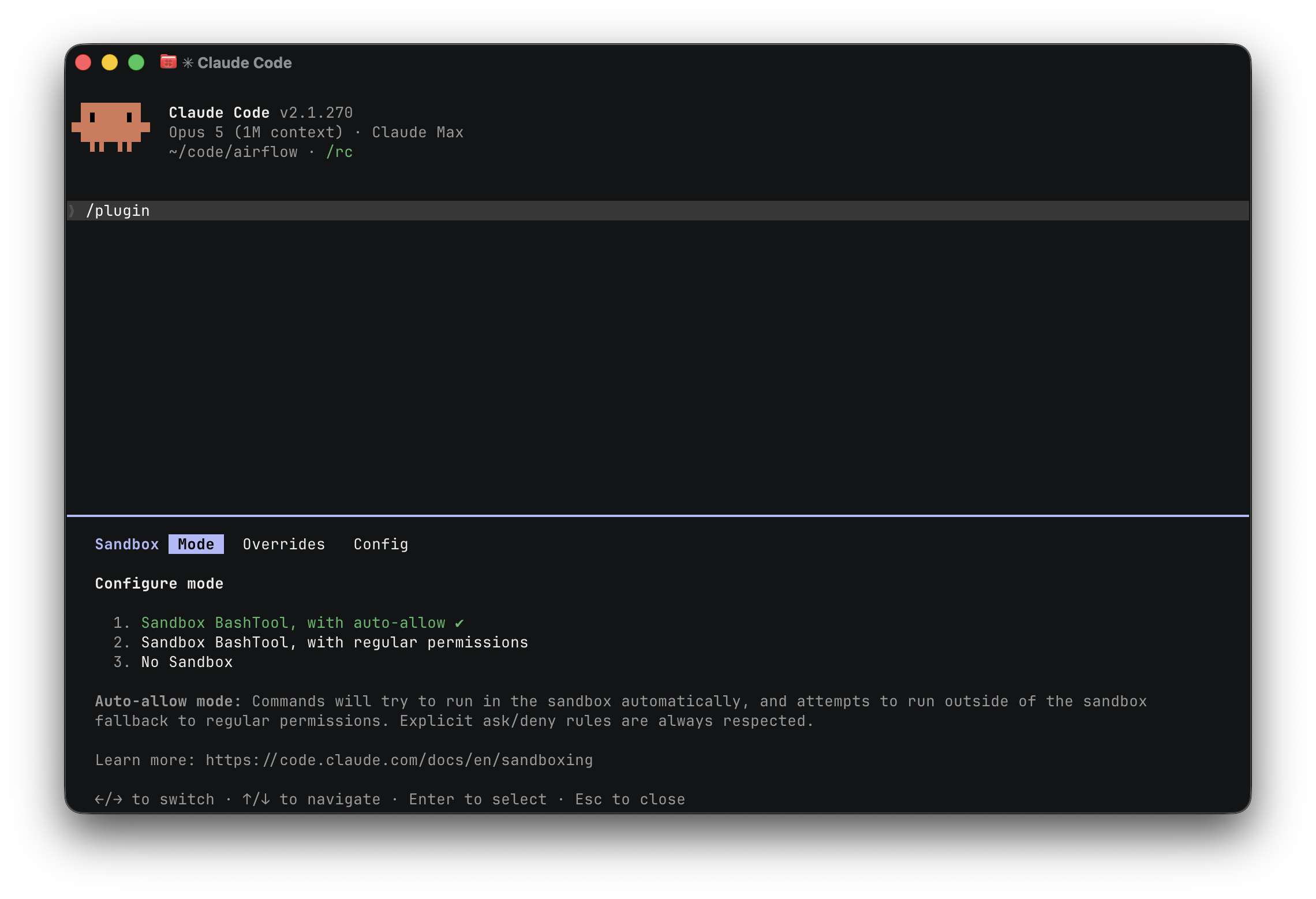
Auto-allow runs commands in the sandbox without asking each time and falls
back to the normal permission prompt for anything that has to run outside it.
It is the mode most operators want, and the reason the status line gives it its
own colour rather than folding it into [sandbox]: sandboxed and
sandboxed-and-not-asking are different postures, and only one of them is still
asking before each command.
Install (user-scope).
mkdir -p ~/.claude/scripts
cp /path/to/magpie/tools/agent-isolation/sandbox-status-line.sh \
    ~/.claude/scripts/sandbox-status-line.sh
chmod +x ~/.claude/scripts/sandbox-status-line.sh
Wire it into ~/.claude/settings.json under the statusLine key:
{
  "statusLine": {
    "type": "command",
    "command": "~/.claude/scripts/sandbox-status-line.sh"
  }
}
If you already maintain your own statusLine, the script writes one line to stdout and nothing else — call it as one segment of your own renderer rather than replacing it.
Verify.
echo '{"model":{"display_name":"Sonnet 4.6"},"workspace":{"current_dir":"'"$PWD"'"}}' \
    | ~/.claude/scripts/sandbox-status-line.sh
Expected output, inside this repo (its
.claude/settings.json sets
sandbox.enabled: true, and assuming .claude/settings.local.json
either does not exist or does not override the key): a line opening
with [sandbox] in green, then magpie, the current branch, the PR
for it if there is one, and Sonnet 4.6. From a directory whose
project and user settings files do not enable the sandbox (or do
not exist), the line opens with [NO SANDBOX] in bold red instead.
Trade-offs.
- Settings-level truth, not session-level truth. The script
reads
sandbox.enabledfrom the file system. It cannot see CLI flags (--bypass-permissions, equivalent runtime overrides) — those still display as[sandbox]even though the running session is unprotected. The/sandboxslash-command toggle is reflected, because it persists to projectsettings.local.json, which the script reads. Pair the indicator with the Sandbox-bypass visibility hook so per-call bypass attempts also surface in real time. - Schema robustness. The Claude Code statusLine input JSON does not currently expose sandbox state — we read the settings files ourselves. If a future Claude Code release adds a sandbox field to the statusLine input, the script can be simplified to read that field directly. Until then the file-read approach is the only option, with the trade-off above.
Waiting-for-input terminal tint
Quality-of-life helper, not a security control. Unlike the rest of this document, this piece protects nothing — it just makes the “Claude is blocked on me” state impossible to miss. It rides the same user-scope-hook install machinery as the helpers above, which is why it lives here, but it is entirely optional and off by default.
When you run several agents across tabs, it is easy to leave one
sitting at a permission prompt or a finished turn while you work
elsewhere. The framework ships
tools/agent-isolation/claude-term-bg.sh
to make a calm baseline the normal state and tint the background
only when Claude genuinely wants you to act — never while it is
working, and never when it merely finished a turn and is idle
until you start the next thing. Those last two look identical at the
Stop event, so the model leans on three “Claude is asking you for
something” signals (two exact, one heuristic), wired across six
hooks:
| Moment | Hook → action | Background |
|---|---|---|
| Turn ended on a genuine question/request | Stop → stop |
tinted (muted indigo #2a1a3a) |
| Turn ended on a completion (“Done.”) | Stop → stop |
calm |
| Structured question posed | PreToolUse (matcher AskUserQuestion) → wait |
tinted |
| Blocked on a permission prompt | Notification → notify |
tinted |
| Actively working / you just acted | PostToolUse (matcher *) → reset |
calm |
| Plain 60-second idle ping | Notification → notify (no-op) |
unchanged |
| Fresh session, or you submit a reply | SessionStart / UserPromptSubmit → reset |
calm |
Four details make the model behave:
Stop→stopis the only non-exact signal. It reads the last assistant text message from the session transcript (the path arrives on stdin in theStoppayload) and tints only when that message ends as a question (…?) or with a strong trailing request (“want me to”, “would you like”, “should I”, “OK to”, “your call”, …); a statement-shaped completion stays calm. Needspython3/pythononPATH; if absent,stopdefaults to calm and only the two exact signals tint.PostToolUse→reset(notPreToolUse) clears the “you just acted” tint.PreToolUsefires before the permission prompt is shown, so it cannot clear a tint the prompt itself sets;PostToolUsefires after the tool completes — the moment your approval lets work resume — so it is what returns the screen to calm.PreToolUseis reserved for theAskUserQuestion→waittint.SessionStart→resetclears any tint a previous session left behind (OSC background changes persist in the terminal across processes, so a session closed mid-wait would otherwise hand its tint to the next one — making a “fresh” session look like it is waiting on you).Notification→notifyis selective: the same hook fires both for permission prompts and the plain 60-second idle ping, so the script reads the notification payload on stdin and tints only for a permission/attention prompt. The idle ping is a deliberate no-op (not a reset) — otherwise a turn that ended on a genuine question, tinted bystop, would silently go calm after a minute.
Two mechanics make this work (both are easy to get wrong):
- Hooks have no controlling terminal. Claude Code spawns hook
commands detached from the tty, so
/dev/ttydoes not resolve to your window — a naiveprintf '\033]11;…' > /dev/ttywrites nowhere. The script walks up the process tree from$PPIDto find the Claude process’s pty (e.g./dev/ttys003) and writes the escape straight to that device. - Set and reset are not symmetric. iTerm2 honours OSC 11 (set
background) but does not reliably honour OSC 111
(reset-to-default) through Claude’s fullscreen TUI, so a naive
reset leaves the tint stuck on. The script resets
belt-and-braces: it emits both OSC 111 and iTerm2’s
proprietary
SetColors=bg=default. For a guaranteed reset on any terminal, setCLAUDE_RESET_BGto your normal background colour and the script re-applies it via OSC 11 (the path that is known to work since the tint itself does).
Why user-scope. Same reasoning as the helpers above: you want
the signal in every session on the host, not only tracker
sessions. Install in ~/.claude/settings.json.
Install (user-scope).
mkdir -p ~/.claude/scripts
cp /path/to/magpie/tools/agent-isolation/claude-term-bg.sh \
    ~/.claude/scripts/claude-term-bg.sh
chmod +x ~/.claude/scripts/claude-term-bg.sh
Wire it into ~/.claude/settings.json under six hook events. If
you already have hooks on any of these events, add the command as
an extra entry rather than replacing the existing array. The
PreToolUse entry uses the AskUserQuestion matcher (not *), so
it tints only on a structured question; PostToolUse carries the
general reset. The CLAUDE_RESET_BG=#000000 prefix makes the
calm state a deterministic black (recommended — it sidesteps the
OSC-111 reset gap described above); drop it to fall back to
profile-default reset.
{
  "hooks": {
    "Stop": [
      { "hooks": [ { "type": "command", "command": "CLAUDE_RESET_BG=#000000 ~/.claude/scripts/claude-term-bg.sh stop" } ] }
    ],
    "PreToolUse": [
      { "matcher": "AskUserQuestion", "hooks": [ { "type": "command", "command": "~/.claude/scripts/claude-term-bg.sh wait" } ] }
    ],
    "PostToolUse": [
      { "matcher": "*", "hooks": [ { "type": "command", "command": "CLAUDE_RESET_BG=#000000 ~/.claude/scripts/claude-term-bg.sh reset" } ] }
    ],
    "UserPromptSubmit": [
      { "hooks": [ { "type": "command", "command": "CLAUDE_RESET_BG=#000000 ~/.claude/scripts/claude-term-bg.sh reset" } ] }
    ],
    "SessionStart": [
      { "hooks": [ { "type": "command", "command": "CLAUDE_RESET_BG=#000000 ~/.claude/scripts/claude-term-bg.sh reset" } ] }
    ],
    "Notification": [
      { "hooks": [ { "type": "command", "command": "CLAUDE_RESET_BG=#000000 ~/.claude/scripts/claude-term-bg.sh notify" } ] }
    ]
  }
}
Override the colours via the environment: CLAUDE_WAIT_BG
(default #2a1a3a) and CLAUDE_RESET_BG (default unset → reset to
the profile default; set to a colour like #000000 for a
deterministic calm background).
Verify. The hooks fire on real events, so the quickest check is live: start a session, let a turn finish, and confirm the background tints; then send a reply and confirm it resets. To sanity-check the script in isolation, run it against your own terminal device:
~/.claude/scripts/claude-term-bg.sh wait   # background tints
~/.claude/scripts/claude-term-bg.sh reset  # background restored
(Run directly from an interactive shell, the script finds the
shell’s pty via $PPID and writes there.)
Trade-offs.
- iTerm2-tested, fail-soft elsewhere. The set path uses OSC 11,
which most modern terminal emulators support; terminals that
ignore it simply show no change. The reset path is hardened for
iTerm2’s OSC-111 gap specifically. On a terminal where reset
misbehaves, set
CLAUDE_RESET_BGfor a deterministic restore. - Cosmetic only. It conveys no sandbox or permission state — pair it with the Sandbox-state status line and Sandbox-bypass visibility hook for the security-relevant signals.
Hardware security keys — signing and authentication
The secure setup supports — and recommends — keeping the two secrets
git uses in your name on a hardware security key: the key that
signs your commits and tags, and the key that authenticates you to
GitHub over ssh. A YubiKey, Nitrokey, or any OpenPGP card holds both;
neither private key ever exists as a file the agent, or anything else
on the host, could read. What the sandbox grants the agent is a
socket to the agent — gpg-agent’s, so a sandboxed git commit can
sign and a sandboxed git pull / git push can authenticate — and
that grant is exactly why the next step matters.
This part of the setup is fully optional. The sandbox, the
permission rules and the hooks stand on their own; a hardware key
adds a physical check on top, for people who want one — and for the
many who already carry one, because their employer issues security
keys for SSO and ssh access, it costs nothing extra: the same key
works here. It fits every transport the framework supports. With an
https remote the transport is gh’s credential helper and the
key only signs; with an ssh remote the key authenticates the
transport as well; and commit signing can be either OpenPGP (the
card’s signature slot through gpg) or an ssh signature made by
the same card (gpg.format=ssh, ssh-keygen -Y sign over
gpg-agent’s ssh socket), which GitHub verifies from one uploaded
key. The rationale — what the touch adds to the layered defence
and what it does not — is in
RFC-AI-0002 → Layer 3b.
A key with a touch policy will not sign until somebody physically touches it. That turns every signature into a human-in-the-loop check that no software gate can fake: a prompt injection that talks the agent into committing in your name still ends at a key waiting for a finger that never comes. The touch is the physical form of Layer 3 — Forced confirmation, and the touch overlay below is what makes the wait visible instead of looking like a hung command.
The touch belongs on the signature, not on the ssh transport.
Authenticating to the forge is what every git fetch, git pull and
git push does first, and most of those are reads: a touch on each is
a prompt on a read, which
PRINCIPLES.md §1 calls a defect. A push is a
write, but it is already confirmed twice without the key —
git push sits in permissions.ask, so the agent cannot run one you
did not approve, and every commit it carries was signed with a touch.
A third confirmation for the same push only teaches the hand to touch
without reading. So the recommended split is: touch on signing, no
touch on authentication.
Configure the key to require a touch
Touch policies are set per slot with
ykman on a
YubiKey (the OpenPGP applet; other cards have their own tool). Read
the current state first:
ykman openpgp info | grep -A4 'Touch policies'
#   Signature key:      Off
#   Decryption key:     Off
#   Authentication key: Off
#   Attestation key:    Off
Then set the slot that signs — sig, for commits and tags — to
cached, and leave the slot ssh authenticates with — aut — at off.
ykman asks for the key’s admin PIN:
ykman openpgp keys set-touch sig cached
ykman openpgp keys set-touch aut off     # only if it is not Off already
ykman openpgp info | grep -A4 'Touch policies'
#   Signature key:      Cached
#   Authentication key: Off
cached is the policy to want on sig, not on: a touch is required,
and then honoured for 15 seconds on that slot. One touch covers a
rebase that replays a dozen commits, or a git commit followed by a
git tag -s. on asks for every single signature, which in an agent
session means a touch every few seconds and a hand that stops reading
what it is approving. The cache is a property of the key itself, not of
any software on the host, so it needs no agent configuration and cannot
be extended by one.
Signing with gpg.format=ssh changes which slot signs. An ssh
signature is made by the key ssh-add -L lists — the card’s aut
slot — so with that format aut is the signing slot and must stay
cached; sig then signs nothing and its policy does not matter. The
price is a touch on every ssh transport as well, since one slot now
does both jobs and the card cannot tell a signature from a login. To
keep the touch on signatures only, sign with OpenPGP (gpg.format openpgp, the sig slot) and leave aut at off, or reach the forge
over an https remote, where the transport never asks the key at
all.
Two policies to avoid: fixed and cached-fixed behave the same but
cannot be turned off again without deleting the private key — fine on
a key you will never repurpose, a trap otherwise. And the attestation
slot’s policy is irreversible in every form; leave it alone.
Point git and ssh at the key
Signing and authentication both go through gpg-agent, which serves the OpenPGP card to ssh as well when told to:
# ~/.gnupg/gpg-agent.conf
enable-ssh-support

# shell rc — gpg-agent's ssh socket replaces the system ssh-agent
export SSH_AUTH_SOCK="$(gpgconf --list-dirs agent-ssh-socket)"
gpgconf --launch gpg-agent
ssh-add -L # the authentication key's public half, as ssh sees itAdd that public key to your GitHub account as an Authentication
key (ssh transport). For OpenPGP signing — the recommended form, which
keeps the touch on the sig slot — upload the card’s public OpenPGP key
as a GPG key and tell git to sign with it:
git config --global gpg.format openpgp
git config --global user.signingkey <key id>   # gpg --list-secret-keys
git config --global commit.gpgsign true
git config --global tag.gpgSign true
To sign with ssh instead, add the same ssh-add -L key a second time,
as a Signing key, and point git at it — accepting, per the section
above, that the aut slot then signs and needs the touch:
ssh-add -L > ~/.ssh/id_yubikey.pub
git config --global gpg.format ssh
git config --global user.signingkey ~/.ssh/id_yubikey.pub
git config --global commit.gpgsign true
git config --global tag.gpgSign true
(The ssh form serves both purposes from one key and one kind of upload; the OpenPGP form is the one that lets the transport run without a touch.)
Under the sandbox, two grants make this reachable from an agent session, and the install skill proposes both:
sandbox.network.allowUnixSocketsnames gpg-agent’s ssh socket (gpgconf --list-dirs agent-ssh-socket, absolute path) — without it signing and ssh transport report the agent as unreachable, persandbox-troubleshooting.md→ SSH agent / Yubikey appears unreachable;sandbox.filesystem.allowReadnames the one public-key file git hands tossh-keygen, since the sandbox denies the rest of~/.ssh/, persandbox-troubleshooting.md→ Signed commit fails before any touch when git signs with ssh.
With both in place every git commit and git tag -s the agent runs
stops at the key until you touch it — once per 15-second burst — and
the overlay below tells you when it is waiting. git fetch, git pull
and git push go through without a touch, unless aut carries a
policy (as it must with gpg.format=ssh).
Hardware-key touch overlay
Linux/X11. A signing key on a YubiKey, Nitrokey, or any OpenPGP
card can carry a touch policy on its signature slot. With
on or cached, the key will not sign until somebody physically
touches it.
gpg surfaces the PIN and the touch very differently. The PIN gets a
pinentry window. The touch gets nothing at all — gpg simply blocks.
From the outside there is no way to tell a key waiting to be touched
from a hung command, so the commit sits until somebody happens to touch
the key or gpg gives up with gpg: signing failed: Timeout, leaving no
commit behind.
Check whether this applies to you:
ykman openpgp info | grep -A2 'Touch policies'
#   Signature key:      Cached      <- needs a touch; this hook helps
#   Signature key:      Off         <- never waits for a touch; skip this
It applies just as much with git config gpg.format ssh, where the
signature is made by ssh-keygen -Y sign over gpg-agent’s ssh socket
rather than by gpg. The same key waits for the same touch, so the
watcher looks for either command. Under the sandbox that setup needs
one more allowRead entry — the public key file git hands to
ssh-keygen — or the commit fails before the key is ever asked for a
touch; see
sandbox-troubleshooting.md → Signed commit fails before any touch when git signs with ssh.
The key’s authentication slot can carry a touch policy of its own
(ykman openpgp info lists it under the same heading). The recommended
setup leaves it Off, but with gpg.format=ssh it has to be on, and
then every ssh transport — git pull, git fetch, git push, git clone against
an ssh remote — waits for a touch before a byte moves. The hook arms for
those commands too, and looks for the wait somewhere other than a
process name: the ssh git spawns looks the same blocked on the key as
it does busy transferring for a minute, so matching on it would put the
window up for every long fetch. What only the wait has is an open
connection to the agent’s socket — ssh opens one, asks, and closes it as
soon as the answer is back — so the watcher counts the agent’s
connections against the number it saw when the command started.
When both the signature and the authentication slot are Off, the key never waits for a touch, and the hook arms nothing: no watcher, no window.
It reads the two policies from gpg --card-status --with-colons (the uif: record, 0 for off) before the command runs, not from ykman, which needs PC/SC and competes with scdaemon for the card.
Cached counts as a touch policy like On, because the first signature of each burst still waits.
An On answer is kept for ten minutes, an Off answer for one, so turning touch on with ykman openpgp keys set-touch is noticed within a minute; a stale Off would leave a signature waiting for a touch with nothing on screen.
To pick up a change at once, delete the cached answer, touch-policy in the overlay’s runtime directory ($XDG_RUNTIME_DIR/magpie-gpg-touch/, else ~/.cache/magpie-gpg-touch/).
No card, no gpg, or a token whose listing has no uif: record means the policy is unknown, and an unknown policy keeps the window.
This is the operator-facing half of the hardware-key rule in
AGENTS.md → Commit and PR conventions. That rule
has the agent probe gpg-agent’s cache and warn before committing.
The probe reads keyinfo, which reports the PIN cache only — a key
whose PIN is warm but whose touch has expired reports cached=1 and
still blocks, with no prompt of any kind. The two fit together: the
probe catches the prompt you would not see, and this catches the touch
that never prompts.
gpg-touch-overlay.sh puts a window on screen for the touch, the way
pinentry does for the PIN: the desktop dims and a pulsing contact ring
says which key is waiting. It closes itself the moment the touch lands.
The window also names what the touch is for — the command that is blocked and the directory it runs in:
                     Touch your security key
             Your security key is waiting for a touch

                  git commit -m 'fix the parser'
                        in ~/code/magpie
That is the difference between a prompt you can answer and one you have
to go and investigate. An agent session and a terminal can both be
waiting on the same key, several worktrees of the same repository look
alike from the outside, and a touch given to the wrong one is not
recoverable — the key fires its OTP slot into whatever has focus. The
two lines come from the hook payload of the command about to run
(arm), or from the wrapper’s own $PWD and argv when git calls it
directly (wrap); a second command arming into a session that is
already watched replaces them, so the window always names the command
actually blocked rather than the one that started the watcher.
A password embedded in a URL — git push https://user:token@host/repo
— is masked to user:***@ before it is recorded. Nothing else is
scrubbed: this is a full-screen window raised at an unpredictable
moment, so treat what it shows as visible to anyone who can see the
screen.
Install (user-scope)
mkdir -p ~/.claude/scripts
cp tools/agent-isolation/gpg-touch-overlay.sh \
   tools/agent-isolation/gpg-touch-overlay-window.py \
   tools/agent-isolation/gpg-touch-overlay-window-macos.py \
   ~/.claude/scripts/
chmod +x ~/.claude/scripts/gpg-touch-overlay*
Both files go in the same directory — the shell script finds the window
next to itself. Then wire the two modes into ~/.claude/settings.json,
in the Bash matcher groups you already have:
{
  "hooks": {
    "PreToolUse": [
      { "matcher": "Bash",
        "hooks": [
          { "type": "command", "command": "~/.claude/scripts/gpg-touch-overlay.sh arm" }
        ] }
    ],
    "PostToolUse": [
      { "matcher": "Bash",
        "hooks": [
          { "type": "command", "command": "~/.claude/scripts/gpg-touch-overlay.sh disarm" }
        ] }
    ],
    "PermissionDenied": [
      { "matcher": "Bash",
        "hooks": [
          { "type": "command", "command": "~/.claude/scripts/gpg-touch-overlay.sh disarm" }
        ] }
    ],
    "PostToolUseFailure": [
      { "matcher": "Bash",
        "hooks": [
          { "type": "command", "command": "~/.claude/scripts/gpg-touch-overlay.sh disarm" }
        ] }
    ]
  }
}
Disarm is wired to three events, not one.
PreToolUse fires before the permission prompt, so a command the operator rejects has already armed a watcher that PostToolUse will never tear down.
It then lives until MAX_WAIT — ten minutes — and because signing_in_flight is a machine-wide pgrep for gpg / ssh-keygen rather than something scoped to the armed context, any unrelated signature inside that window raises the window with nothing of the operator’s pending.
The touch that follows lands while no signature waits, which fires the key’s OTP slot and types cccc… into whatever has focus.
PermissionDenied and PostToolUseFailure are the events that fire when a Bash call does not run; disarm is idempotent and exits 0 with nothing armed, so the extra calls cost nothing.
On Linux this needs python3 with PyGObject for the dimmed overlay;
where that is missing it falls back to a zenity dialog. On macOS it
needs a python3 with Tk 8.6 or newer — a uv-managed python or
Homebrew’s python-tk has one, while the python in the Command Line
Tools carries Apple’s Tk 8.5, which starts and then draws nothing for
the overlay. The hook probes each candidate by its resolved path and
settles on the first that actually starts a current Tk before it
promises a window; the resolved path matters because Tcl finds its own
library relative to the executable and does not follow the python3
symlink uv or pyenv puts on PATH. pgrep is
the only other requirement, and perl on macOS, which has no
setsid(1); both are part of the base system there.
Verify
With the PIN already cached — so the next signature needs the touch and nothing else — start a signature and leave it waiting:
echo probe | gpg --status-fd=2 -bsau "$(git config --get user.signingkey)" >/dev/null &
sleep 3 && pgrep -x zenity >/dev/null || pgrep -f gpg-touch-overlay-window >/dev/null \
  && echo "overlay is up"
pkill -x gpg
With gpg.format=ssh, sign with the key git would use instead:
ssh-keygen -Y sign -f "$(git config --get user.signingkey)" -n git /etc/hostname &For the transport touch — only when the authentication slot carries a
touch policy, as with gpg.format=ssh — authenticate to the remote without transferring anything:
ssh -T git@github.com &The window should appear about a second and a half in, and disappear
when the signing process ends. The watcher itself stays until the
hook’s disarm, so a second signature in the same command — a rebase
replaying several commits, a real signature after a hook ran something
that merely looked like one — raises the window again. MAGPIE_GPG_TOUCH_DEBUG=1 makes the
watcher log to $XDG_RUNTIME_DIR/magpie-gpg-touch/watcher.log
(~/.cache/magpie-gpg-touch/ on macOS, which sets no
XDG_RUNTIME_DIR; $XDG_CACHE_HOME is honoured when set).
So does a marker file, touch $XDG_RUNTIME_DIR/magpie-gpg-touch/debug
— the way to get a log out of the watcher the hook spawns, whose
environment is the harness’s own and takes no variable from your
terminal. Export SHELLOPTS=xtrace alongside the variable (terminal
runs only) for a full trace.
From your own terminal — git’s program config
The hook sees only the git commands the agent runs. A commit or push you make yourself, in a terminal or an IDE, goes through the same key and waits for the same touch — with nothing on screen, unless an agent command happened to be armed at that moment.
No git hook sits at the right point for that.
commit-msg and post-commit bracket the signature for git commit alone: git tag -s runs no hook, and a rebase re-signs every replayed commit with no hook between them.
pre-push runs after ssh has connected and authenticated, so the transport touch is over before it fires.
What does sit at the right point is git’s own choice of program — the one it signs with (gpg.ssh.program, or gpg.program for OpenPGP) and the one it opens ssh remotes with (core.sshCommand).
The script’s wrap mode runs that program with a watcher alive for exactly as long as it runs:
ln -s gpg-touch-overlay.sh ~/.claude/scripts/gpg-touch-wrap-ssh-keygen
git config --global gpg.ssh.program "$HOME/.claude/scripts/gpg-touch-wrap-ssh-keygen"
git config --global core.sshCommand "$HOME/.claude/scripts/gpg-touch-overlay.sh wrap ssh"
(With OpenPGP signing, the symlink is gpg-touch-wrap-gpg and the setting is gpg.program.)
The symlink is there because git execs gpg.ssh.program as one path, not through a shell — a value of … wrap ssh-keygen is looked up as a program of that whole name — so the script reads the program to wrap from its own name when that name is gpg-touch-wrap-<program>.
core.sshCommand is shell-split and takes the plain form.
What this covers, and what it costs:
- Every signature — a commit, a tag, each commit a rebase replays — and every ssh transport, from any terminal, IDE or agent, with the same window after the same grace.
- Verify-only calls pass straight through:
git log --show-signaturerunsssh-keygen -Y verifyonce per commit, and none of those gets a watcher or a display probe. - The toolkit probe runs once per signature or ssh connection, about a third of a second.
- One signature, one window. Inside an agent session (Claude Code marks its Bash with
CLAUDECODE=1) the wrapper only runs the program: the hook armed a watcher outside the sandbox before the command started, and that one shows the window for the agent’s commits. Outside a session the wrapper starts a watcher of its own. Every signing context — each agent session, each wrapped git — owns the watcher it started and can tear down no other, so two sessions signing at once, or a terminal commit beside one, cannot blind each other. What they share is the window, leased by whichever watcher reaches it first, so one touch still draws exactly one. So the hook stays necessary for the agent’s own git commands, and the wrapper never doubles it. The shim directory below does not double it either: the lookup that finds the real program skips everyPATHentry resolving back to this script, so a wrapped git reaches/usr/bin/sshand not the shim.
Under the sandbox this needs one more grant. Global git config is read by the git the agent runs too, and the sandbox denies reads under ~/.claude/ wholesale — so without it every sandboxed git commit fails at once with fatal: cannot exec '…/gpg-touch-wrap-ssh-keygen': Operation not permitted, before the key is asked for anything.
Allow the two wrapper files, and nothing wider:
{
  "sandbox": {
    "filesystem": {
      "allowRead": [
        "~/.claude/scripts/gpg-touch-overlay.sh",
        "~/.claude/scripts/gpg-touch-wrap-ssh-keygen"
      ]
    }
  }
}
If those two entries are symlinks into your sync repository (the layout Syncing user-scope config across machines recommends), grant the real files too — readlink -f prints them — because the sandbox checks the resolved path.
The install skill proposes it with the other two grants; the failure mode and its rationale are catalogued in
sandbox-troubleshooting.md → Signed commit fails with “cannot exec” of the touch-overlay wrapper.
To undo it: git config --global --unset gpg.ssh.program and git config --global --unset core.sshCommand.
Beyond git — ssh, scp, sftp and rsync you type yourself
Git can be told which program to call.
A bare ssh cannot: nothing sits between the word you type and /usr/bin/ssh except PATH.
So an ssh host, an scp, an sftp or an rsync -e ssh run straight from a terminal asks the key for its authentication touch with nothing on screen — the same silence core.sshCommand removed for git.
A shim directory early on PATH closes that gap.
It holds symlinks named for the programs themselves, all pointing at the same script:
mkdir -p ~/.claude/scripts/shims
for p in ssh scp sftp rsync; do
  ln -sfn ~/.claude/scripts/gpg-touch-overlay.sh ~/.claude/scripts/shims/"$p"
done
Then put that directory ahead of the real ones, in the rc your shells read:
export PATH="$HOME/.claude/scripts/shims:$PATH"The script answers to a key command’s own name the way it already answers to gpg-touch-wrap-<program>, and finds the real program behind itself: the lookup walks every PATH match and skips the one that resolves back to the script.
Only the commands that can reach the key dispatch this way, so a symlink named anything else is refused rather than silently exec’d.
When the lookup finds nothing but the script, it exits 127 and says so — it never falls back to the bare name, which on a PATH holding the shim would re-exec the script forever, with the terminal hung and nothing on screen to say why.
What it costs, and what it does not double:
- Nothing extra under the sandbox. The shims resolve to
gpg-touch-overlay.sh, which the grant above already allows, and the sandbox checks the resolved path. - No second window when git is wrapped too, per the self-skip described above: one connection, one wrapper.
- Nothing at all inside an agent session —
CLAUDECODE=1makes the wrapper stand aside, because the hook armed a watcher for the whole command before it started. - A wider reach than a shell alias, deliberately. A
PATHentry is seen by scripts and Makefiles, which is where an unattendedrsyncwould otherwise block with no window. It is seen by everything else you run as well, which is the trade.
To undo it: drop the PATH line and delete the directory.
Trade-offs
- Placement is X11’s to give. On Linux the overlay places and stacks itself with EWMH hints. Under Wayland it still draws, but the compositor decides where it lands.
- One display on macOS. Aqua Tk reports a single screen geometry, so the overlay covers the main display rather than every monitor the way the GTK version does. It is a borderless window rather than a native fullscreen one on purpose: fullscreen would move macOS to a new Space and pull the terminal you are watching off screen.
- Nothing is shown while pinentry is up. Two dialogs competing for focus would make the PIN impossible to type, so the overlay waits for pinentry to go away.
- Nothing is shown for a fast signature. A still-warm touch signs in well under a second; the overlay only appears once gpg has blocked longer than that, so ordinary commits stay silent.
- The window is dismissible. Esc or a click closes it. The key still has to be touched for the commit to go through, so trapping the screen would buy nothing.
- It takes the keyboard on macOS. A touch that lands before the key is asking for one fires the key’s OTP slot, which types a burst of characters and a Return into whatever has focus. While the overlay is up that is the overlay, which ignores them, rather than the browser or editor that happened to be in front.
- It watches the whole host, not just the agent. The watcher keys off
any signing
gpgprocess and any connection to the ssh agent that stays open, so while an agent command has it armed, a commit — or an ssh login — you make yourself in another terminal raises the window too. For the rest of the time, the program config above is what covers your own git commands.
Container gateway
Sandboxed Bash subprocesses cannot reach a container runtime’s daemon socket directly: the daemon is root-equivalent over whatever it mounts, so allowing that socket in sandbox.network.allowUnixSockets would hand the agent unrestricted host access.
The container gateway is a per-project policy proxy that sits in front of the real podman / docker daemon socket, runs outside the sandbox where it can hold that connection, and exposes two policy-checked sockets of its own for the sandboxed CLI to talk to instead.
Every request the gateway forwards is filtered to this project’s own resources and stripped of anything that would turn a container into host access.
The full refusal table is in the tool’s README.
This is the same socket gateways layer RFC-AI-0004 Principle 2 names alongside the egress gateway, and the container gateway hands that egress gateway to every container it starts as its HTTP proxy, so container traffic is bound by the same host allow-list as the sandboxed shell.
Why install it
- Containers only. The agent reaches the daemon exclusively through the API surface the gateway forwards, and every request shape that would turn a container into host access is stripped or refused.
- This project’s containers only. Every resource the gateway creates is labelled with the project slug, and every read or act call is filtered to that label, so two projects sharing one daemon see disjoint worlds.
- Same egress policy as the shell. Containers get the egress gateway as their HTTP proxy, so tools inside them that honour proxy variables are bound by the gateway’s host allow-list.
Install (user-scope)
mkdir -p ~/.claude/scripts
# Always a plain copy, never a symlink into a sync repo: the managed-settings dispatcher
# refuses links. `rm` first, since `cp` onto an existing link writes through it.
rm -f ~/.claude/scripts/container-gateway-hook.sh
cp /path/to/magpie/tools/agent-isolation/container-gateway-hook.sh ~/.claude/scripts/
chmod +x ~/.claude/scripts/container-gateway-hook.sh
mkdir -p ~/.claude/scripts/container-gateway/src
cp -r /path/to/magpie/tools/container-gateway/src/container_gateway \
    ~/.claude/scripts/container-gateway/src/container_gateway
# The managed-settings dispatcher runs the hook only when you alone can write it and
# the directories holding it; a umask of 0002 would leave them group-writable.
chmod go-w ~ ~/.claude ~/.claude/scripts ~/.claude/scripts/container-gateway-hook.sh
The hook executes only code from a location the operator installed or
pinned, never from the repository being opened, so the second copy is
not optional: without it the hook finds no source at session start and
is a silent no-op — it never fails the session, it simply never starts
the gateway.
A framework contributor re-copies the package after changing it: the hook
refuses a source under any sandbox-writable directory, so neither
MAGPIE_CONTAINER_GATEWAY_SRC=tools/container-gateway/src pointing into
this checkout nor an .apache-magpie/ snapshot is used — the project root is
always writable from the sandbox, and the hook runs outside it.
The hook also never takes python3 from PATH, which project settings can
set. It runs the first Python 3.11+ outside every writable directory among
/opt/homebrew/bin, /usr/local/bin, /usr/bin and uv’s managed
interpreters under ~/.local/share/uv/python, by its real path with -I -S.
The uv interpreters count only while ~/.local/share/uv is read-only to the
sandbox, as the reference settings keep it; a write grant over it in any
scope makes the hook skip them. Where none qualifies, write the absolute path
of one that does to ~/.claude/scripts/container-gateway/python; until then
the hook logs one line and does not start the gateway.
In a linked worktree the hook also counts the main checkout’s settings. It
records which main checkout it confirmed the first time, under
~/.claude/magpie-gateway/worktrees/, because the worktree’s .git file is
sandbox-writable; a later session that derives a different one is refused
until you delete that record (the log line names it).
Wire it by its absolute path (your real home, /home/<you> on Linux). A ~ in a hook command is expanded from $HOME by the launching shell, and a session environment that redirects $HOME would run another script. Because that path is per-machine, it does not belong in a ~/.claude/settings.json that is synced across machines: a /Users/<you>/... path synced to a Linux box points at nothing, and the gateway never starts there.
Put the hooks in a managed-settings drop-in on each machine: /Library/Application Support/ClaudeCode/managed-settings.d/50-magpie-container-gateway.json on macOS, /etc/claude-code/managed-settings.d/50-magpie-container-gateway.json on Linux. Claude Code merges every *.json file in that directory into its managed settings, and managed hooks run alongside your user and project hooks. The file is per machine, never synced, and root-owned, so no sandboxed command can rewrite it.
Managed settings apply to every account on the machine, so the drop-in never names your script: another account starting Claude Code would run code you can rewrite. It runs a root-owned dispatcher instead (tools/agent-isolation/container-gateway-dispatch.sh), installed as <managed-settings dir>/magpie/container-gateway-dispatch: /Library/Application Support/ClaudeCode/magpie/container-gateway-dispatch on macOS, /etc/claude-code/magpie/container-gateway-dispatch on Linux. That directory’s ancestors must already be root-owned for managed settings to mean anything, so no other account can swap the dispatcher; a location such as /usr/local, which Homebrew makes user-writable, would let it. The dispatcher takes the invoking account’s home from the account database, not $HOME, and runs that account’s own ~/.claude/scripts/container-gateway-hook.sh only when the script, ~/.claude/scripts and ~/.claude are owned by that account, are not symlinks and are not group- or world-writable; otherwise it does nothing. Installing the two files needs sudo once per machine.
An organization that deploys Claude Code policy through MDM or server-managed settings may rank that source above the file-based one, and Claude Code then ignores managed-settings.d/. Ask that policy’s owner to add the three hooks, or register them in your own unsynced ~/.claude/settings.json.
Do not use ~/.claude/settings.local.json: Claude Code does not load a settings.local.json from your home directory (only a project’s .claude/settings.local.json), so hooks there never run and the gateway never starts. Without a synced settings.json, the hooks may also go in ~/.claude/settings.json itself.
Three events, one script:
SessionStart→startbrings the gateway up with the session.SessionEnd→stopends it.PreToolUseonBash→ensurestarts it again before adockerorpodmancommand when it is gone mid-session. It exits after its idle timeout (default 4 h), when another session on the same project ends and stops it, or when it or its backend dies; withoutensureit stays down until the next session. It is registered for everyBashcall, with noiffilter: a filter such asBash(docker *)would missdocker-compose,podman-composeand/usr/local/bin/docker. The script reads the command itself and leaves within about 10 ms when it names neither CLI. When the gateway is already running the check costs about half a second, on container commands only.ensureruns every checkstartdoes, so it can start nothing thatstartwould refuse. It judges the directory the session started in, which Claude Code hands every hook asCLAUDE_PROJECT_DIR, never the directory the agent hascd’d into: judged from another directory, the session project’s own write grants would go uncounted. A settingsenventry cannot overrideCLAUDE_PROJECT_DIR, and without itensuredoes nothing.startandstopjudge it too, sinceSessionStartalso fires after a compaction,/clearor resume, when the payload’s directory has followed the agent’scd; they fall back to that directory only when the variable is unset.
{
  "hooks": {
    "SessionStart": [
      { "hooks": [ { "type": "command", "command": "'/Library/Application Support/ClaudeCode/magpie/container-gateway-dispatch' start" } ] }
    ],
    "SessionEnd": [
      { "hooks": [ { "type": "command", "command": "'/Library/Application Support/ClaudeCode/magpie/container-gateway-dispatch' stop" } ] }
    ],
    "PreToolUse": [
      { "matcher": "Bash", "hooks": [ { "type": "command", "timeout": 30, "command": "'/Library/Application Support/ClaudeCode/magpie/container-gateway-dispatch' ensure" } ] }
    ]
  }
}
Fixing your other machines. If ~/.claude/scripts/container-gateway-hook.sh is a symlink (a sync-repo layout), first replace it with a plain copy as in the install recipe above (rm -f the link, then cp); the dispatcher refuses links. If the hooks are registered in a synced ~/.claude/settings.json or in ~/.claude/settings.local.json, move them: delete the container-gateway-hook.sh entries from those files (from the synced one once, on any machine), then on every machine install the dispatcher and write the drop-in, from a framework checkout:
case "$(uname -s)" in
  Darwin) d="/Library/Application Support/ClaudeCode/managed-settings.d" ;;
  *) d=/etc/claude-code/managed-settings.d ;;
esac
x="$(dirname "$d")/magpie/container-gateway-dispatch"
sudo install -d -m 0755 "$(dirname "$x")" "$d"
sudo install -m 0755 tools/agent-isolation/container-gateway-dispatch.sh "$x"
jq -n --arg x "$x" '($x | @sh) as $q | {hooks: {
  SessionStart: [{hooks: [{type: "command", command: ($q + " start")}]}],
  SessionEnd: [{hooks: [{type: "command", command: ($q + " stop")}]}],
  PreToolUse: [{matcher: "Bash", hooks: [{type: "command", timeout: 30, command: ($q + " ensure")}]}]
}}' | sudo tee "$d/50-magpie-container-gateway.json" > /dev/null
sudo chmod 0644 "$d/50-magpie-container-gateway.json"
Re-run the install line after a framework upgrade that changes the dispatcher; setup-isolated-setup-update reports when it does.
Start a new session afterwards: settings are read at session start, and /status lists the managed source among the loaded settings.
setup-isolated-setup-verify (check 12a) and setup-isolated-setup-update flag a hook whose registered path does not exist on the machine they run on.
Every setting that points something at a gateway socket needs that socket’s absolute path, which is per-machine, so the whole project-settings block belongs in the gitignored .claude/settings.local.json — nothing is committed.
Add it by hand, substituting your own project’s absolute path for <project> — nothing writes it for you.
The gateway serves from the run/ directory of the personal config layer:
<project>/.apache-magpie-local/run/ when the project has adopted Magpie (a committed .apache-magpie.lock),
and <git-common-dir>/apache-magpie/run/<worktree-id>/ when it has not — inside the repository’s git directory, so nothing lands in the working tree.
git rev-parse --git-common-dir prints the common directory (the main checkout’s .git, also from a linked worktree);
<worktree-id> is main for the main working tree and the <name> of .git/worktrees/<name> for a linked worktree (it must match [A-Za-z0-9._-]+), so each worktree has its own gateway and sockets.
use its absolute path in place of <project>/.apache-magpie-local in the block below.
(setup-isolated-setup-install Step L proposes the same block as a settings diff, and /magpie-setup:setup config Step 3h offers to write it for you: container-gateway settings prints it from the gateway’s own run directory, and --apply merges it on your yes, additively and under a lock. It never writes the Linux allowAllUnixSockets widening below. The --apply run needs your approval to run outside the sandbox, because it writes the settings file the sandbox protects: approve it only when the command runs the interpreter and the ~/.claude/scripts/container-gateway/src install the gateway hook uses, and the sockets it names are the gateway’s run directory, never a daemon socket.)
// .claude/settings.local.json (gitignored, per machine)
{
  "env": {
    "CONTAINER_HOST": "unix:///<project>/.apache-magpie-local/run/podman.sock",
    "DOCKER_HOST": "unix:///<project>/.apache-magpie-local/run/docker.sock"
  },
  "sandbox": {
    "network": {
      "allowUnixSockets": [
        "<project>/.apache-magpie-local/run/podman.sock",
        "<project>/.apache-magpie-local/run/docker.sock"
      ]
    },
    "filesystem": {
      "allowRead": ["~/.claude/scripts/container-gateway/"]
    }
  }
}
The allowRead entry lets the doctor’s container probe (setup-isolated-setup-doctor Probe 3) ask the installed gateway for its status from inside the sandbox, in a project with no .apache-magpie/ snapshot of its own.
It grants reads only: the directory is in no allowWrite, and the hook refuses a gateway source a sandboxed command could write.
Without it the probe reports the source as not readable, and cannot confirm the socket is the gateway’s.
Do not use a project-relative unix://./… value, even though it would be worktree-portable and this guide recommended it until recently.
The CLIs do not resolve it against the cwd: a unix:// URL’s authority is parsed as a host component, so unix://./.apache-magpie-local/run/podman.sock dials /.//.apache-magpie-local/run/podman.sock and unix://.apache-magpie-local/run/podman.sock dials /.apache-magpie-local//run/podman.sock, neither of which exists (verified against podman 6.1.0).
unix:///absolute/path is the only spelling that reaches the socket, and paying for it in a per-machine file is the cost of that.
Never add the real daemon socket to allowUnixSockets under any name: the framework’s sandbox-lint tool rejects an entry whose basename is docker.sock, podman.sock, or ends in -api.sock, unless its parent directory is the gateway’s run directory, <project>/.apache-magpie-local/run or <git-common-dir>/apache-magpie/run/<worktree-id>.
Linux needs allowAllUnixSockets
The allowUnixSockets entries above are macOS-only: Claude Code ignores them on Linux, where its seccomp filter rejects socket(AF_UNIX, …) before any path is consulted (SSH agent / Yubikey appears unreachable).
On Linux the sandboxed podman / docker CLI reaches the gateway, and a sandboxed git reaches the ssh agent to sign, only with sandbox.network.allowAllUnixSockets: true, which skips that filter.
Keep the allowUnixSockets entries anyway: they are inert on Linux and keep the block valid on a Mac.
allowAllUnixSockets lets a sandboxed command connect to every Unix socket whose path it can see, and the reference denyRead: ["~/"] hides nothing outside your home.
Pair it with sandbox.filesystem.denyRead entries, as absolute paths, for the host’s daemon and IPC sockets.
Each one is a way out of the sandbox:
| Path | What a sandboxed command could do through it |
|---|---|
/run/docker.sock, /var/run/docker.sock |
Drive the Docker daemon: root-equivalent when you are in the docker group |
/run/docker-cli.sock |
The same, through Docker Desktop’s CLI socket |
/run/podman |
Drive rootful Podman’s daemon (podman.sock) |
/run/user/<uid> |
Run commands outside the sandbox through the systemd user manager, over the user D-Bus (bus) or its own systemd/private socket (systemd-run --user); drive rootless Podman (podman/podman.sock); reach editor askpass sockets (vscode-git-*.sock) and systemd’s ssh agent |
/run/dbus |
Talk to the system D-Bus |
/tmp/.X11-unix |
Inject keystrokes into your X11 session |
/run/WSL (WSL only) |
Launch Windows executables outside the sandbox through the interop sockets |
/mnt/wslg (WSL only) |
Reach the WSLg display and audio sockets |
Deny /run/user/<uid> whole: the user manager answers on systemd/private even with the bus denied, so denying single sockets in it leaves a way out.
One channel stays open whatever denyRead says: on Linux the flag also unblocks AF_VSOCK sockets (per Claude Code’s settings schema), which have no path to deny. On WSL2 that is a channel to the Windows host. Treat it as residual risk.
// per machine: the project's .claude/settings.local.json
{
  "sandbox": {
    "network": { "allowAllUnixSockets": true },
    "filesystem": {
      "denyRead": [
        "/run/docker.sock", "/var/run/docker.sock", "/run/docker-cli.sock", "/run/podman",
        "/run/user/<uid>", "/run/dbus", "/tmp/.X11-unix",
        "/run/WSL", "/mnt/wslg"   // WSL only
      ]
    }
  }
}
Replace <uid> with the output of id -u (for example /run/user/1000). Pasted as-is, the entry names a path that does not exist and hides nothing; sandbox-lint and check 12e both flag it.
The gateway’s sockets are unaffected: its run directory is inside the project tree or the git directory (<project>/.apache-magpie-local/run/ or <git-common-dir>/apache-magpie/run/<worktree-id>/), never under /run/user.
The ssh agent may not be: run echo "$SSH_AUTH_SOCK" in your own terminal.
An agent socket under /tmp (the classic ssh-agent) needs nothing.
When it is under /run/user/<uid>/, add the socket path itself to allowRead, or the agent’s own subdirectory for gpg-agent (gnupg/) and gnome-keyring (keyring/) — never /run/user/<uid>/ itself, where systemd’s agent socket sits directly and an entry would re-open the whole directory.
allowRead takes precedence inside a denyRead the same way ~/.gnupg/ does under ~/; a single-file allowRead inside a denied directory has not been verified on Linux, so test signing after adding it.
Keep both halves in one per-machine file. allowAllUnixSockets lifts socket blocking on macOS too, so a user-scope ~/.claude/settings.json synced across machines would carry it to a Mac without the Linux denials.
Inside the sandbox each denied path that exists is replaced by an empty directory or a /dev/null device, so test -S /run/docker.sock reports no socket there.
sandbox-lint rejects allowAllUnixSockets: true in the project’s settings layers without denyRead cover for every path in the table (it does not read user-scope files), and setup-isolated-setup-verify check 12e flags each one that exists on the host and is not denied, in any scope.
Egress
At start, the gateway resolves the egress gateway’s address for each backend and probes it once.
inject-if-available (the default) injects HTTP_PROXY / HTTPS_PROXY / NO_PROXY into every container it creates when that probe succeeds, and logs a warning instead of failing when it does not.
require refuses container creation with 403 while the egress gateway is unreachable, for adopters who want a hard failure rather than a silent gap.
off never injects, for adopters running their own container-level filtering.
Set the mode with MAGPIE_CONTAINER_GATEWAY_ARGS="--egress require" (or off) in the environment the hooks run in; it applies whenever start or ensure starts the gateway.
On Linux, the address the gateway hands a container for the egress gateway is a fixed guess: 172.17.0.1 for dockerd’s default bridge, 10.88.0.1 for rootless Podman.
Neither is guaranteed to match every Linux install’s actual bridge address.
Override it with --egress-host <address> in MAGPIE_CONTAINER_GATEWAY_ARGS if the default guess is wrong for your host.
Verify
PYTHONPATH=tools/container-gateway/src python3 -m container_gateway status --project "$PWD"
podman info --format '{{.Host.Hostname}}'      # from a sandboxed Bash tool call
podman run --rm -v "$HOME/.ssh:/x" alpine true # expected: 403 container-gateway: bind-mount …
status prints a JSON object (running, pid, sockets, serving) and exits 0 when the gateway is up for this project, 3 otherwise.
The podman info call should succeed from inside the sandbox once the hook has started the gateway and the two allowUnixSockets entries (macOS) or allowAllUnixSockets with its denyRead entries (Linux) are in place.
The podman run call is expected to fail: a bind mount outside the project root (and any --extra-bind-root) is exactly what the policy refuses, and the 403 message is the gateway working as intended.
Trade-offs
- Not a container security boundary. The gateway keeps the agent off the daemon socket and off other projects’ resources, but it does not harden the container runtime itself. A malicious image that escapes its container remains the runtime’s problem, not this gateway’s.
- Raw sockets bypass the proxy. Egress filtering is limited to the proxy-variable injection above, so a raw socket or custom DNS resolution from inside a container is not intercepted.
- Images are shared across projects. Isolation is by label on a daemon and image store shared across every project on the machine, not by a separate daemon or image cache per project.
--volumes-fromis refused. A named volume or container must carry this project’s label before it can be mounted or referenced, so borrowing another container’s volumes across projects does not work through the gateway.
Syncing user-scope config across machines
The user-scope pieces of the secure setup —
~/.claude/scripts/sandbox-bypass-warn.sh, an optional global copy
of agent-iso.sh (per the
Global (user-scope) install trade-off),
your personal ~/.claude/CLAUDE.md, plus any other custom hooks —
only protect a host once they are installed there. Working on more
than one machine means keeping all of them in lockstep, by hand,
forever. That is exactly the workflow a small dotfile-style sync
repo solves.
The recommended pattern is a private git repository (private,
not public, because ~/.claude/CLAUDE.md typically carries personal
collaboration preferences and the scripts may reference internal
paths). Track the artifacts you want shared, symlink them into
~/.claude/, and run a small sync script that pulls/commits/pushes.
What to track, what not to track
| Track in the synced repo | Keep per-machine |
|---|---|
CLAUDE.md (personal collaboration prefs) |
~/.claude/.credentials.json — ⚠ secret, never commit |
scripts/sandbox-bypass-warn.sh, scripts/sandbox-error-hint.sh, scripts/sandbox-status-line.sh, and any other hooks |
~/.claude/sessions/, ~/.claude/history.jsonl — session state |
agent-isolation/agent-iso.sh (if you globally installed it per the wrapper section) |
~/.claude/projects/<key>/ — per-project session state and tasks (the memory/ subdir is optionally sharable, see Extending sync.sh: share project memory across machines) |
Custom slash commands (commands/<name>.md) |
~/.claude/settings.json — typically differs per host (plugins, statusLine paths, voice) |
MCP servers you’ve audited and want everywhere (.mcp.json shape, by hand) |
~/.claude/settings.local.json — by design machine-specific |
The settings.json line is worth highlighting: it is tempting to
sync it, and it does work, but in practice the machines drift
(different plugin sets, different terminal capabilities) and the
last-writer-wins behaviour of a naive sync script overwrites the
divergent settings every push. Keep it per-machine and document
the wiring instead — i.e. ship the scripts/ directory in the
synced repo, then on each new host edit ~/.claude/settings.json
once to point at the synced scripts. The “Install” snippets above
already follow this pattern.
Layout
A minimal repo layout:
~/.claude-config/                       # the synced repo's checkout
├── CLAUDE.md                           # symlinked → ~/.claude/CLAUDE.md
├── scripts/
│   ├── sandbox-bypass-warn.sh          # symlinked → ~/.claude/scripts/sandbox-bypass-warn.sh
│   └── sandbox-status-line.sh          # symlinked → ~/.claude/scripts/sandbox-status-line.sh
├── agent-isolation/
│   └── agent-iso.sh                   # symlinked → ~/.claude/agent-isolation/agent-iso.sh
├── README.md                           # what's in the repo, install steps per machine
└── sync.sh                             # the pull/commit/push helper
Each tracked artifact lives in the repo; the path under ~/.claude/
is a symlink pointing at the repo. Editing either side updates both.
The one exception is ~/.claude/scripts/container-gateway-hook.sh: it
stays a plain copy on every host (see Container gateway),
because the managed-settings dispatcher that runs it refuses symlinks.
Setting up a fresh host
git clone git@github.com:<you>/claude-config.git ~/.claude-config

# CLAUDE.md
mkdir -p ~/.claude
[ -f ~/.claude/CLAUDE.md ] && [ ! -L ~/.claude/CLAUDE.md ] && \
    mv ~/.claude/CLAUDE.md ~/.claude/CLAUDE.md.bak
ln -sf ~/.claude-config/CLAUDE.md ~/.claude/CLAUDE.md

# Sandbox-bypass warning hook + sandbox-state status line
mkdir -p ~/.claude/scripts
ln -sfn ~/.claude-config/scripts/sandbox-bypass-warn.sh \
    ~/.claude/scripts/sandbox-bypass-warn.sh
ln -sfn ~/.claude-config/scripts/sandbox-status-line.sh \
    ~/.claude/scripts/sandbox-status-line.sh

# (Optional) global claude-iso wrapper — see the wrapper section
mkdir -p ~/.claude/agent-isolation
ln -sfn ~/.claude-config/agent-isolation/agent-iso.sh \
    ~/.claude/agent-isolation/agent-iso.sh
Then wire the per-machine bits one time, per the install snippets
in the relevant sections (the hook entry in
~/.claude/settings.json, the source …/agent-iso.sh line in
~/.bashrc / ~/.zshrc, etc.).
Letting a sandboxed agent help with the sync
The sandbox read-denies ~/, so an agent cannot even run git status
in ~/.claude-config until you grant it read access in user scope:
// ~/.claude/settings.json
"sandbox": {
  "filesystem": {
    "allowRead": ["~/.claude-config/"]
  }
}
Grant read only, never write. The repo carries CLAUDE.md, hook
scripts and memory to every host, and each host’s sync.sh applies
what it pulls. An agent that can write .git/ and push can build a
commit with git plumbing that edits any of those files, including ones
it cannot write directly, and every host installs it on its next pull.
With read access the agent inspects the repo and drafts the commit,
and the setup-shared-config-sync
skill hands you the commit command, checks the commit read-only
against what you approved, then hands you the pull and push command.
Do not bypass the sandbox for it.
The grant exposes everything in the repo to the agent, including
synced memory, hook scripts and .git/config. Keep credentials out of
the repo (no tokens in the remote URL, secrets ignored by
.gitignore and stored elsewhere) before granting it.
The sandbox confines shell commands only. The agent’s file-edit tools are governed by permission rules, so also deny them the files that set the agent’s own rules:
// ~/.claude/settings.json
"permissions": {
  "deny": [
    "Edit(~/.claude/CLAUDE.md)", "Edit(~/.claude-config/CLAUDE.md)",
    "Edit(~/.claude/settings.json)", "Edit(~/.claude-config/settings.json)",
    "Edit(~/.claude/scripts/**)", "Edit(~/.claude-config/scripts/**)",
    "Edit(~/.claude/git-hooks/**)", "Edit(~/.claude-config/git-hooks/**)"
  ]
}
Name both the ~/.claude/ path and the sync-repo path it links to.
Hook scripts and git hooks run outside the sandbox, so an edit to them
runs with your full permissions.
Denying settings.json too keeps an edit from deleting the other rules.
Afterwards you change these files by hand.
A minimal sync.sh
The script is intentionally tiny — pull, commit anything dirty, push. Run it manually, on a cron, on a systemd timer, or wherever fits your workflow:
#!/usr/bin/env bash
# Pull-commit-push the personal claude-config repo. Safe to run on
# a timer: flock prevents concurrent runs, --rebase --autostash
# carries any local edits through cleanly.
set -u
REPO="$HOME/.claude-config"
LOCK="$REPO/.sync.lock"
exec 9>"$LOCK"; flock -n 9 || exit 0
cd "$REPO" || exit 1
git pull --rebase --autostash
git add -A
git diff --cached --quiet || \
    git commit -m "auto-sync from $(hostname) at $(date -Iseconds)"
git log @{u}.. --oneline | grep -q . && git push
Extending sync.sh: share project memory across machines
Claude Code persists durable per-project memory under
~/.claude/projects/<key>/memory/, where <key> is the project’s
absolute working directory with / and . replaced by -. The same
project takes a different key on each host
(-home-you-code-foo on Linux vs -Users-you-code-foo on macOS), so
a naive copy-the-tree-into-the-repo sync either misses the cross-host
mapping or stomps over it.
The pattern that works: store memories in the repo under a
$HOME-relative subdir, and have sync.sh re-establish a per-host
symlink after every pull. The function below is idempotent — it
ingests any non-symlink memory dir found on the host that is not yet
in the repo, then re-points the runtime symlinks at the repo paths.
New project on a new host? Open it once; the next sync pass picks up
the memory dir, ingests it, and the symlink appears on every other
host on their next pull.
MEM_REPO="$HOME/.claude-config/memory"
PROJECTS="$HOME/.claude/projects"

# Encode an absolute path the way Claude Code keys project dirs: every
# / and . becomes -. So /home/you/.claude-config -> -home-you--claude-config.
encode_path() {
  local p="$1"
  p="${p//\//-}"
  p="${p//./-}"
  printf '%s' "$p"
}

ensure_memory_links() {
  mkdir -p "$MEM_REPO"
  local home_key
  home_key="$(encode_path "$HOME")"

  # Step 1 — ingest any non-symlink memory dir not yet in the repo.
  for project_dir in "$PROJECTS"/*/; do
    runtime_mem="${project_dir}memory"
    [[ -d "$runtime_mem" && ! -L "$runtime_mem" ]] || continue
    [[ -n "$(ls -A "$runtime_mem" 2>/dev/null)" ]] || continue

    key="$(basename "${project_dir%/}")"
    if [[ "$key" == "$home_key" ]]; then
      norm="_root_"
    elif [[ "$key" == "$home_key-"* ]]; then
      norm="${key#$home_key-}"
    else
      # Project lives outside $HOME — preserve full key under ABS-.
      norm="ABS$key"
    fi

    repo_mem="$MEM_REPO/$norm"
    [[ -e "$repo_mem" ]] && continue
    mv "$runtime_mem" "$repo_mem"
  done

  # Step 2 — re-establish per-host symlinks for every tracked memory dir.
  for repo_mem in "$MEM_REPO"/*/; do
    [[ -d "$repo_mem" ]] || continue
    norm="$(basename "${repo_mem%/}")"
    if [[ "$norm" == "_root_" ]]; then
      key="$home_key"
    elif [[ "$norm" == ABS-* ]]; then
      key="${norm#ABS}"
    else
      key="$home_key-$norm"
    fi
    target="$PROJECTS/$key/memory"
    mkdir -p "$(dirname "$target")"
    if [[ -L "$target" ]]; then
      [[ "$(readlink "$target")" == "${repo_mem%/}" ]] && continue
      rm "$target"
    elif [[ -d "$target" ]]; then
      continue   # real dir not yet ingested — leave alone
    fi
    ln -s "${repo_mem%/}" "$target"
  done
}
Call ensure_memory_links from sync.sh after git pull (untracked
files are not autostashed, so ingesting before pull risks colliding with
a remote add of the same path).
Extending sync.sh: expose tracked scripts on $PATH
A second helper, dropped into the same sync.sh, symlinks every
tracked executable into ~/.local/bin/ so the scripts are invocable
by name from any shell. Platform-suffixed binaries (foo-linux,
foo-macos) link as the bare foo on the matching host only — so the
same repo can carry both builds and each host picks up the right one.
LOCAL_BIN="$HOME/.local/bin"
REPO="$HOME/.claude-config"

ensure_bin_links() {
  mkdir -p "$LOCAL_BIN"
  local platform=""
  case "$(uname -s)" in
    Linux) platform=linux ;;
    Darwin) platform=macos ;;
  esac

  link_one() {
    local src="$1" name="$2" dst="$LOCAL_BIN/$2"
    if [[ -L "$dst" ]]; then
      [[ "$(readlink "$dst")" == "$src" ]] && return
      rm "$dst"
    elif [[ -e "$dst" ]]; then
      return   # something non-symlink is in the way — leave alone
    fi
    ln -s "$src" "$dst"
  }

  for f in "$REPO"/bin/* "$REPO"/scripts/*.sh; do
    [[ -f "$f" && -x "$f" ]] || continue
    name="$(basename "$f")"
    case "$name" in
      *-linux) [[ "$platform" == "linux" ]] && link_one "$f" "${name%-linux}" ;;
      *-macos) [[ "$platform" == "macos" ]] && link_one "$f" "${name%-macos}" ;;
      *)       link_one "$f" "$name" ;;
    esac
  done
}
With this in place, no one-shot symlink step is needed when wiring a
fresh host for scripts in bin/ or scripts/ — the next sync pass
takes care of it. The hooks referenced by absolute path from
settings.json (e.g. ~/.claude/scripts/sandbox-bypass-warn.sh) still
need their one-time symlink as in
Setting up a fresh host — these run from
the harness, not the user shell.
Why a private repo
Three reasons make this non-negotiable:
CLAUDE.mdcarries personal preferences. Tone overrides for specific people, opinions about review style, names of internal projects — content you do not want indexed by GitHub search.- Hooks may embed internal paths. A custom statusline script
that pokes at
~/work/<employer>/is not something to publish. - Audit surface for prompt-injection. If the synced repo is public and writable by anyone with a PR, an attacker can land a malicious script that every host pulling the repo will then execute on the next sync. A private repo with branch protection (or a single-author push policy) closes that vector.
Public dotfile repos are fine for shell aliases and editor configs; they are the wrong shape for agent-runtime files.
Per-machine entries stay out of the synced file. Anything that names an absolute path under your home — the container gateway’s SessionStart / SessionEnd / PreToolUse hooks above, a pinned interpreter, socket paths — differs between macOS (/Users/<you>) and Linux (/home/<you>). Keep the gateway hooks in each machine’s managed-settings drop-in (see Container gateway) and socket paths in the project’s gitignored .claude/settings.local.json. ~/.claude/settings.local.json is not an option: Claude Code does not load a settings.local.json from your home directory.
Adopter setup
If you are adopting the framework into your own tracker repo, copy the secure setup into your tracker’s working tree. Two paths — the manual recipe is below, the agent-guided form is in the sub-section that follows.
Direct manual install
-
Install the pinned tools per Install commands above.
-
Build
<your-tracker>/.claude/settings.jsonfrom the framework’s two layers, the committed floor.claude/settings.jsonand the local templatetools/agent-isolation/claude-settings.local.template.json(the annotated block below is the two merged). The floor alone lacks thegh *exclusion, theghread allows and the family hosts, so a project that copies only it gets a sandboxedghand no egress for the security and release skills. Drop the framework-onlyEdit(...)denies fortools/agent-isolation/andplugins/magpie-setup/paths your project does not have. Adjust:- The
sandbox.network.allowedDomainslist — drop the framework domains you don’t actually use, add any project-specific hosts. - The
sandbox.filesystem.allowReadlist — same: drop the dotfiles your project doesn’t need, add any project-specific paths the host requires. If you use Claude Code’s--worktreeagent isolation, sibling agent worktrees live next to the active one (e.g.~/code/<project>/.claude/worktrees/agent-*/), andgitoperations on a worktree follow its.gitfile up to the main repo’s.git/directory. Both require read access to the parent path that contains all worktrees and the main repo — adopters who keep their checkout at, say,~/code/<project>/should add that directory toallowRead. - The
permissions.asklist — add any project-specific write-side commands you want to confirm explicitly (e.g. a custom release-publishing CLI). ASF-only network access: For a tracker that explicitly declaresorganization: ASFin its resolvedproject.md, first establish a trustedsetup_preflightpackage. A fresh manual installation must not assume the checker has already been installed. Either follow setupconfigStep 2a to install the pre-flight checker from the trusted framework, or run the selector directly from the trusted framework checkout usingPYTHONPATH=<framework-root>/plugins/magpie-setup/skills/setup(the directory containingsetup_preflight/).
Use
setup_preflight.organization_networkfrom that trusted source before finalising network permissions. Never import a package from the adopter’s own working tree. Runpython3 -P -m setup_preflight.organization_network --project-root <absolute-tracker-path>withPYTHONPATHset to the trusted preflight checker installation directory (not the tracker’s files). A{}result means no additional permissions; a nonzero exit means stop rather than guessing.Merge only the returned
sandbox.network.allowedDomainsandpermissions.allowentries into the tracker’s gitignored.claude/settings.local.json, keeping the committed floor neutral. Show the proposed diff and obtain explicit approval before installing it. Preserve existing local settings. Do not copy the fragment into user-scope settings or widen the shared egress gateway. - The
-
Make
claude-isoavailable on your shell — either per-repo (sourcing the script from the framework snapshot) or globally (copying the script to~/.claude/agent-isolation/and sourcing from there). Both options are documented in The clean-env wrapper. When the framework is consumed via the standard snapshot path, the per-repo source path is<your-tracker>/.apache-magpie/tools/agent-isolation/agent-iso.sh. -
Decide whether to gitignore
.claude/settings.local.jsonin your tracker repo — Claude Code does this by default; verify withgit check-ignore .claude/settings.local.json. -
Recommended (user-scope, not repo-scope): install the sandbox-bypass warning hook per Sandbox-bypass visibility hook and the sandbox-state status line per Sandbox-state status line. Both apply to every Claude Code session on the host (not only tracker sessions), so they belong in your user-scope
~/.claude/settings.json— not in the tracker’s.claude/settings.json. -
Optional (multi-machine workflow): keep the user-scope pieces (the hook scripts, the status-line script, your personal
CLAUDE.md, an optional globalagent-iso.sh) in a private dotfile-style repo per Syncing user-scope config across machines.
Via a Claude Code prompt
Paste the following into Claude Code at the start of a fresh session in your tracker repo. Claude walks every install step, surfacing each command for you to approve or run yourself — nothing privilege-elevating, nothing that touches your shell rc or overwrites an existing settings file is applied without your explicit OK:
Set up the secure-agent setup for me from scratch in this tracker
repo. Walk me through every step before doing it; do not auto-run
anything that needs sudo, would overwrite an existing file, or
would write to my shell rc — print the command and ask me to run
it / approve it.

Before starting, confirm:

- The OS (Linux distro / macOS).
- The path to my magpie framework checkout (you'll need
  to read its `.claude/settings.json`,
  `tools/agent-isolation/*`, and
  `tools/agent-isolation/pinned-versions.toml`).
- Whether this is a fresh install (no prior secure setup) or a
  re-install on top of a partial state — for a re-install,
  surface any existing user-scope `~/.claude/settings.json` hooks
  and statusLine before merging.

Then walk through:

1. **Required tools.** Read
   `<magpie>/tools/agent-isolation/pinned-versions.toml`
   and surface the install command for `bubblewrap` and `socat`
   at the pinned versions for my distro (skip both on macOS —
   Seatbelt is built-in). Then surface the npm command for
   `claude-code` at **`@latest`** (it is unpinned — always the
   newest for security). Also read the `[tools.claude-code]`
   `min_version` floor and, since you are running under Claude
   Code, check my running `claude --version` against it — if I am
   **below** the floor, hard-fail and tell me to upgrade before
   continuing. Print the install commands for me to run; do not
   invoke sudo or npm yourself.

2. **Project `.claude/settings.json`.** Read
   `<magpie>/.claude/settings.json` and copy its
   `sandbox`, `permissions.allow`, `permissions.deny`, and
   `permissions.ask` blocks into this repo's
   `.claude/settings.json`. `permissions.allow` is the read-only
   set (read-only `gh`, the vetted-ops read dispatcher, archive /
   mailbox / roster MCP reads) — without it every read the skills
   make prompts, and a bulk sync prompts hundreds of times. Copy
   only read-only entries; never add a write rule to `allow`.
   Then apply [Read-only vetted ops never prompt](#read-only-vetted-ops-never-prompt):
   confirm the two `vetted-op-read` allow rules and the matching
   `sandbox.excludedCommands` entries use the literal
   `~/.claude/magpie/vetted-ops` base (propose removing any copy
   spelled with my resolved `$HOME`), confirm no `ask` rule matches a
   `vetted-op-read` command and `blockReadsOutsideWorkingDirectories` is not on in any
   scope, and that the three vetted-ops `Edit` deny rules are
   present. Propose each edit; do not write it on your own. If a project
   settings.json already exists, surface a diff of the merged
   result first and ask me to approve before writing.

3. **Clean-env wrapper.** Surface the line to add to my
   `~/.bashrc` or `~/.zshrc` to source
   `<magpie>/tools/agent-isolation/agent-iso.sh`. Ask
   whether I want it as the default `claude` (alias) or
   on-demand only. Print the line; do not edit my shell rc
   yourself.

4. **User-scope hook scripts.** `mkdir -p ~/.claude/scripts`,
   then copy
   `<magpie>/tools/agent-isolation/sandbox-bypass-warn.sh`
   and
   `<magpie>/tools/agent-isolation/sandbox-status-line.sh`
   into `~/.claude/scripts/` and `chmod +x` them.

5. **User-scope `~/.claude/settings.json` wiring.** Read the
   file if it exists. Add the `PreToolUse` `Bash` matcher wired
   to `sandbox-bypass-warn.sh` and the `statusLine` command set
   to `sandbox-status-line.sh`. If either key exists already
   (e.g. I have other PreToolUse hooks for unrelated work),
   surface the merge diff and ask me to approve before writing.
   Do **not** add `permissions.additionalDirectories` here: its
   entries are per-host, and `sandbox-add-project-root.sh` writes
   them to the project-local `settings.local.json` instead. See
   [Working directories under the read-outside-working-directories block](#working-directories-under-the-read-outside-working-directories-block).

6. **Host-only uv state.** Read `~/.config/uv/uv.toml` if it
   exists. Unless it already sets a `cache-dir` outside every
   directory a sandboxed command can write (`allowWrite` and
   working directories, project roots, `/tmp`, `/var/folders`,
   `$TMPDIR`), stage the file with
   `cache-dir = "<my resolved $HOME>/.local/share/uv-host/cache"` added
   (an absolute path: uv does not expand `~` there) and give me the
   command to put it in place — `Edit(~/.config/uv/**)` keeps you from
   writing it, and an existing file's other settings must survive.
   Confirm no settings scope lists `~/.local/share/uv` (or a parent) in
   `allowWrite` and that `Read(~/.config/uv/uv.toml)` and
   `Edit(~/.config/uv/**)` are in `permissions.deny`. Then hand me the
   reinstall commands from
   [Host-only uv state](#host-only-uv-state) to run in a terminal.

7. **(Optional) Waiting-for-input terminal tint.** Ask me whether
   I want the terminal background to tint while Claude is waiting
   on me (a pure quality-of-life signal, no security effect).
   **Default no.** Only if I say yes: copy
   `<magpie>/tools/agent-isolation/claude-term-bg.sh`
   into `~/.claude/scripts/` and `chmod +x` it, then add six
   hooks to `~/.claude/settings.json`, merging into any existing
   arrays on those events — `Stop` → `claude-term-bg.sh stop`
   (heuristic tint on a question/request, calm on a completion);
   `PreToolUse` (matcher `AskUserQuestion`) → `claude-term-bg.sh
   wait`; `UserPromptSubmit`, `SessionStart`, and `PostToolUse`
   (matcher `*`) → `claude-term-bg.sh reset`; and `Notification` →
   `claude-term-bg.sh notify`. Ask whether I want the calm state
   to be a deterministic black (prefix the reset/notify commands
   with `CLAUDE_RESET_BG=#000000`) or the terminal's profile
   default. See
   [Waiting-for-input terminal tint](#waiting-for-input-terminal-tint).

8. **(Optional) Hardware security key.** Ask whether I sign
   commits or authenticate to GitHub with a hardware key (YubiKey,
   Nitrokey, any OpenPGP card). **Default no.** Only if I say yes:
   hand me `ykman openpgp info` to run myself and read back the
   touch policies; if the signing slot is `Off`, surface
   `ykman openpgp keys set-touch sig cached` for me to run —
   the `aut` slot instead when `gpg.format` is `ssh`, since that
   slot then signs — and, with OpenPGP signing, surface
   `ykman openpgp keys set-touch aut off` if `aut` carries a
   policy, so fetches, pulls and pushes stop asking for a touch
   (they ask for the admin PIN — never run them yourself, and
   never propose `fixed`). Then copy
   `<magpie>/tools/agent-isolation/gpg-touch-overlay.sh` and both
   `gpg-touch-overlay-window*.py` into `~/.claude/scripts/`,
   `chmod +x` them, add the `PreToolUse` / `PostToolUse` `Bash`
   hooks running `gpg-touch-overlay.sh arm` / `disarm` (merge
   diff and ask, as in step 5), symlink `gpg-touch-wrap-ssh-keygen`
   (or `gpg-touch-wrap-gpg`) to the script beside it and hand me
   the two `git config --global` lines — `gpg.ssh.program` (or
   `gpg.program`) and `core.sshCommand` — that point git's own
   signing and ssh programs at the wrapper, so the overlay also
   covers the commits and pushes I make from my own terminal
   (global git config is mine to write, not yours), and propose
   the three sandbox grants this needs: gpg-agent's ssh socket under
   `sandbox.network.allowUnixSockets`; with
   `git config gpg.format` = `ssh`, the public-key file under
   `sandbox.filesystem.allowRead`; and the wrapper's two files
   (`gpg-touch-overlay.sh` and the `gpg-touch-wrap-*` symlink)
   under `sandbox.filesystem.allowRead`, without which every
   sandboxed signed commit fails with `cannot exec`. See
   [Hardware security keys](#hardware-security-keys--signing-and-authentication).

9. **(Optional) roborev.** Only if `command -v roborev` finds it
   (a third-party companion; skip otherwise). Add
   `"roborev *"` to `sandbox.excludedCommands`, `Bash(roborev *)` to
   `permissions.ask` with **no** `allow` for any roborev command, and
   `Edit(**/.roborev.toml)` and `Edit(~/.roborev/**)` to
   `permissions.deny`, in the user scope, merged as in step 5. Only if I
   also want the post-commit hook to review your own commits, and only on
   macOS (Linux ignores `allowUnixSockets`), offer the setup skill's Step B.2 (a fixed `unix://` daemon socket and
   `~/.roborev/` readable — never writable — from the sandbox), and tell
   me any sandboxed command can then drive roborev without the prompt.
10. **Verify.** After everything is in place, walk through the
   Verification checks from the next section of this document
   ("Verification — Via a Claude Code prompt") and report
   ✓ done / ✗ missing / ⚠ partial for each piece.

11. **Offer shared-config sync.** Once the install lands, propose
   running `setup-shared-config-sync` to commit + push the
   user-scope config this install just wired up to my private
   `~/.claude-config` dotfile repo, so my other machines pick it
   up. If I don't have `~/.claude-config` yet, note that the sync
   skill will bootstrap it. Offer it — don't auto-run it.

If any step fails, stop and report the failure — do not work
around it silently.
When the prompt finishes, the Verification section is the natural next step (Claude can run the verification prompt in the same session — it has all the context already), and Keeping the setup updated is the section to revisit after every Claude Code upgrade.
Verification
After installing and configuring, verify the setup actually denies what it claims to. Two paths — pick whichever is easier; the Claude-prompt path is more thorough, the direct-Bash path is faster.
Direct Bash verification
Inside a claude-iso session, run these from the agent’s Bash
tool. Each should fail or be denied:
test -r ~/.aws/credentials && echo readable   # → nothing (denied or absent; see the 7a sentinel rule)
env | cut -d= -f1                             # → names only; no TOKEN/SECRET/*_KEY/*_PAT
curl https://example.com                      # → blocked by permissions.deny
Each command should produce a denial — not a leaked credential.
Never cat a credential file to test the denial: if the denial is
broken, the command prints the secret.
Via a Claude Code prompt
The setup-isolated-setup-verify skill runs the list below, with the mechanical checks
(1 to 6, the static half of 8, 11, and the conditions of the optional ones)
decided by a read-only checker, python3 -P -m setup_preflight.isolated_verify check
(tools/setup-preflight).
The prompt is the by-hand path.
Paste the following into Claude Code at the start of a fresh session in the tracker repo. Claude walks every install step and reports what is wired vs missing, without trying to fix anything on its own:
Verify my secure-agent-setup install is complete. Check each item
below and report ✓ done / ✗ missing / ⚠ partial, with the evidence
(file path, line, command output). Do not attempt to fix anything
— surface the gaps and stop. Never print a credential file's
contents or a credential-shaped variable's value. Before check 1,
locate my framework checkout (this repo if it is the framework,
else an `.apache-magpie/` snapshot in this repo, else the directory
my shell rc sources `agent-iso.sh` from, else ask me; a candidate
counts only if it has `tools/agent-isolation/pinned-versions.toml`);
without one, report 10a, 13c and check 5's `bubblewrap`/`socat`
pins as "unchecked — no framework checkout" and the `claude-code`
floor in check 5 as ⚠ (it cannot be read), still giving my running
`claude --version`. A path that `stat -c '%F %t,%T'`
shows as `character special file 1,3` is a sandbox placeholder, not
a file: take its host state from git or from a read I run, and
never delete it:

1. The merged settings (project `.claude/settings.json`,
   project-local `.claude/settings.local.json`, user
   `~/.claude/settings.json`, and the managed settings where
   readable; name the file each key came from) have
   `sandbox.enabled: true`, the `permissions.deny` block, the
   `permissions.ask` block, the
   `sandbox.network.allowedDomains` block, the
   `sandbox.filesystem` allowlist (`allowRead`/`allowWrite`), and
   `sandbox.filesystem.denyRead` containing `~/` (or the resolved
   absolute home; ✗ without it: bubblewrap reads are deny-only). A missing committed project file
   is not ✗ on its own when the merge passes.
2. User-scope `~/.claude/settings.json` has the `PreToolUse`
   `Bash` matcher wired to a `sandbox-bypass-warn.sh` command, a
   `PostToolUse` `Bash` matcher wired to a `sandbox-error-hint.sh`
   command, and the `statusLine` command set to
   `sandbox-status-line.sh`. A missing `sandbox-error-hint.sh`
   wiring is ⚠, not ✗ — it is a discoverability aid for the
   failure modes catalogued in
   `docs/setup/sandbox-troubleshooting.md`, and its absence does
   not break anything on its own.
3. All three hook scripts exist and are executable
   (`~/.claude/scripts/sandbox-bypass-warn.sh`,
   `~/.claude/scripts/sandbox-error-hint.sh`,
   `~/.claude/scripts/sandbox-status-line.sh`).
4. The `claude-iso` shell function is sourced in `~/.bashrc` or
   `~/.zshrc`. Note whether `alias claude='claude-iso'` is set.
5. The pinned sandbox primitives from the checkout's
   `tools/agent-isolation/pinned-versions.toml` are installed at
   the pinned versions: `bubblewrap` (Linux only), `socat`
   (Linux only). For the agent harness `claude-code` (unpinned,
   `@latest`), instead compare my running `claude --version`
   against the `[tools.claude-code]` `min_version` floor —
   **hard-fail** if below it (running under Claude Code), ⚠ when the
   floor cannot be read, else ✓.
6. The status-line prefix in this session shows `[sandbox]` (not
   `[NO SANDBOX]`).
7. Denials, each as its own Bash call. (a) `test -r` each of
   `~/.aws/credentials`, the `~/.ssh/id_*` private keys (list the readable ones with
   `find -H ~/.ssh -maxdepth 1 -name 'id_*' ! -name '*.pub' -exec test -r {} \; -print`,
   which behaves the same in bash and zsh and follows a symlinked
   `~/.ssh`; its error separates absent from denied except under
   bubblewrap; then `stat` each),
   `~/.config/gh/hosts.yml`, `~/.netrc`, `~/.docker/config.json`:
   any readable one is ✗ unless it is a sandbox placeholder. With
   `denyRead` covering `~/`, prove the denial with a sentinel: a file
   under `~/` that exists on my host (such as my shell rc) and that
   no `allowRead` entry covers; a sandboxed `test -r` that fails
   (not `-e`, which zsh on macOS can pass) is ✓, and a `/dev/null`
   placeholder counts as denied; a readable non-placeholder sentinel
   is ✗. With no sentinel, report "inconclusive" and ask me to
   `ls` the candidates from my own terminal; 7a turns ✓ once my `ls`
   shows a file the sandbox cannot see. (b) `env | cut -d= -f1`:
   names only; any credential-shaped name (TOKEN, SECRET, PASSWORD,
   PASSWD, CREDENTIAL, DSN, API_KEY, a `_`-delimited AUTH segment,
   `*_KEY`, `*_PAT`, `AWS_*`, `GH_*`, `GITHUB_*`, `AZURE_*`) outside
   the `agent-iso.sh` passthrough list is ⚠ (ask me whether I opted
   it in with `AGENT_ISO_ALLOW`), except the two names the harness
   sets inside the session, which no wrapper can strip:
   `CLAUDE_CODE_MESSAGING_TOKEN` and `CLOUDSDK_PROXY_PASSWORD` (list
   them as harness-injected and ignore them). So is a
   `CLAUDE_CODE_ENTRYPOINT` of an
   IDE extension (such as `claude-vscode`), which never went through
   `claude-iso`. (c) `curl https://example.com` is denied.
8. **Project-root coverage in the sandbox allowlists.** For this
   worktree and every other one `git worktree list --porcelain`
   names, confirm the worktree's own absolute path is in that
   worktree's own `.claude/settings.local.json`
   `sandbox.filesystem.allowRead` and `allowWrite` (per
   [apache/magpie#197](https://github.com/apache/magpie/issues/197),
   `allowRead: ["."]` does not cover the cwd once the harness
   pre-resolves it at session start). Then probe live: a
   sandboxed read of `.git/HEAD` and a sandboxed write of a temp
   file inside the current worktree's root should both succeed —
   the read is the one that actually exercises the bug this check
   exists for.
9. **The vetted-ops split and exclusion.** Two things, and the
   first matters more:
   - Only `vetted-op-read` is in `permissions.allow`. If
     `vetted-op` (the write dispatcher) appears in `allow`, that
     is ✗ and worth stopping for: it grants every operation in
     the catalogue, because the operation's caller name is chosen
     by whoever runs the command.
   - `vetted-op-tracker` and `vetted-op` are each in `ask` and in
     `sandbox.excludedCommands` (both forms), never in `allow`;
     an exclusion without its `ask` is ✗ (the prompt is the only
     gate on an unsandboxed write).
   - `permissions.deny` denies `Edit` on
     `~/.claude/plugins/cache/apache-magpie/magpie-vetted-ops/**`
     (the catalogue), `~/.claude/magpie/**` (the fixed path the
     rules name) and
     `.apache-magpie-overrides/tools/vetted-ops/**` (the policy) and
     `//**/.apache-magpie-overrides/tools/vetted-ops/**` (the same
     path under any directory discovery could start from), and
     the personal-layer copies `//**/.git/**/apache-magpie/tools/vetted-ops/**`,
     `//**/.svn/apache-magpie/tools/vetted-ops/**` and
     `//**/.apache-magpie-local/tools/vetted-ops/**`.
   - No `vetted-op` rule names the versioned plugin-cache path with
     a `*`; the rules name `~/.claude/magpie/vetted-ops`.
     One `Edit` rule per surface is the whole coverage — it binds
     every file-editing tool. A `Write(…)` rule sitting next to it
     is dead weight the file permission check never consults;
     report it as cruft to remove, not as a second layer.
   If the repo has no vetted-ops policy at all, report n/a.
   The read dispatcher's never-prompt shape is check 16.
10. If my commits are signed with `gpg.format=ssh`: the file
    `git config user.signingkey` names is readable from a sandboxed
    Bash (it needs its own `sandbox.filesystem.allowRead` entry).
    If a hardware key signs my commits or authenticates my git
    remotes (an `sk-` public key, or a card holding the signing key or the
    key a remote authenticates with: for ssh format the `ssh-add -L`
    line equal to `user.signingkey` has a `cardno:` comment; for
    OpenPGP `gpg --list-secret-keys --with-colons <key>` (`<key>` is
    `user.signingkey`, or the committer email when unset) shows a card
    serial in field 15 (not `+` or `#`) on a signing-capable record
    (lowercase `s` in field 12), or
    `gpg --card-status`'s signature key matches; for a gpg-agent ssh
    remote the offered key has a `cardno:` comment; a card with only
    unrelated keys, or only the auth or encryption subkey for
    OpenPGP signing, does not count; n/a otherwise): the touch overlay
    is wired (`PreToolUse` /
    `PostToolUse` `Bash` →
    `~/.claude/scripts/gpg-touch-overlay.sh arm` / `disarm`), its
    scripts match the framework's `tools/agent-isolation/` copies,
    git's own programs point at the wrapper for commands I run
    from a terminal (`git config --global --get gpg.ssh.program`
    or `gpg.program` names a `gpg-touch-wrap-*` symlink to the
    script, `core.sshCommand` is `… gpg-touch-overlay.sh wrap ssh`;
    ⚠ if not, since the hook still covers the agent's own git
    commands — but ✗ when git names the wrapper and the wrapper's
    two files are not in `sandbox.filesystem.allowRead`, because
    then every sandboxed signed commit fails with `cannot exec`),
    the key's signing slot carries a touch policy and — with
    OpenPGP signing — its authentication slot does not
    (`ykman openpgp info`, which I run myself; with
    `gpg.format=ssh` the `aut` slot is the signing slot). For the
    toolkit probe (`gpg-touch-overlay.sh _gui_available`) hand me
    the command to run myself: it cannot see the display from
    inside the sandbox.
11. `sandbox.excludedCommands` contains `"gh *"` (project or
    user scope), and `permissions.ask` (project, local, and user
    scope alike) lists the gh write subcommands one by one — a
    catch-all `Bash(gh *)` in `ask` (any scope) is ✗: ask beats
    allow regardless of specificity, so it forces a prompt on
    every read-only gh call the allow rules were meant to exempt.
    Note, without failing, that the exclusion only
    applies when every part of a Bash invocation is `cd …` or
    `gh …` — a pipe, `$(…)`, a loop, or any file redirection puts
    `gh` back in the sandbox (anthropics/claude-code#95532; see
    `docs/setup/sandbox-troubleshooting.md` for the shape table
    and the `gh tofile` alias workaround).
12. **Container gateway wired.** Only meaningful when `podman` or
    `docker` is on `PATH`; report n/a otherwise. Four things:
    - The managed-settings drop-in
      `managed-settings.d/50-magpie-container-gateway.json`, running the
      root-owned `<managed-settings dir>/magpie/container-gateway-dispatch` (or another
      managed settings file, or a `~/.claude/settings.json` that is not
      synced) has a `SessionStart` hook — not `~/.claude/settings.local.json`,
      which Claude Code does not load —
      running `container-gateway-hook.sh start` and a `SessionEnd`
      hook running `container-gateway-hook.sh stop`, by an absolute
      path that exists on this machine (✗ if it names another
      machine's home), and `~/.claude/scripts/container-gateway-hook.sh`
      exists and is executable. A missing `PreToolUse` `Bash` hook
      running `container-gateway-hook.sh ensure` is ◐: the gateway
      still starts with each session, but stays down once it exits
      mid-session.
    - The project `.claude/settings.json` or
      `.claude/settings.local.json` has `env.CONTAINER_HOST` and
      `env.DOCKER_HOST`, and both gateway sockets appear in
      `sandbox.network.allowUnixSockets`. On Linux, which ignores
      `allowUnixSockets`, the socket half is instead
      `sandbox.network.allowAllUnixSockets: true` in any scope.
    - No scope (project, project-local, or user) lists a raw
      daemon socket in `allowUnixSockets` — an entry whose
      basename is `docker.sock`, `podman.sock`, or ends in
      `-api.sock`, unless its parent directory is
      `.apache-magpie-local/run` or `<git-common-dir>/apache-magpie/run/<worktree-id>`,
      is ✗: it is the same invariant
      `tools/sandbox-lint` enforces.
    On any ✗, point at
    [`docs/setup/sandbox-troubleshooting.md` → Docker / Podman command fails with a socket error](/docs/setup/sandbox-troubleshooting#docker--podman-command-fails-with-a-socket-error)
    rather than re-explaining the fix.
    Separately, and even when the rest of this check is n/a (the flag
    may be set only for ssh-agent signing): on Linux, when any scope
    sets `sandbox.network.allowAllUnixSockets: true`, each of
    `/run/docker.sock`, `/var/run/docker.sock`, `/run/docker-cli.sock`,
    `/run/podman`, `/run/user/<uid>`, `/run/dbus`, `/tmp/.X11-unix`,
    `/run/WSL` and `/mnt/wslg` that exists on this host must be
    covered by a `sandbox.filesystem.denyRead` entry (the path or a
    directory above it) in some scope; each one that is not is ✗,
    naming the path (see
    [Linux needs `allowAllUnixSockets`](#linux-needs-allowallunixsockets)).
13. **Eval-harness exclusion**, if installed (optional — report
    n/a when neither the exclusion nor the script is present;
    not running eval suites is a normal posture). When either is:
    `sandbox.excludedCommands` contains
    `"~/.claude/scripts/magpie-run-evals.sh *"`,
    `~/.claude/scripts/magpie-run-evals.sh` exists and is
    executable, `~/.claude/scripts/skill-evals/src/skill_evals/`
    sits beside it, and `permissions.deny` contains
    `Edit(~/.claude/scripts/**)`. Either half of the
    exclusion/script pair alone is ✗, as is a missing deny — the
    exclusion runs that code outside the sandbox, so it must not
    be agent-writable. Copies that differ from
    `tools/skill-evals/` are ⚠, not ✗: the harness runs, it just
    grades against an older runner than the tree's.
14. **Adversarial-review exclusion**, if the
    `magpie-adversarial-review` plugin is installed (n/a otherwise).
    `sandbox.excludedCommands` contains
    `"uvx --from ~/.claude/magpie/adversarial-review adversarial-review *"`,
    `permissions.deny` contains
    `Edit(~/.claude/plugins/cache/apache-magpie/magpie-adversarial-review/**)`,
    and **no** `permissions.allow` entry covers the tool. A missing
    exclusion is ⚠ (every reviewer reports `unavailable` from inside
    the sandbox); the older `magpie-adversarial-review/*/tools/adversarial-review`
    exclusion is ✗ (its `*` also matches options spliced in where the version
    sits); a missing deny is ✗ (the exclusion runs that code
    unsandboxed); a broken `~/.claude/magpie/adversarial-review` link is ⚠
    (reviews stay sandboxed), and a real file or directory there, or a link
    outside the plugin cache, is ✗ (the exclusion would run it unsandboxed); an `allow` is ✗ (each run sends the change to other
    model providers and must keep its prompt).
15. **Working directories under the read block**, if
    `permissions.blockReadsOutsideWorkingDirectories` is on in any
    scope (n/a otherwise). The worktree's project-local
    `.claude/settings.local.json` `permissions.additionalDirectories`
    contains the resolved absolute path of `/tmp/claude-$(id -u)`. A
    missing path is ⚠: nothing is exposed, but every read under it
    prompts. An entry with a glob (such as
    `/tmp/claude-*`) does not cover the path it was meant to: it is
    listed as a working directory but never matched, so report it as
    that path missing (⚠) and say plainly the entry does nothing. The
    same path in the committed project settings, or in a user-scope
    settings file that is synced across machines, are ⚠: they are
    per-host.
16. **Read-only vetted ops never prompt**, if the repo uses the
    vetted-ops dispatcher (n/a otherwise). Every item is ✗ when it
    fails: `permissions.allow` has `vetted-op-read` for both
    launchers (`uvx --from`, `uv run --project`) with the literal
    `~/.claude/magpie/vetted-ops` base; `sandbox.excludedCommands`
    has a `vetted-op-read` entry for each of those two forms too;
    no `permissions.ask` rule in any scope matches a
    `vetted-op-read` command (broad rules such as `Bash(uvx *)`
    count);
    `permissions.blockReadsOutsideWorkingDirectories` is not `true`
    in any scope (user, project, local, managed); the three
    vetted-ops `Edit` deny rules from check 9 are present; and no
    `permissions.additionalDirectories` entry in any scope overlaps
    `$HOME/.claude/magpie` (that path, anything inside it, or a parent
    such as `$HOME/.claude`), since a working directory is sandbox-writable and
    the vetted-ops commands run from there outside the sandbox. See
    [Read-only vetted ops never prompt](#read-only-vetted-ops-never-prompt).
17. **roborev exclusion**, if `command -v roborev` finds it (n/a
    otherwise). `sandbox.excludedCommands` contains `"roborev *"` (⚠ when
    missing), `permissions.ask` contains `Bash(roborev *)` (✗ when
    missing), no `permissions.allow` entry covers a roborev command (⚠
    while the `ask` is there, ✗ without it), and `permissions.deny`
    contains `Edit(**/.roborev.toml)` and `Edit(~/.roborev/**)` (✗ when
    missing). An `allowWrite` covering `~/.roborev/` is ✗ in every case
    (it leaves the `Edit` deny as the only guard on `config.toml`). When an `allowRead` entry
    opens `~/.roborev/` (Step B.2), `server_addr` is a `unix://` path that
    is also in `sandbox.network.allowUnixSockets` (⚠ when not), and say that any
    sandboxed command can then drive roborev without the prompt. A
    roborev `post-commit` in a shared whole-user hooks
    directory is ✗; an unrecognised `.roborev.toml` under the hook, and a
    roborev agent hook or MCP server in the harness, are ⚠.
18. **Host-only uv state.** `~/.config/uv/uv.toml` sets `cache-dir` to an
    absolute path outside every directory a sandboxed command can write —
    `allowWrite` and `additionalDirectories` entries, project roots, `/tmp`,
    `/var/folders` and `$TMPDIR` (✗ when missing, relative, or overlapping one); no scope makes
    `~/.local/share/uv` or a parent writable (✗); and `permissions.deny`
    contains `Read(~/.config/uv/uv.toml)` and `Edit(~/.config/uv/**)` (✗
    when missing). Probe it: `uv cache dir` inside the sandbox prints the
    default cache, not the configured one (✗ if it prints the host cache —
    the sandbox can read the config).
19. **cve-tool exclusion**, if the `magpie-security-tools` plugin is
    installed (n/a otherwise). `sandbox.excludedCommands` contains
    `"uvx --from ~/.claude/magpie/security-tools/cve-tool cve-tool *"`,
    `permissions.ask` contains the same command as a `Bash(…)` rule,
    `permissions.deny` contains
    `Edit(~/.claude/plugins/cache/apache-magpie/magpie-security-tools/**)`,
    and **no** `permissions.allow` entry covers `cve-tool`. A missing
    exclusion is ⚠ (session-backed calls stay sandboxed and fail); a
    missing `ask` or deny, an `allow`, or an exclusion naming the writable
    `~/.cache/apache-magpie/framework/` copy is ✗ (unprompted or editable
    code changing CVE records outside the sandbox).
Re-run either form after every Claude Code upgrade — the sandbox semantics occasionally evolve and the framework maintainer wants to know the day a denial silently turns into an allow.
Keeping the setup updated
The secure setup has three independent moving parts that drift on
different schedules: the framework checkout (.claude/settings.json,
the wrapper / hook / status-line scripts under
tools/agent-isolation/, the pinned-versions manifest), the
pinned sandbox primitives (bubblewrap, socat) plus the unpinned
agent harness (claude-code, tracked at @latest), and
any user-scope copies of helper scripts you installed under
~/.claude/scripts/ or ~/.claude/agent-isolation/. Keeping them
synchronised is a periodic operation, not a one-time install.
Automatic reminders from the pre-flight
You do not have to remember to check.
Every Magpie skill’s pre-flight proposes /magpie-setup:isolated-setup-update when the isolated setup is used on this machine:
- After an upgrade that changed the secure-setup files.
The pre-flight fingerprints the files an install copies or mirrors:
tools/agent-isolation/,tools/agent-guard/src/,tools/container-gateway/src/and the dogfooded.claude/settings.json. Documentation is not included, so a reworded page does not trigger it. If the fingerprint differs from the one recorded at the last update run, the first skill you run after the upgrade proposes the update, once per change. - Weekly otherwise, counted from the last update run or the last reminder. The pinned sandbox tools and the agent harness move upstream even when Magpie does not.
“Used on this machine” means isolated-setup-install or isolated-setup-update has recorded a run here, or the project’s .claude/settings*.json enables the sandbox.
The reminder is a one- or two-line suggestion.
It never runs the update by itself and never blocks the skill you asked for.
Changing the frequency.
Set isolated_setup_update_interval_days under setup: in project.md in your personal layer or .apache-magpie-overrides/project.md (project-wide); the personal file wins.
The default is 7.
0 turns the timer off but still reports changes that come with an upgrade.
To turn both off on a machine that does not use the isolated setup, set "isolated_setup": {"enabled": false} in reconciled.json in your personal layer.
The personal layer is <git-common-dir>/apache-magpie/ when Magpie is only installed, .apache-magpie-local/ when the project has adopted it.
The session-start warning.
In a repository that has adopted Magpie, magpie-setup’s session-start hook warns once per session when this machine has no isolated setup:
trying Magpie out does not need it, but the skills read pull requests, issues and mail written by other people, and without the sandbox an injected instruction runs with your full access.
A project turns the warning off for every contributor with isolation_warning: off under setup: in .apache-magpie-overrides/project.md, which adopt asks about; a personal layer cannot turn it off.
Running it now.
Invoke the skill directly at any time: /magpie-setup:isolated-setup-update on a marketplace install, /magpie-setup-isolated-setup-update on a pinned snapshot.
The pre-flight state is recorded when the run finishes, so a manual run also resets the timer.
On a marketplace install, the pre-flight checker in your personal layer sees a new fingerprint once /magpie-setup:upgrade (or /magpie-setup:setup update) has refreshed it.
The prompt after each plugin update tells you to run /magpie-setup:upgrade, which covers that refresh in one approved run.
Direct steps
-
Framework checkout. From your
magpieclone, pull the latest:cd /path/to/magpie git pull --ff-onlyThat carries forward updates to
.claude/settings.json(newdenyReadpaths,allowedDomainsentries,ask-list additions), the wrapper / hook / status-line scripts undertools/agent-isolation/, and the pinned-versions manifest. -
Pinned sandbox primitives. Run the framework’s check script, which compares your
bubblewrap/socatpins to upstream releases that have aged past the 7-day cooldown:tools/agent-isolation/check-tool-updates.shFor any candidate worth adopting, follow Bumping a pinned version — the check script is side-effect-free and never edits the manifest itself. It does not report
claude-code: the runtime is unpinned. Keep it current withnpm install -g --no-save @anthropic-ai/claude-code@latest, and note the verify step hard-fails if your running claude-code is below the manifest’smin_versionfloor. -
User-scope script copies. If you installed any helpers user-scope (per Syncing user-scope config across machines), diff each installed copy against the framework’s source-of-truth and re-
cpif it has drifted:diff ~/.claude/scripts/sandbox-bypass-warn.sh \ /path/to/magpie/tools/agent-isolation/sandbox-bypass-warn.sh diff ~/.claude/scripts/sandbox-status-line.sh \ /path/to/magpie/tools/agent-isolation/sandbox-status-line.sh diff ~/.claude/agent-isolation/agent-iso.sh \ /path/to/magpie/tools/agent-isolation/agent-iso.sh -
comdev MCP checkouts. If you registered the
ponymailand/orapache-projectsMCP servers, refresh their localapache/comdevcheckout — these trackmain, not a pinned tag (comdev ships them as in-repo source with no releases):git -C /path/to/comdev fetch origin main git -C /path/to/comdev rev-list --count HEAD..origin/main # behind? git -C /path/to/comdev pull --ff-only # if behind ( cd /path/to/comdev/mcp/ponymail-mcp && npm install ) ( cd /path/to/comdev/mcp/apache-projects-mcp && npm install ) -
Re-verify. Re-run Verification above (either form) to confirm the denials still fire after the update.
Via a Claude Code prompt
Paste the following into Claude Code at the start of a fresh session in the tracker repo. Claude reports drift and upgrade candidates, without modifying anything — you decide what to apply:
Update my secure-agent-setup install to the framework's latest.
Surface the diffs and the upgrade candidates; do not modify
anything — I will decide what to apply:

1. `cd` into my `magpie` clone and `git pull --ff-only`.
   Report what changed under `tools/agent-isolation/`,
   `.claude/settings.json`, and `secure-agent-setup.md`.
2. Run `tools/agent-isolation/check-tool-updates.sh` and surface
   any upgrade candidates for the pinned primitives `bubblewrap`
   and `socat`, with the upstream changelog link for each. Do not
   bump the manifest. Separately, check my running `claude
   --version` against the `[tools.claude-code]` `min_version`
   floor — flag a hard problem if I am below it — and recommend
   `npm install -g --no-save @anthropic-ai/claude-code@latest` if a
   newer runtime exists (claude-code is unpinned, so the check
   script does not report it).
3. Diff every user-scope copy under `~/.claude/scripts/` and (if
   present) `~/.claude/agent-isolation/` against the framework
   checkout. Report any drift, file by file.
4. For any `ponymail` / `apache-projects` MCP server registered in
   my settings, resolve its `apache/comdev` checkout from the
   `args` path, `git -C <root> fetch origin main`, and report the
   behind-count. When behind, print (do not run)
   `git -C <root> pull --ff-only` + `npm install` in the affected
   `mcp/<server>/` dir, plus the
   `github.com/apache/comdev/compare/<sha>...main` link. These
   servers track `main` by design — no manifest bump, no cooldown.
5. Diff my project `.claude/settings.json` `permissions.allow`
   against the framework's. List every read-only entry I am
   missing (new vetted-ops read forms, MCP read tools, WebFetch
   hosts) — each one is a prompt I am paying on every run — and
   any entry I have that is not read-only. Do not merge.
   Separately, report as a must-fix anything that would make a
   `vetted-op-read` call prompt (a missing allow form, including
   the absolute-`$HOME` ones; an `ask` rule matching a
   `vetted-op-read` command; `blockReadsOutsideWorkingDirectories`
   on in any scope), any allowed form without its matching
   `sandbox.excludedCommands` entry, and any missing vetted-ops
   `Edit` deny rule. See
   [Read-only vetted ops never prompt](#read-only-vetted-ops-never-prompt).
6. Re-run check 7's probes (7a `test -r` with the sentinel, 7b
   variable names only, 7c `curl https://example.com`) and confirm
   each is still denied.
   Note any newly-allowed call as a regression to investigate.
A good cadence for this prompt is once per Claude Code upgrade
or once a month, whichever comes first — and immediately after
adopting a pinned-version bump elsewhere in your fleet (so the
machines do not silently drift apart). Wire it into a recurring
agent via the framework’s /schedule slash-command if you want
it to run unattended; the surfaced drift and upgrade candidates
land as a report you skim, not as auto-applied changes.
What a session looks like
The four screenshots below cover the visible states an adopter actually meets. Each is reproducible from this repo with the setup steps written into the screenshot’s caption.
1. Sandboxed session — the steady state.

Shown here in auto-allow, which is why the tag is yellow rather
than green. The terminal footer opens with [sandbox] in green when the
active settings (project settings.local.json → project
settings.json → user-scope) set sandbox.enabled: true,
then carries the project, branch, the branch’s PR and the
model. Bash subprocesses run inside bubblewrap (Linux) or
Seatbelt (macOS) and only see paths listed in
sandbox.filesystem.allowRead.
2. Unsandboxed session — the failure mode this setup exists to make obvious.

[NO SANDBOX] in bold red means the active settings do not
enable the sandbox. The agent’s Bash subprocesses run with full
access to the host filesystem. The
Sandbox-state status line
exists specifically so a session in this state cannot drift
unnoticed for hours.
3. Sandbox-bypass attempt — the per-call signal.

When the model invokes the Bash tool with
dangerouslyDisableSandbox: true, the
Sandbox-bypass visibility hook
prints a bold red banner to stderr before the Claude Code
permission prompt renders. Approving the prompt at that point is
a deliberate act, not a skim-past click.
The hook fires on bypass attempts, not on sandbox denials — a
Bash call that simply hits the sandbox and fails (screenshot 4
below) will not trigger the banner, because the model never
requested bypass. To reproduce this state in a fresh session, ask
the model explicitly: “use the Bash tool with
dangerouslyDisableSandbox: true to run ls ~/.aws/”. The
explicit flag-name makes the next call a deterministic bypass
request — the banner renders, the prompt appears, and you can
deny at the prompt (the visual is what matters).
4. Sandbox actually denying a read — proof it is real.

In a sandboxed session without bypass, a Bash call that
tries to touch a path outside allowRead is intercepted by
Claude Code’s tool runtime before the bubblewrap (Linux) /
Seatbelt (macOS) subprocess actually fires. The runtime
surfaces the rule that was violated by name (here,
read ~/Downloads (outside allowed read paths)) and offers to
retry with the sandbox disabled — which would, in turn, route
through the bypass-warn hook from screenshot 3. The call never
reaches the OS-level enforcement layer; the runtime catches it
at the tool boundary, which is the cleaner failure mode.
5. bubblewrap / Seatbelt in action — the OS layer the runtime falls back to.

When the eventual filesystem access is opaque to lexical
analysis — here, a path constructed inside a python3 -c
one-liner via os.path.expanduser, which the runtime cannot
parse without actually executing it — the runtime hands the
Bash subprocess off to bubblewrap (Linux) / Seatbelt (macOS).
The OS sandbox then catches the violation at the syscall
boundary. The visible result is the underlying OS error: on
macOS Seatbelt, [Errno 1] Operation not permitted (above);
on Linux bubblewrap, [Errno 2] No such file or directory,
because the path is not even mounted into the subprocess’s
namespace.
Claude Code’s runtime also recognises the denied path post-hoc from the traceback and refuses to retry with bypass — visible as the “I am not going to propose bypassing the sandbox for this” narration below the python error. The two layers are stacked deliberately: the runtime is the cheap, predictable check (screenshot 4); bubblewrap/Seatbelt is the unbypassable backstop for everything the runtime cannot lexically pre-parse (this screenshot). Either layer alone has gaps; together they are the actual sandbox.
See also
secure-agent-internals.md— the design and mechanism behind the install steps in this document: threat model, the three-layer defence, whatsandbox.enabledactually directs the Bash tool to do, how bubblewrap (Linux) and Seatbelt (macOS) enforce the policy at the OS layer, the SNI / DoH blind spot, the feedback-mechanism layering, and the residual risks the setup does not eliminate.sandbox-troubleshooting.md— catalog of known sandbox-shaped failure modes (SSH agent / Yubikey unreachable, test port-bind blocked, docker / podman socket denied) with symptom → root cause → settings.json fix for each. Grep here first when a normal-looking operation fails inside the sandbox.AGENTS.md— placeholder convention used in skill files (<tracker>,<upstream>,<security-list>, …).README.md— framework overview and how the secure setup fits the broader skill workflow.