Install & first runs
Install just this family — one plugin, 10 skills. The 14-step ASF release lifecycle. The agent never holds your signing key.
Once you have added the marketplace:
/plugin install magpie-release-management@apache-magpieNew to Magpie? The quick start walks the whole path in
one place — install, the first /magpie-setup:setup run, and a recording of it
happening — plus the other agents and the secure-isolation setup to run next.
The first release-management skill you run opens with a one-minute
welcome guide:
the typical flow, what needs configuring, what to ask it, and how to make it yours.
Dismiss it, or hide it for good, from its last line;
“show the release-management welcome again” or /magpie-setup:welcome-guide release-management brings it back.
Before the first run

Illustrative — the real run derives more and asks better. What is true is the shape: it runs itself, it writes only your personal layer, and it stages nothing.
Every skill here resolves project-specific values from the adopter’s
<project-config>/ directory — which is
your personal layer first — .apache-magpie-local/ (gitignored) in a
project that adopted Magpie, <git-common-dir>/apache-magpie/ in one
that did not — then .apache-magpie-overrides/ (committed, the project’s).
For yourself: /magpie-setup:setup config scaffolds and fills these locally
(/magpie-setup config on a pinned-snapshot install).
Nothing is staged, nothing is committed, and it works on a repository that
has never adopted Magpie.
For the project: /magpie-setup:setup adopt
commits them for every contributor, either scaffolded directly or promoted
from what you configured locally.
Required. Without these a skill would act on a guess, so it stops and says which file is missing.
| File | What it carries | Read by |
|---|---|---|
pmc-roster.md |
Who is binding. Read wherever a vote is counted or a PMC-only action is gated. | promote, vote-tally |
release-build.md |
How this project builds and signs artefacts: reproducible source-archive recipe (git archive + .gitattributes), build command, the project’s optional convenience artefacts (each with its own build, staging, reproducibility mode, vote scope and publish channel), artefact names, checksum algorithm, optional reproducibility checks. |
rc-cut, verify-rc |
release-management-config.md |
Vote window and pass rule, distribution backend and paths, announce/vote list addresses, retention rule. | announce-draft, archive-sweep, audit-report, keys-sync, prepare, promote, rc-cut, verify-rc, vote-draft, vote-tally |
release-trains.md |
Active release branches, release-manager attribution per cut, rotation rosters, security-team roster. | archive-sweep, prepare |
Optional. Each has a documented fallback; absent, the skill still runs.
| File | What it carries | Read by |
|---|---|---|
canned-responses.md |
Reusable reporter-facing reply templates. | announce-draft, vote-draft |
project.md |
Project manifest. Identity, repositories, mailing lists, tools enabled, CVE tooling, GitHub project-board + issue-template field declarations. The single file every skill reads to resolve project-scoped references. | audit-report |
Try these first
Illustrative shapes, not real transcripts — your output will differ. Nothing below sends, merges, or posts anything without you confirming it.
Open the release plan.
/magpie-release-management:prepare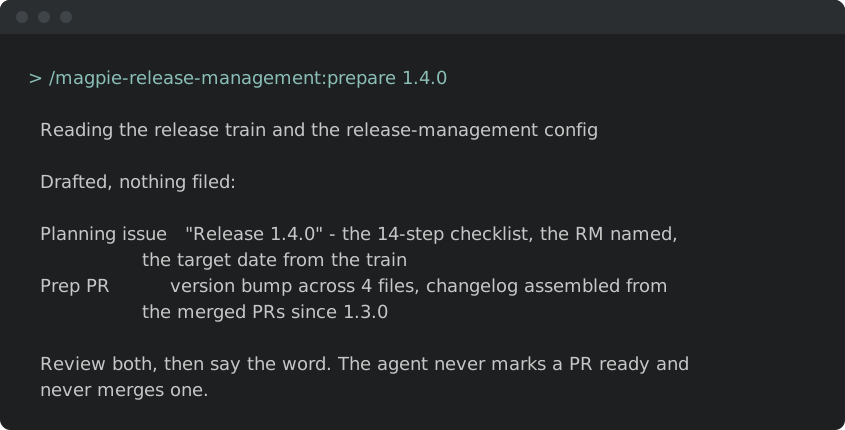
Check an RC before you vote.
/magpie-release-management:verify-rc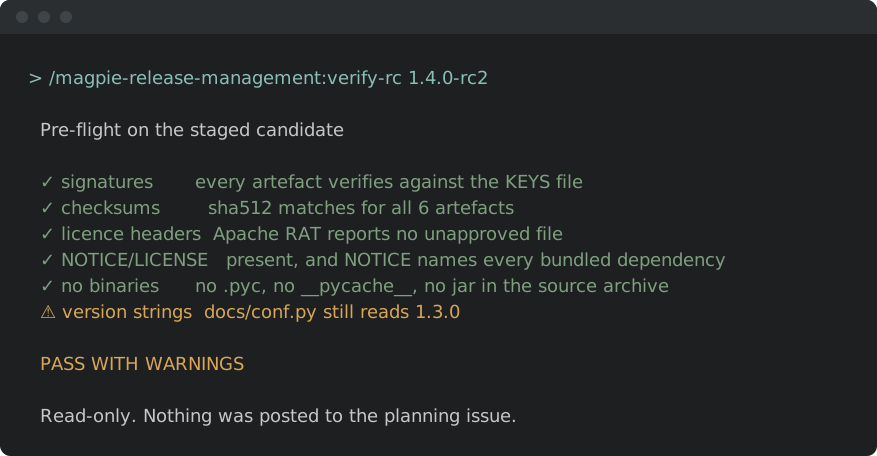
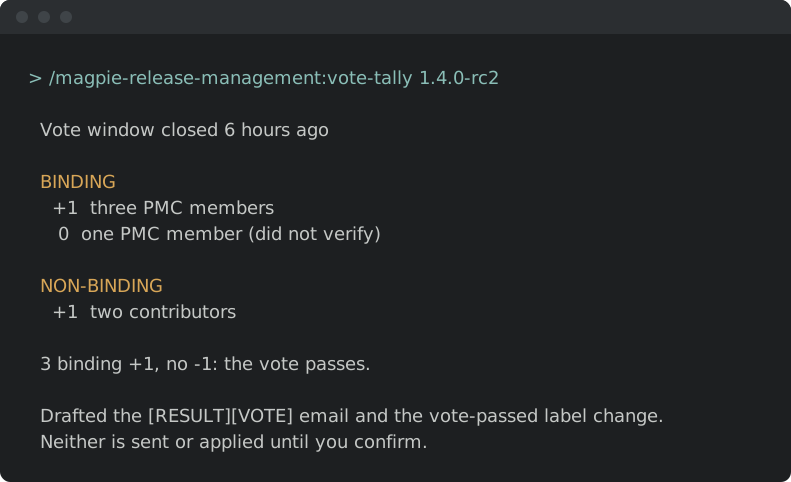
Tally the vote thread.
/magpie-release-management:vote-tally