Install & first runs
Install just this family — one plugin, 4 skills. Newcomer-facing mentoring — welcome, explain, and curate first issues.
Once you have added the marketplace:
/plugin install magpie-mentoring@apache-magpieNew to Magpie? The quick start walks the whole path in
one place — install, the first /magpie-setup:setup run, and a recording of it
happening — plus the other agents and the secure-isolation setup to run next.
The first mentoring skill you run opens with a one-minute
welcome guide:
the typical flow, what needs configuring, what to ask it, and how to make it yours.
Dismiss it, or hide it for good, from its last line;
“show the mentoring welcome again” or /magpie-setup:welcome-guide mentoring brings it back.
Before the first run

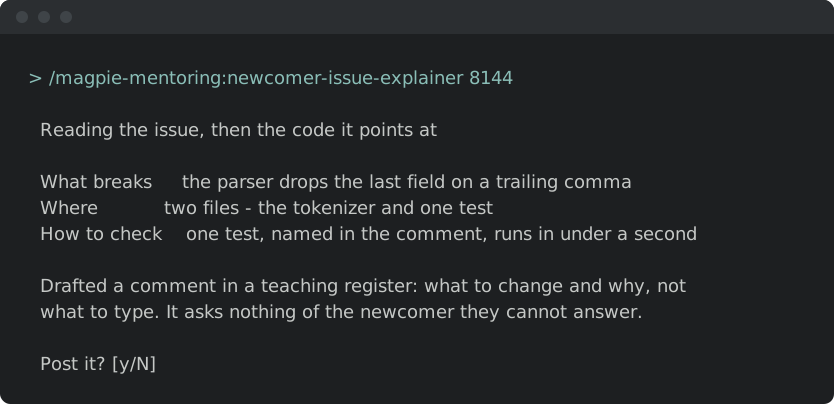
Illustrative — the real run derives more and asks better. What is true is the shape: it runs itself, it writes only your personal layer, and it stages nothing.
Every skill here resolves project-specific values from the adopter’s
<project-config>/ directory — which is
your personal layer first — .apache-magpie-local/ (gitignored) in a
project that adopted Magpie, <git-common-dir>/apache-magpie/ in one
that did not — then .apache-magpie-overrides/ (committed, the project’s).
For yourself: /magpie-setup:setup config scaffolds and fills these locally
(/magpie-setup config on a pinned-snapshot install).
Nothing is staged, nothing is committed, and it works on a repository that
has never adopted Magpie.
For the project: /magpie-setup:setup adopt
commits them for every contributor, either scaffolded directly or promoted
from what you configured locally.
Required. Without these a skill would act on a guess, so it stops and says which file is missing.
| File | What it carries | Read by |
|---|---|---|
good-first-issue-config.md |
What counts as a good first issue here: labels, size limits, and the areas safe to hand to a newcomer. | good-first-issue-author, good-first-issue-sweep |
issue-tracker-config.md |
Tracker URL, project key, auth model, default query templates. | good-first-issue-author, good-first-issue-sweep |
project.md |
Project manifest. Identity, repositories, mailing lists, tools enabled, CVE tooling, GitHub project-board + issue-template field declarations. The single file every skill reads to resolve project-scoped references. | good-first-issue-author, good-first-issue-sweep, newcomer-issue-explainer, welcome |
Optional. Each has a documented fallback; absent, the skill still runs.
| File | What it carries | Read by |
|---|---|---|
mentoring-welcome-config.md |
Wording and triggers for first-time-contributor welcomes. | welcome |
newcomer-issue-explainer-config.md |
How much context an explanation carries, and the register it is written in. | newcomer-issue-explainer |
Try these first
Illustrative shapes, not real transcripts — your output will differ. Nothing below sends, merges, or posts anything without you confirming it.
Welcome a first-time contributor.
/magpie-mentoring:welcome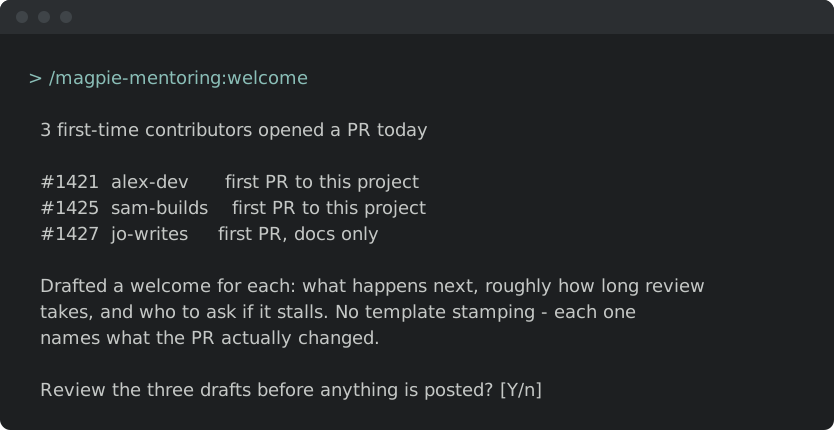
Curate the good-first-issue backlog.
/magpie-mentoring:good-first-issue-sweep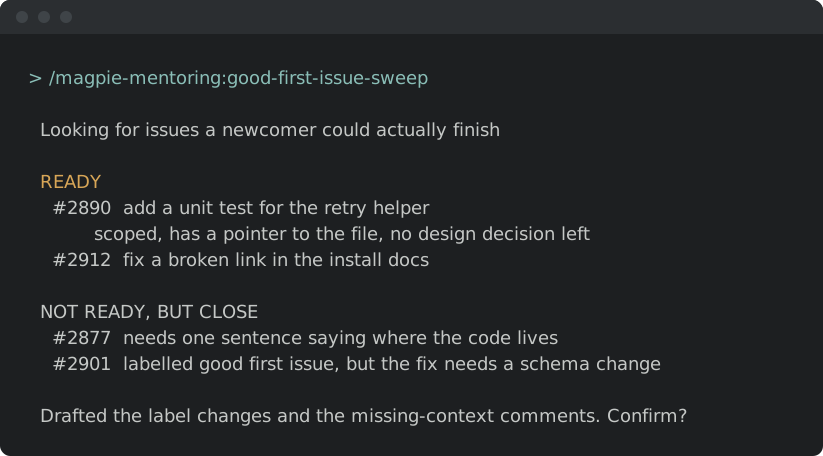
Explain an issue to a newcomer.
/magpie-mentoring:newcomer-issue-explainer